Understanding Results
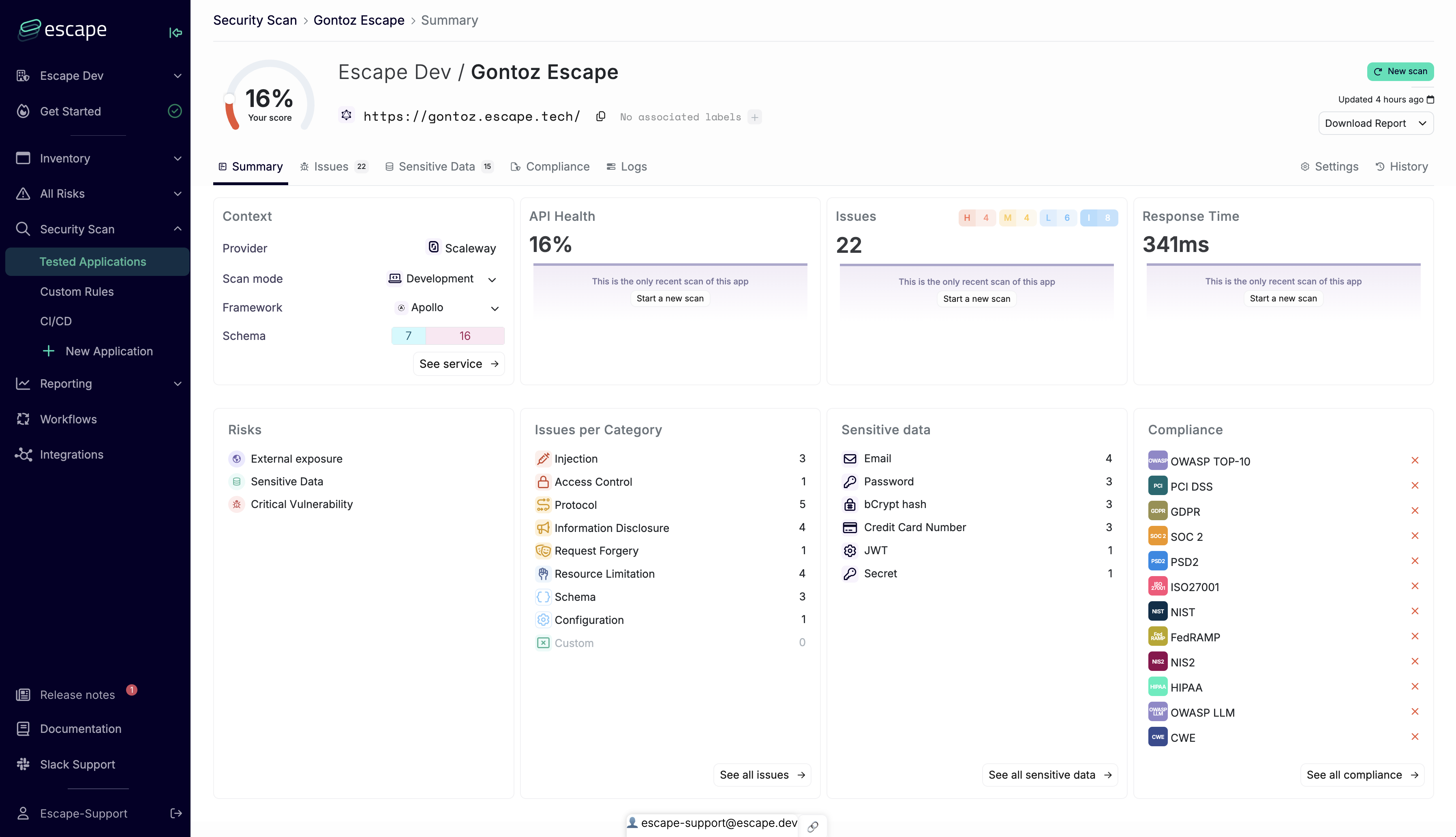
After scan completion, you'll be redirected to the results page. Here you can view both individual scan results and historical DAST scan data over time.
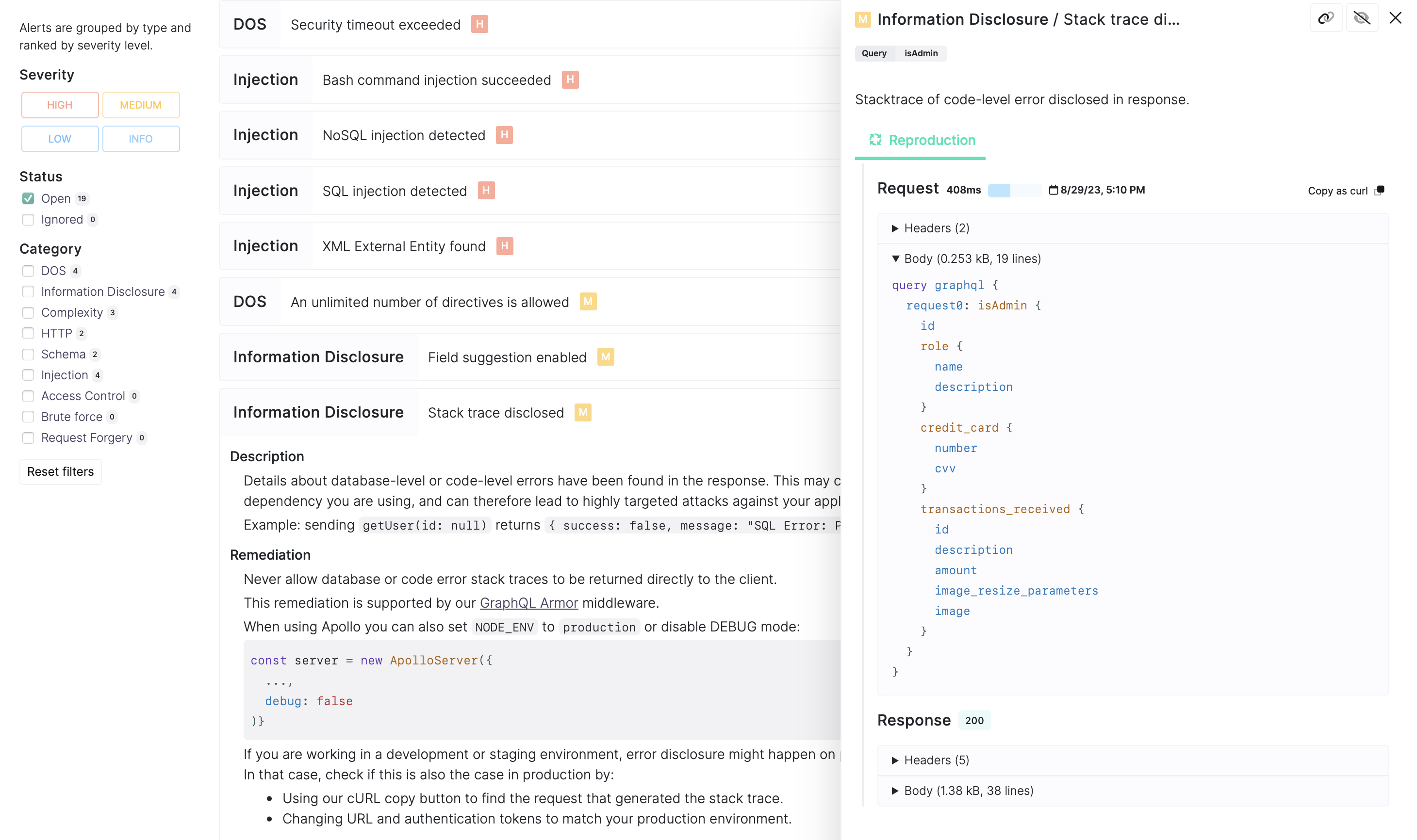
Issues, Reproduction & Remediations
Each finding includes context, reproduction evidence, and Fix in Claude Code, Fix in Codex, Fix in Cursor and Copy as prompt actions. Claude Code is the default coding agent. See AI Remediation and IDE Integrations.
Severity
Each issue carries an Escape Severity rating (Critical, High, Medium, Low, Info). Severity starts from the test's CVSS baseline and adjusts for exploitability in your environment: authentication context, sensitive data exposure, and API-specific risk. CVSS score and vector are also shown on every finding.
For APIs:
- Includes
cURLcommands for issue reproduction - Provides step-by-step reproduction guidance
For WebApps:
- Includes reproduction steps to reach the appropriate page and state
- Context will explain the inputs or DOM elements that are triggering the alert, with surrounding page content
- Contains screenshots and crawled elements for in-depth debugging
Issue Deduplication
Issues are automatically hashed and deduplicated at the Asset level. When multiple Profiles scan the same Asset, any Issues with identical hashes are consolidated into a single Issue record. This means:
- Only one instance of each unique Issue is visible and stored per Asset
- Duplicate findings from different Profiles are merged automatically
- The Asset-level view provides a clean, deduplicated list of security Issues
This deduplication ensures efficient issue management and prevents redundant remediation efforts when the same vulnerability is detected by multiple scan profiles.
Issue State Is Global Across Profiles on the Same Asset
Because Issues are stored at the Asset level, their state (Open / Resolved / Ignored) is shared across every Profile that scans that Asset. Two Profiles pointing at the same base URL will open and close each other's Issues, and ignoring an Issue on one Profile ignores it on all of them. This is by design and keeps the Asset view consistent with the real security state. See Issues are Scoped to Assets, not Profiles for the full lifecycle model.
Security Score
Escape assigns each scan a Security Score. The platform shows it as a percentage from 0 to 100. A higher score is better. A score of 100% means Escape found no open Critical, High, Medium or Low issues in scope. The API, the CLI and webhooks return the same value as a number between 0 and 1.
Scoring Methodology
The Security Score drops as the number and severity of counted issues increase. Critical and High issues lower it much more than Medium or Low issues. Info findings don't affect the score. Resolving counted issues improves it, with higher-severity fixes having a greater effect.
Score Calculation Scope
The scan Security Score counts active issues associated with that scan: issues that are open or under manual review on monitored assets. The application Security Score counts issues that are open or under manual review and associated with that application. Both reflect the number and severity of those issues. The application Security Score appears once the profile has a successful scan. See When the Profile Security Score Appears.
Score Interpretation and Trending
Use the Security Score alongside the underlying findings to prioritize remediation and track progress:
- Score Trends Over Time: A declining score trajectory indicates accumulating technical security debt or newly introduced vulnerabilities. Conversely, an improving trend demonstrates effective remediation efforts.
- Severity Distribution: Two scans with identical Security Scores may have different risk profiles. A scan revealing several critical issues presents different remediation priorities than one with many low-severity findings.
- Historical Comparison: Security Scores enable tracking security improvements across scan iterations, helping security and engineering teams measure the effectiveness of remediation efforts and identify regression patterns.
The Security Score serves as a high-level security health indicator that complements detailed vulnerability analysis, enabling both executive-level reporting and technical remediation workflows.
Governance & Operations
Escape's Governance & Operations section provides a comprehensive overview of how to manage and operationalize your security posture: Issue Management, Reporting, Compliance, Workflows & Notifications, Ticketing & Workflows, and more.