#73 · Enhanced Inventory Settings
We’ve added new settings to your Inventory Settings page, enabling you to customize two powerful features:
- Automatic Security Scan Creation: Allow Escape to automatically run security scans for newly discovered applications in your inventory, streamlining your security workflows and notifying you whenever new applications built by your developers or exposed online are detected. With Escape’s ability to build documentation programmatically, this feature operates at scale effortlessly.
- Automatic Inventory Data Refresh: Gain control over when Escape runs its scans to build your inventory without requiring agents. Enabling this feature ensures you always have access to up-to-date data about your exposed and vulnerable applications.
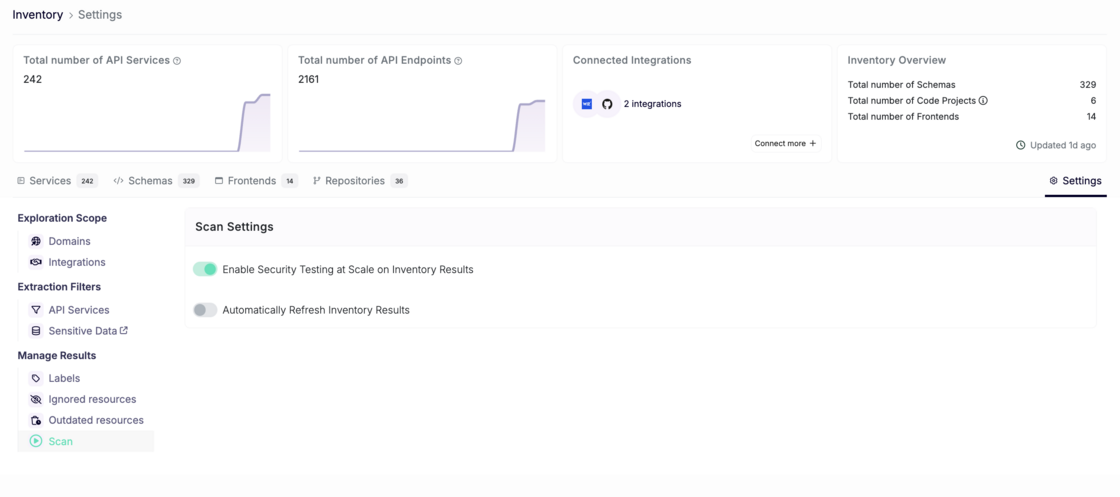
How to Configure
- Go to the Inventory Settings page.
- Go to Manage Results -> Scan
- Adjust the toggles for "Enabling Security Testing at Scale on Inventory Results" and "Automatically Refresh Inventory Results" to fit your needs.
These enhancements give you more flexibility and control over your inventory management processes, empowering you to tailor the platform to your workflow.