#134 · New "Create New Scan Profile" Form
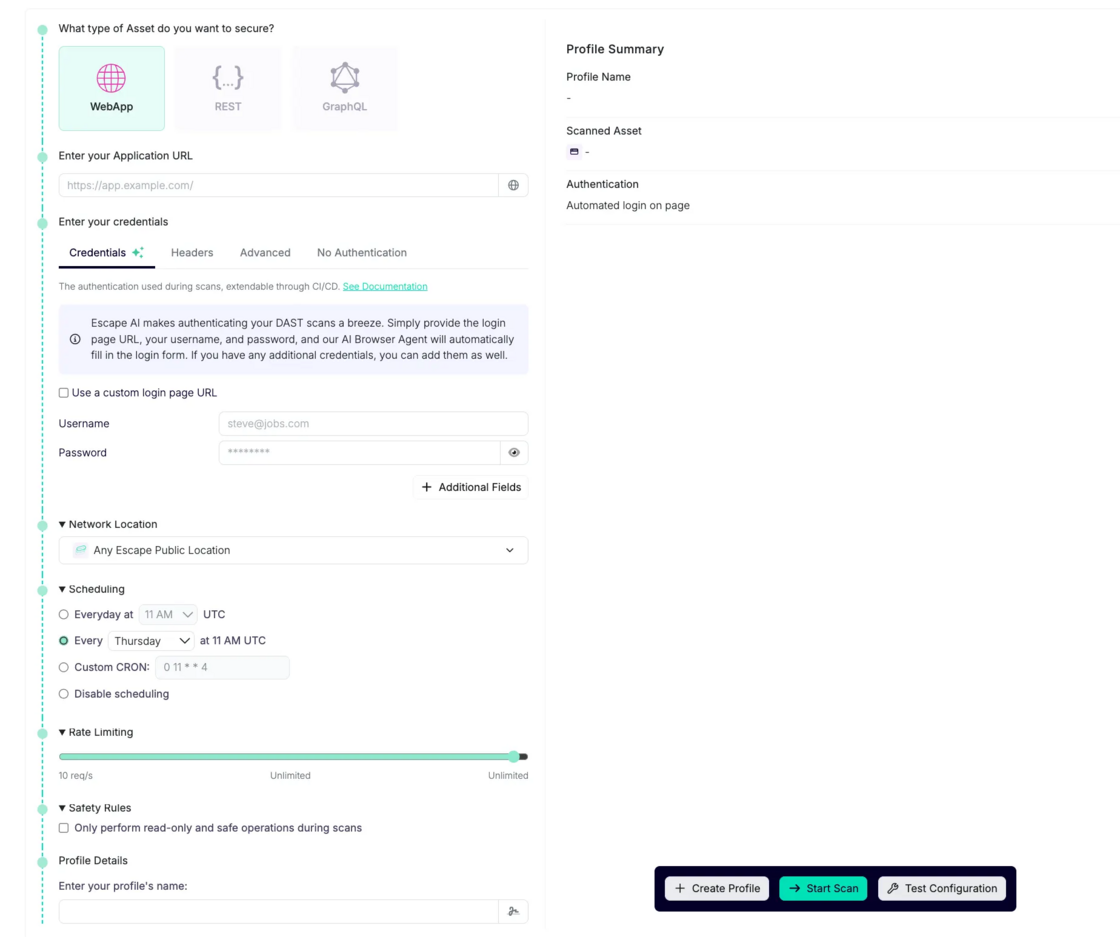
We’re excited to introduce an improved "Create New Scan Profile" form that addresses several key customer pain points. Users previously had to navigate through settings after creating an app to configure their scans, but now, this process is simplified, allowing for a much more in-depth setup right from the start.
Addressing Your Pain Points
Many of our users requested a more comprehensive way to set up their scans when creating a new scan profile, instead of configuring them separately through the settings later on. Here are the key features that were previously lacking but are now included in the new workflow:
- Configure Advanced Authentication: Set up advanced authentication configurations during profile creation, including custom login page URLs, usernames, and passwords.
- Create Profiles Without Starting the Scan: Scan profiles can be created without automatically starting the scan.
- Configure Safety Rules: Check the box during scan profile setup to only perform read-only and safe operations during scans
- Rate Limiting and Scheduling During Profile Creation: Configure scan rate limiting and set scheduling preferences directly while creating the profile, saving time and making setup smoother.
- Fetch API Schema from Different Locations: Fetch API schemas from locations other than the app’s schema—useful if the API schema is stored separately.
All of these new creation steps are available via Escape API.
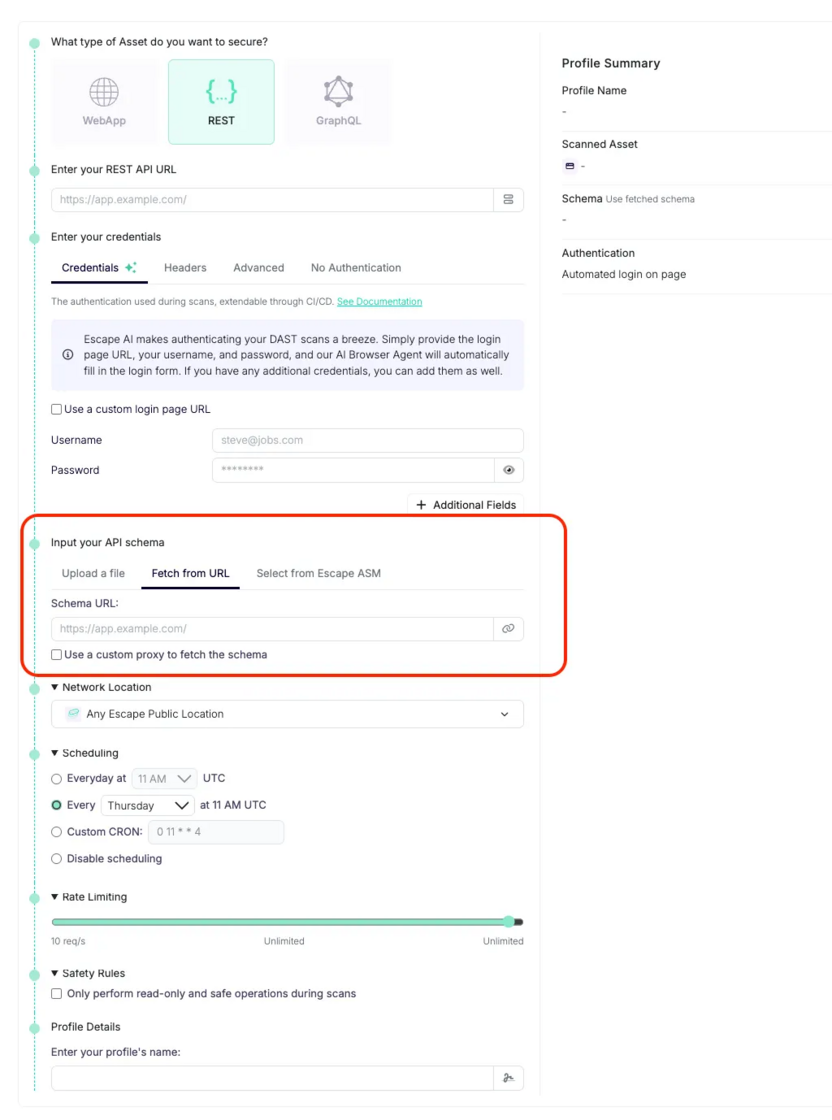
This new form simplifies and streamlines the process of creating and configuring scan profiles, ensuring that you can set up your scans with all necessary parameters from the start.