#152 · New Integrations page with built-in testing, logs, and project-level organization
The Integrations page in Escape has been redesigned to make integrations easier to manage and troubleshoot. You can now configure, test, and monitor integrations from one place, with clear insight into associated assets, execution history, and usage across workflows.
By separating integrations from asset scope and adding built-in testing and logs, it’s simpler to validate changes, debug issues, and keep integrations organized by project as you scale.
What’s new
Standalone integrations
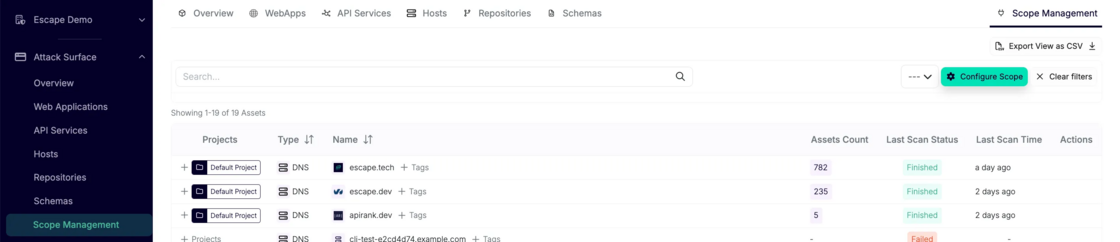
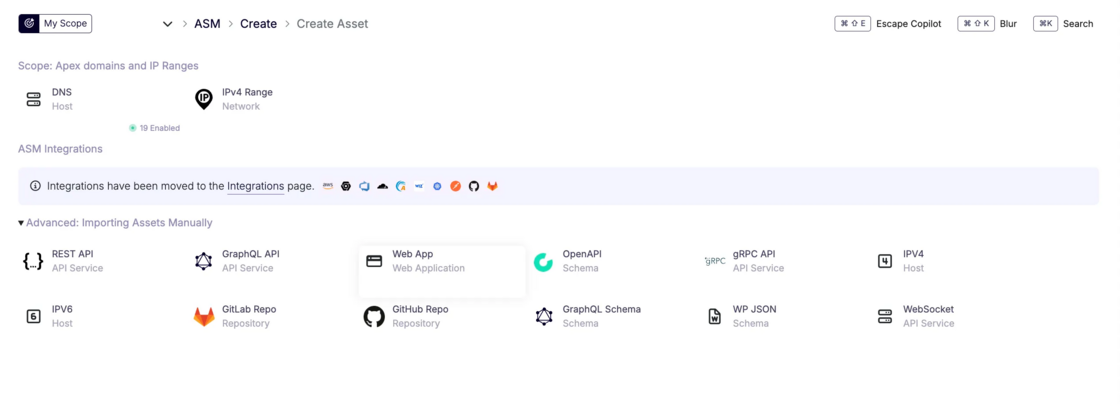
Integrations and asset scope are now managed separately. Domains and IP ranges are handled under ASM Scope Management, while integrations focus only on connectivity and execution.
Configure and manage assets in ASM via Scope Management:
Manage integrations independently at a dedicated Integrations page:
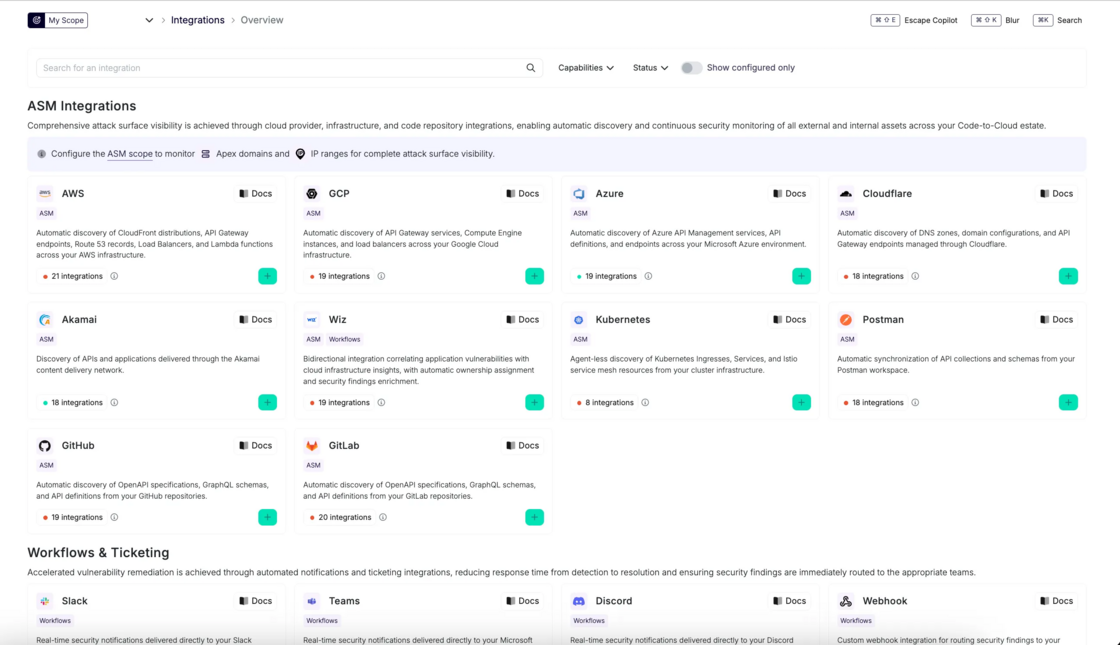
- Keep scope and connectivity as separate concerns
This makes it easier to reason about what connects vs. what’s being scanned.
Project-level organization
You can now organize integrations based on how your team actually works.
- Link each integration to a specific project (for example, Brand A)
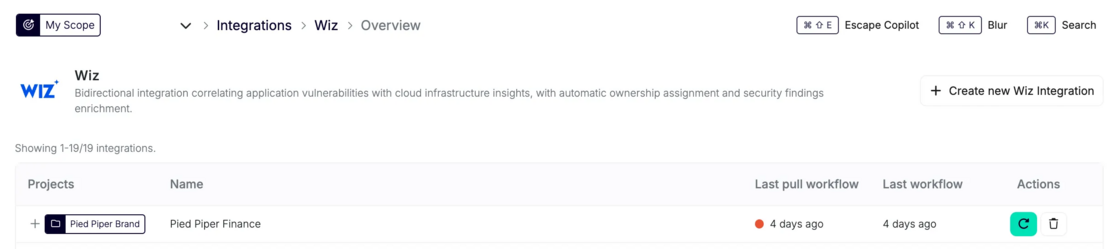
- Create multiple integrations for different environments (staging, prod etc.)
- Manage integrations independently across teams or setups
Makes it simpler to scale without everything living in one shared config.
Built-in testing
Validate integrations before using them in workflows in a single click on “Test configuration”
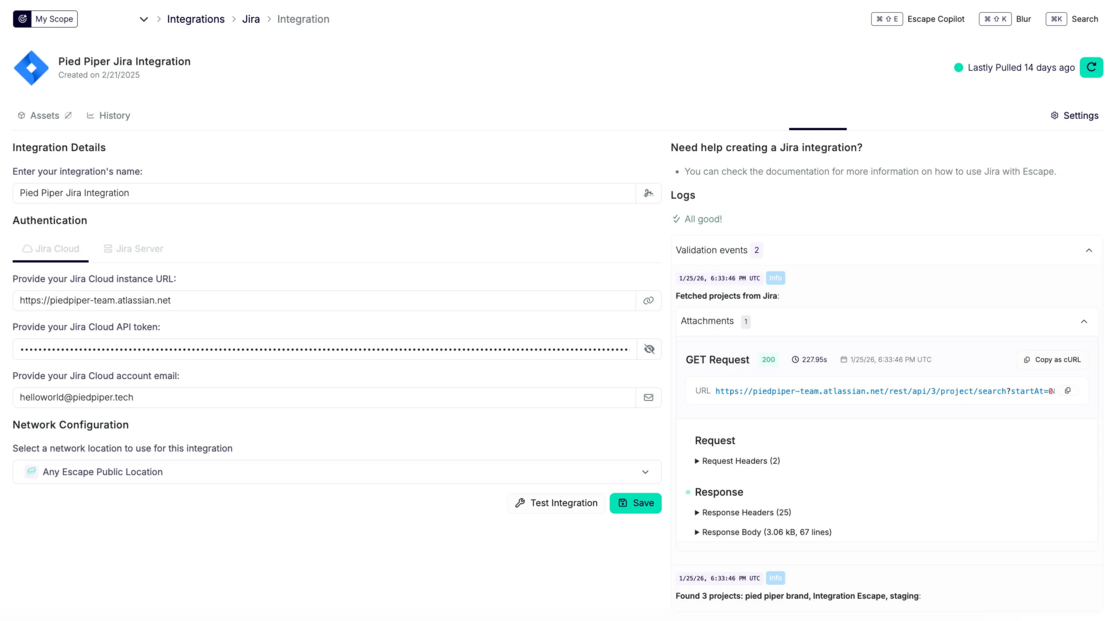
- Run tests directly from the UI during your initial set up or if you’re making changes.
- Inspect requests and responses
- Catch misconfigurations early
Fewer broken workflows and less trial-and-error.
Usage logs
Understand how integrations behave in practice.
- Click on History on a specific integration’s page and see exact when an integration ran
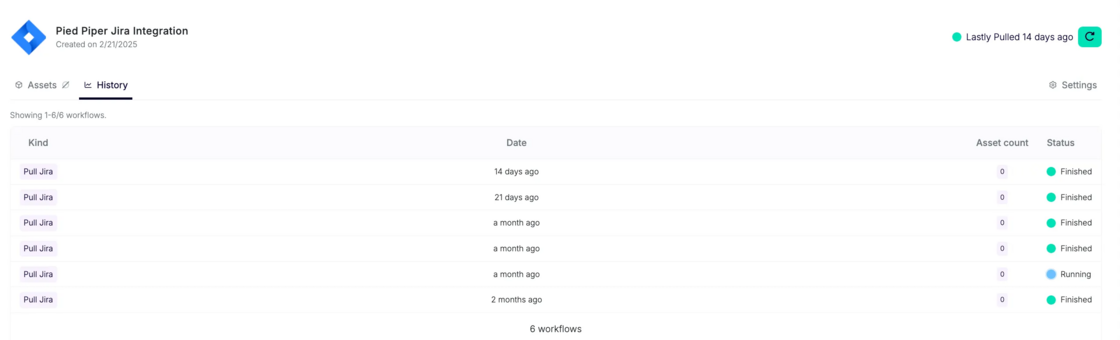
- Identify which workflow triggered it
- Review in-depth execution history by clicking on a specific pull for debugging
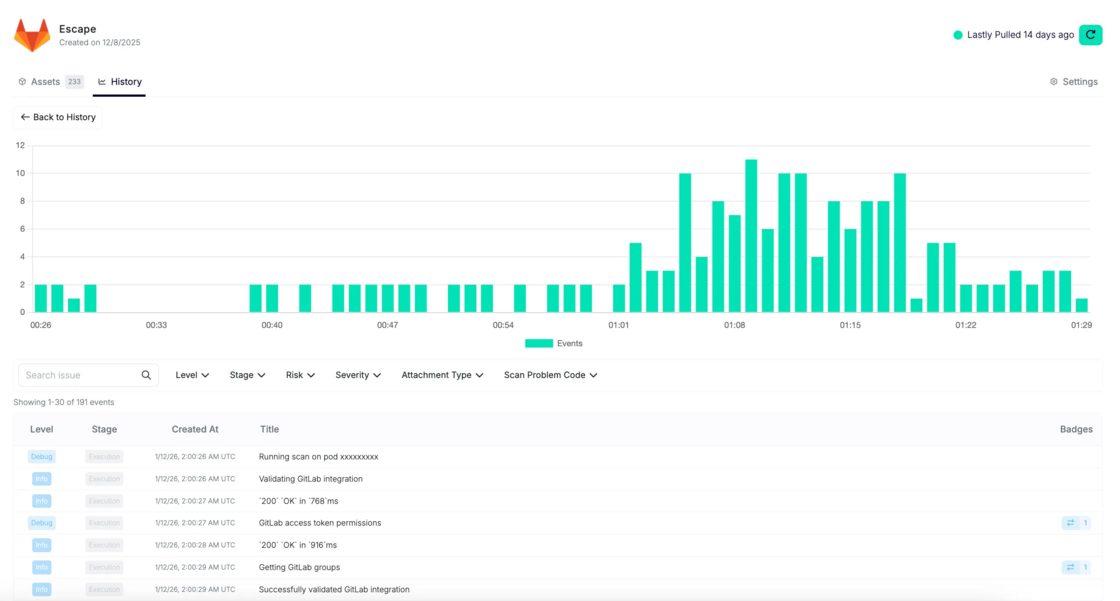
Your troubleshooting faster and more predictable.
Asset scope insight & export: Helpful for governance and reporting
For Attack Surface Management users: you can now exactly see which assets are associated with each integration.
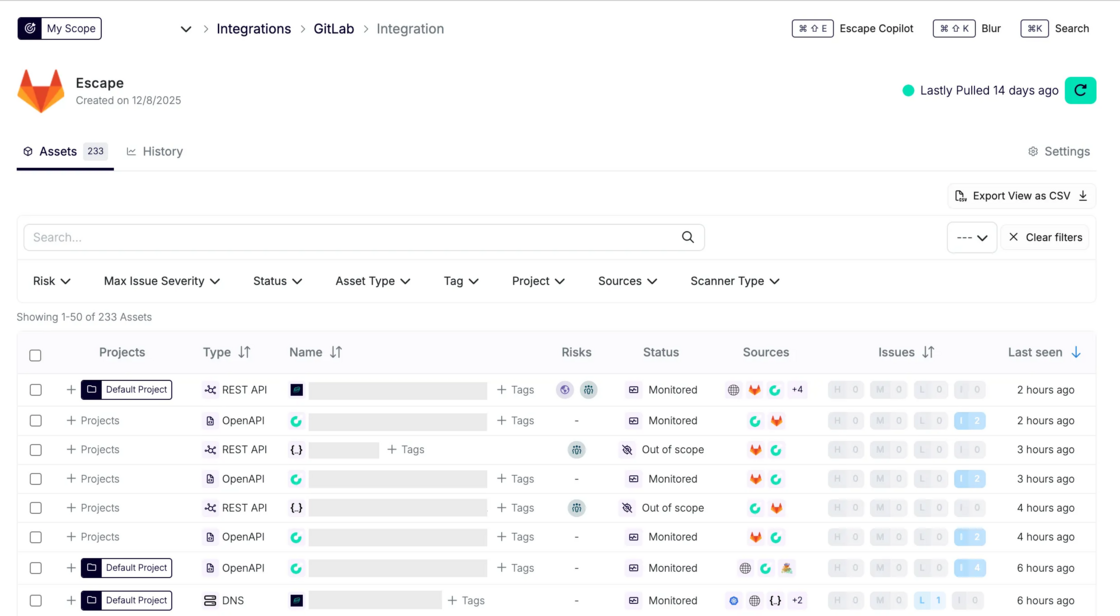
And also export associated assets as CSV for audits or reviews:

Workflow-native messaging integrations
Create Slack, Discord, and other messaging integrations directly inside workflows, where they’re used.
Result: less setup friction and cleaner configuration.
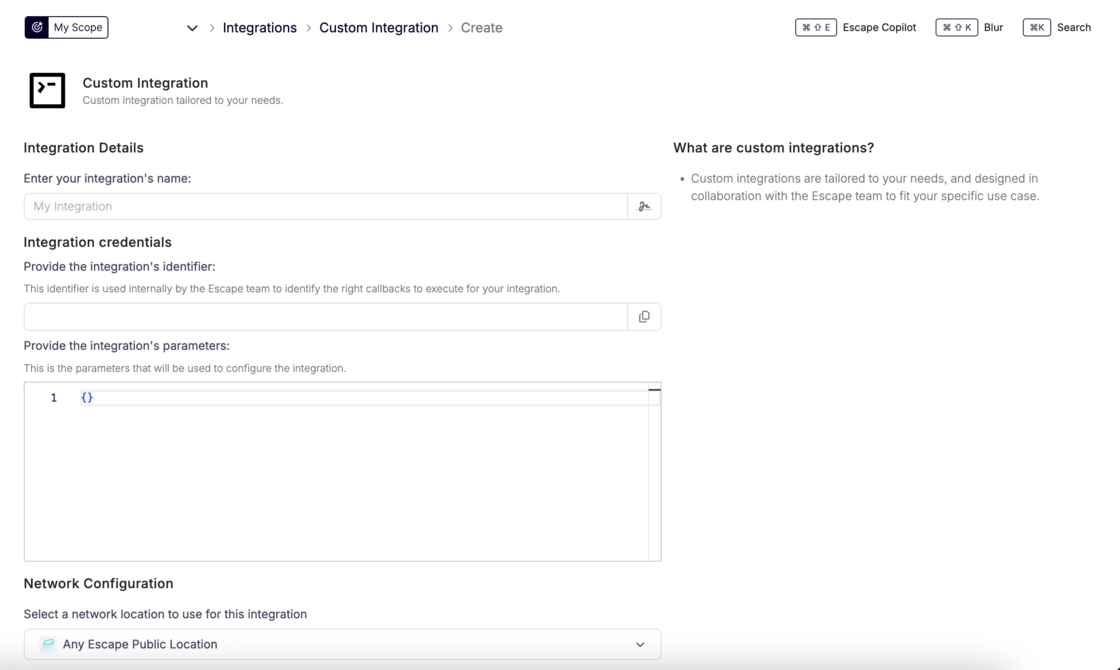
Custom Integrations (on request)
Need something tailored?
Collaborate with the Escape team to design a custom integration built specifically for your use case.
Why this matters
Previously, integrations were harder to reason about:
- Limited visibility into dependent assets and workflows
- Manual debugging when failures occurred
- Little insight into usage or performance
- Confusion between asset scope and connectivity
Now, you get:
- Clear separation between asset scope and integrations
- Built-in testing to validate configurations
- Usage logs for debugging and traceability
- Project-level organization across environments
This makes integrations easier to manage, troubleshoot, and scale as your setup grows.