#119 · Bulk Edit Assets, Issues and Profiles
You can now perform bulk actions across assets, issues, and scan profiles directly from their respective pages. Apply tags, update statuses, and keep your inventory organized without repetitive manual work - built specifically for teams managing complex or high-volume environments.
What’s new
1.All Assets page:
-
Bulk assign tags: Organize assets more efficiently by applying relevant tags to multiple items at once.
-
Bulk update status: Quickly categorize assets as Monitored, False Positive, Out of Scope, or Deprecated with a single action.
2.All Issues page (when grouped by None):
Easily update the status of multiple issues at once—set them as Open, Need Manual Review, Resolved, False Positive, or Ignored with a single click.
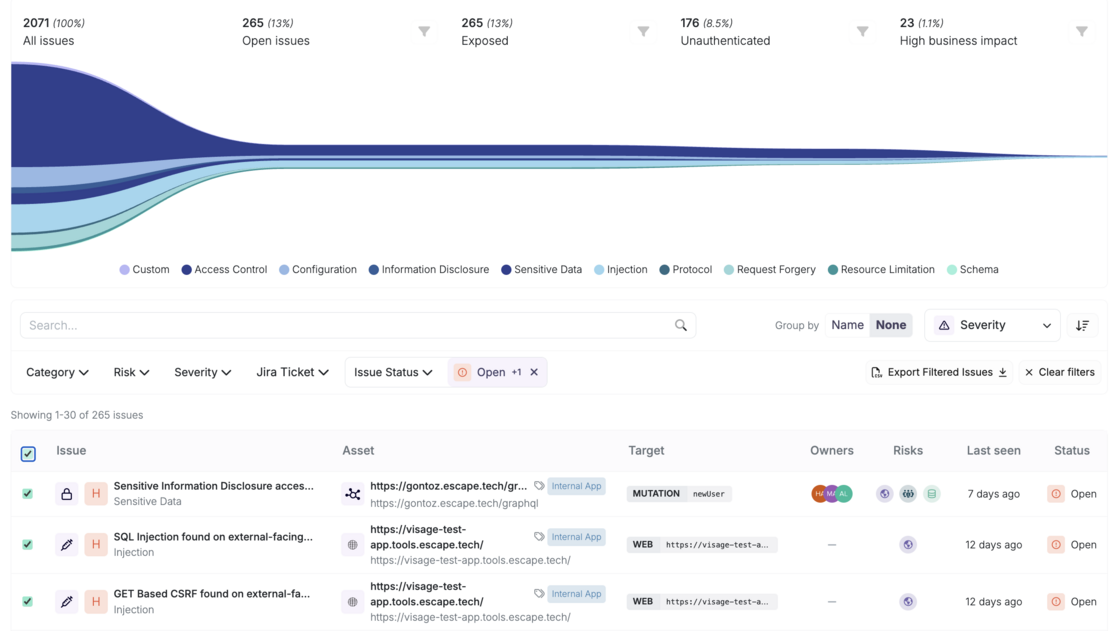
3.Scan Profiles page:
- Bulk assign tags: Organize assets more efficiently by applying relevant tags to multiple items at once.
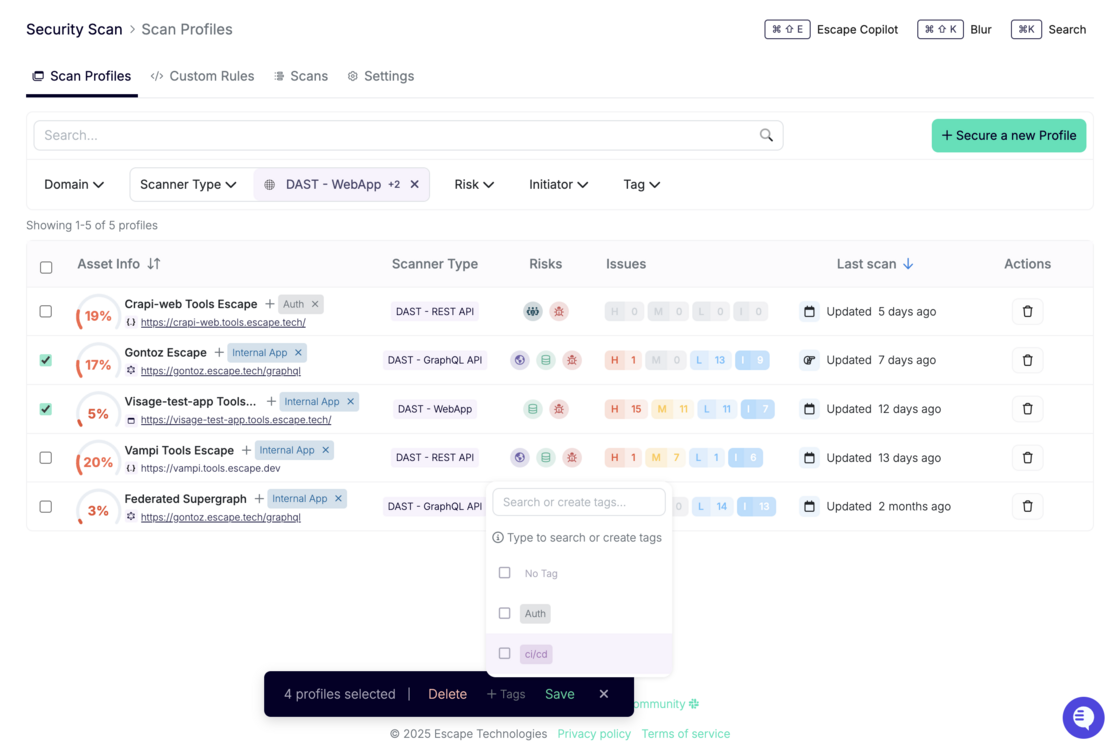
These improvements are designed to streamline your workflow, especially in large-scale environments—so you can maintain a clean, structured inventory without the repetitive manual work.
It’s easy for our team to add more bulk actions if your AppSec team requires it. Got any feedback? Reach out to your dedicated Escape contact!