#128 · Save and Share Your Favorite Scan Profile Filters as Views
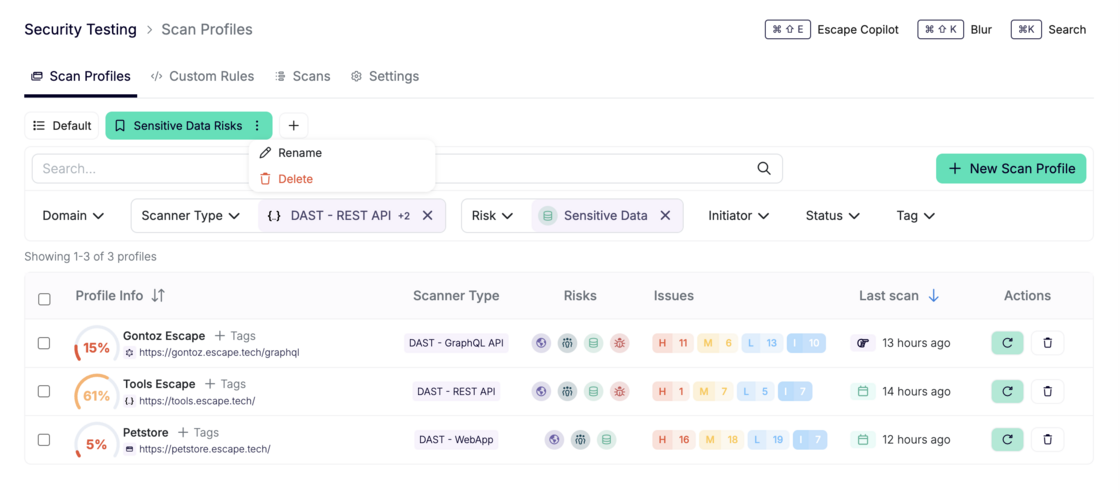
We’ve just rolled out a new feature that lets you save your favorite scan profile filter combinations as custom views for quick access and easy sharing!
Now, you can tailor your workflow to fit your needs and interact with your scan data more efficiently.
Key Features:
- Save Your Favorite Filters: You can now save filter combinations (e.g., scanner type, risk level, initiator, status, tag, etc.) as views, making it easy to access your personalized scan tables at any time.
- Share Links with Pre-filled Filters: Want to share your specific view with others? Simply build a filter and copy your link, and it will include all your filter settings as URL parameters—allowing others to see exactly what you see, no setup required.
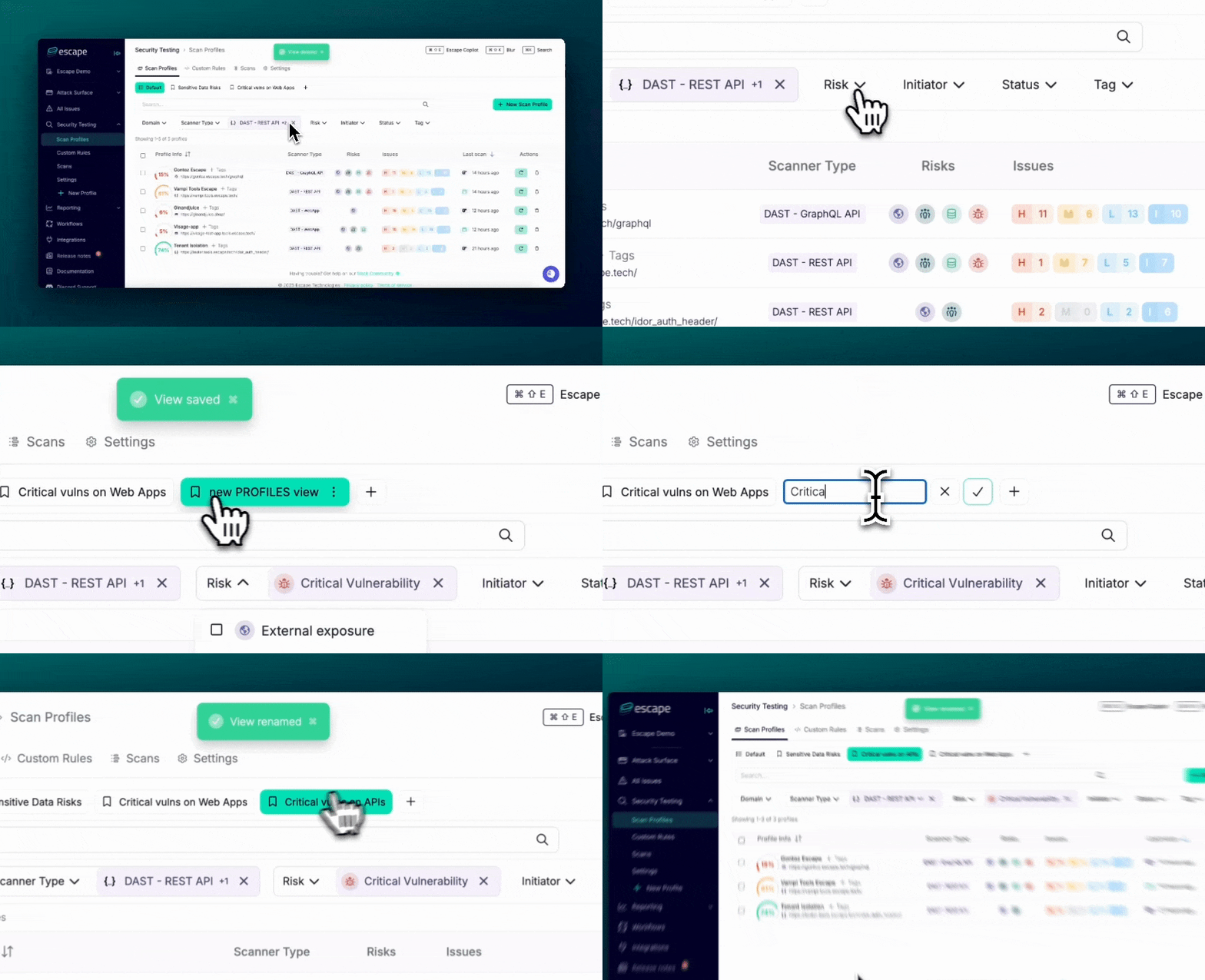
- Reorder Views: Organize your saved views with drag-and-drop functionality. Rearrange them to match your preferred order and keep your workflow seamless.
How to Access:
- Go to: app.escape.tech/profiles
- Create and save your custom views based on the filter combinations you use most.
- Share the link with your team or stakeholders, and drag-and-drop your views for easy customization!
We hope that this update will help you and your team work faster and more collaboratively by streamlining access to your favorite scan profiles.
What’s next?
And this is just the beginning! In the future, these saved views will be integrated into workflows and reporting, allowing you to apply them in even more areas of your process for enhanced efficiency and consistency.