#129 · Enhancing Tenant Isolation Testing: Generate Rules with Natural Language in Escape DAST
We’re excited to announce a new improvement to tenant isolation testing: configuration of tenant isolation testing is now available for both APIs and Web Apps and you get the ability to generate tenant isolation detection rules using natural language!
We’ve been working hard to give our customers more precise control over their configurations, making it easier to manage and enforce tenant isolation in your environment.
Why is Tenant Isolation Testing Important?
Most of today’s SaaS structures are multi-tenant environments. Making sure that each tenant’s data and resources are securely isolated from others is critical. Weaknesses or misconfigurations in tenant isolation can lead to unauthorized access or data leaks between tenants, compromising the security of the entire system. That’s why we’ve focused on providing you with the tools to maintain strict isolation and prevent any potential risks.
What’s New?
We’ve extended the ability for tenant isolation checks to both APis and web apps, allowing you to perform more granular inspections. With these improvements, you can be confident that your environment is fully isolated and secure.
Natural Language Rule Generation
One of the standout features we’re introducing is the ability to use natural language to generate tenant isolation detection rules. With the integration of LLMs, Escape customers can now write detection rules in plain language, without needing to know complex syntax or code. This makes creating custom detection rules more accessible and intuitive than ever before.
How does it work?
- Write a natural language query describing the tenant isolation rule you want to create. Here is a configuration example (Identification issue):
security_tests:
tenant_isolation:
main_user: 'user1' # Primary user for exploration and baseline establishment
natural_language_rule: |
Ensure that a user's notes cannot be accessed by other users.
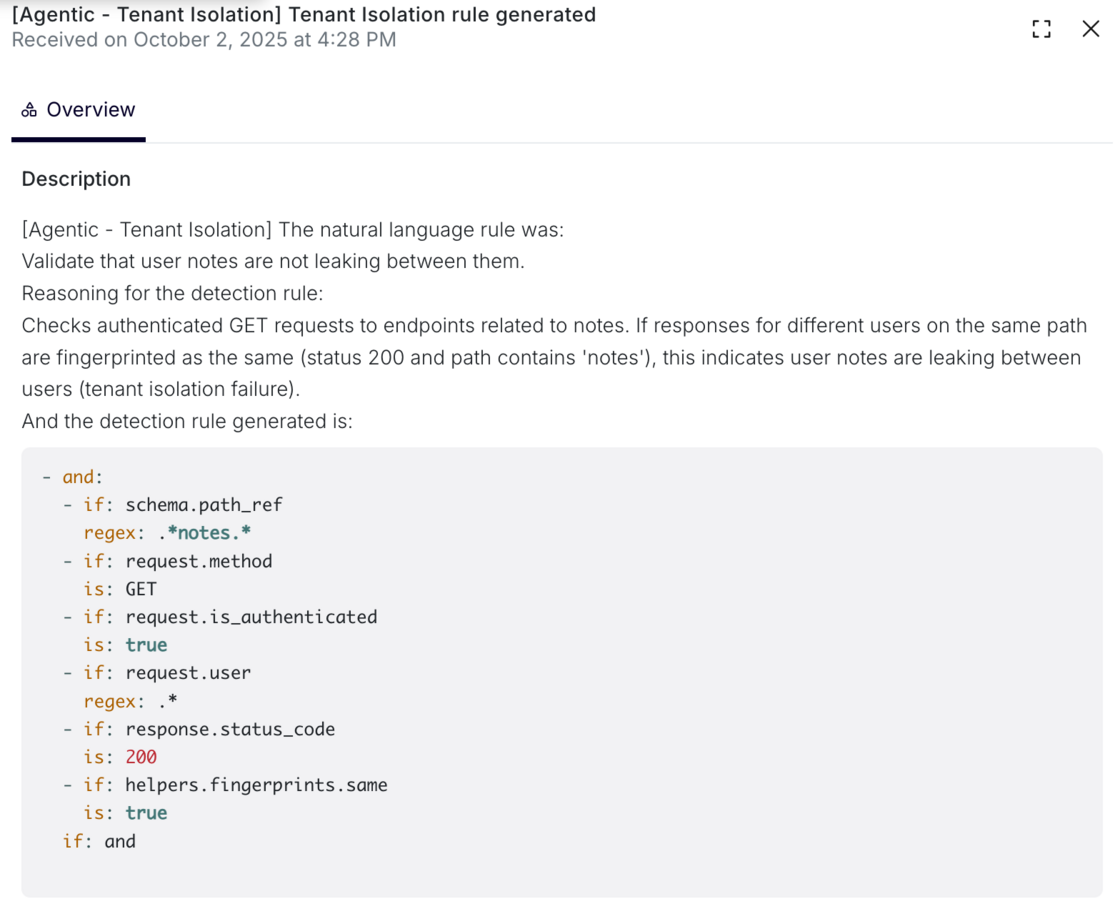
- The natural language description is then processed by Escape's agentic system, which generates a set of detection rules that validate the specified authorization boundary. The AI-generated detection logic is transparently displayed during scan execution:
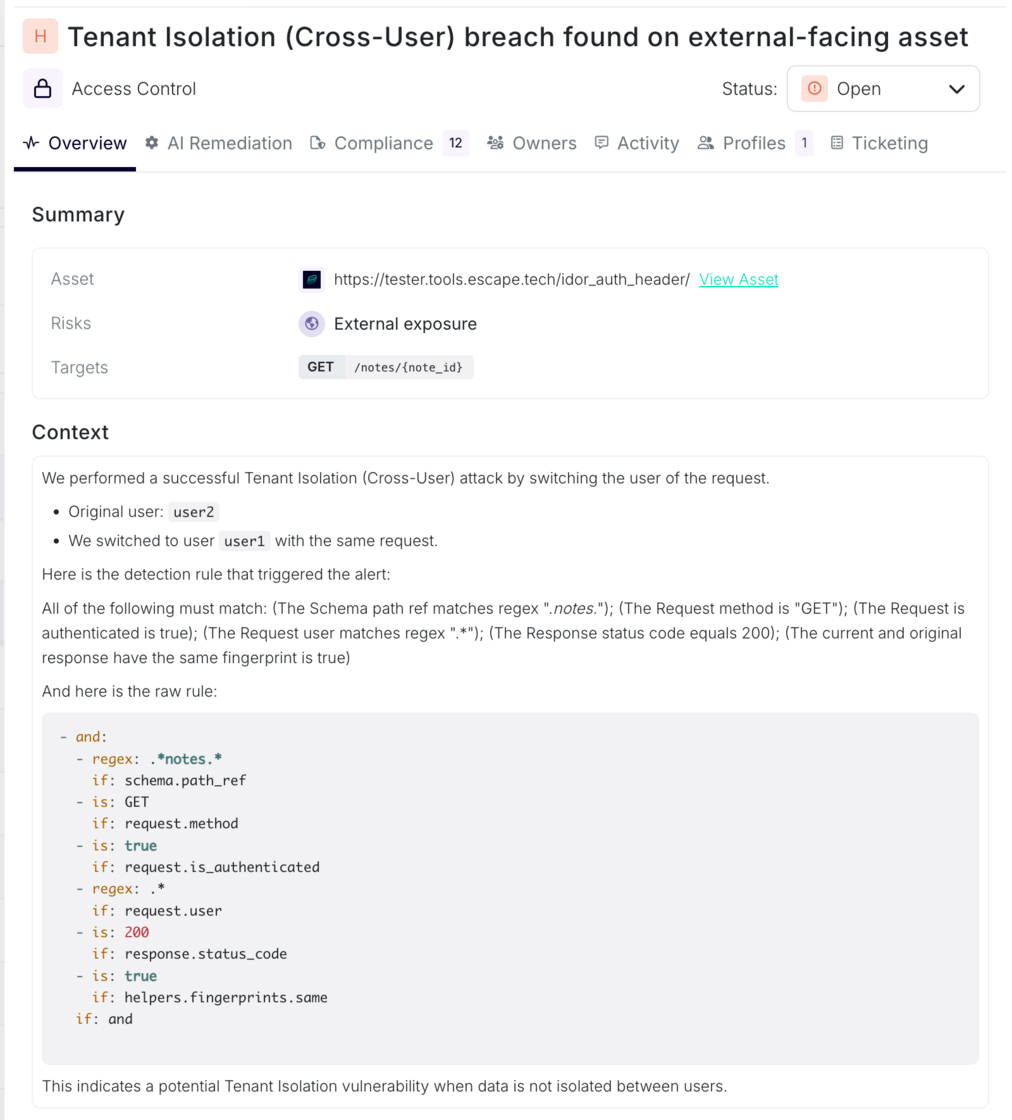
- When a tenant isolation violation is detected, the specific rule that triggered the finding is displayed alongside the vulnerability details:
Log Search and Rule Alerts
Once the detection rule is generated, you can easily track its activity through the logs. To monitor the generated detection rule:
- Search the logs for:
[Agentic - Tenant Isolation]

- You’ll find the logs detailing the generation of the tenant isolation rule.
Additionally, any relevant alerts will now contain the generated rule, making it even easier to manage and respond to potential isolation violations in your environment.
When to Use This Approach:
This method is recommended when authorization boundaries can be clearly articulated in business logic terms, and when rapid configuration without deep technical rule definition is desired. It is particularly effective for domain-specific isolation requirements that would be cumbersome to express in low-level detection predicates.
More Information
For a detailed overview and step-by-step guide on configuring and using the tenant isolation detection rules, check out our documentation:
Multi-User Testing and Tenant Isolation Documentation
This update brings greater control and flexibility to our customers, enabling you to take proactive steps in ensuring that tenant isolation is properly enforced across your systems.