Logging Systems
Three distinct logging systems are provided within the Escape platform: Audit Logs for platform-wide user actions, Activity Logs for resource-specific changes, and Scan Logs for detailed execution traces.
Audit Logs
Audit Logs record supported user actions within Escape for accountability and forensic analysis.
Access: Available in the Organization section of the platform.
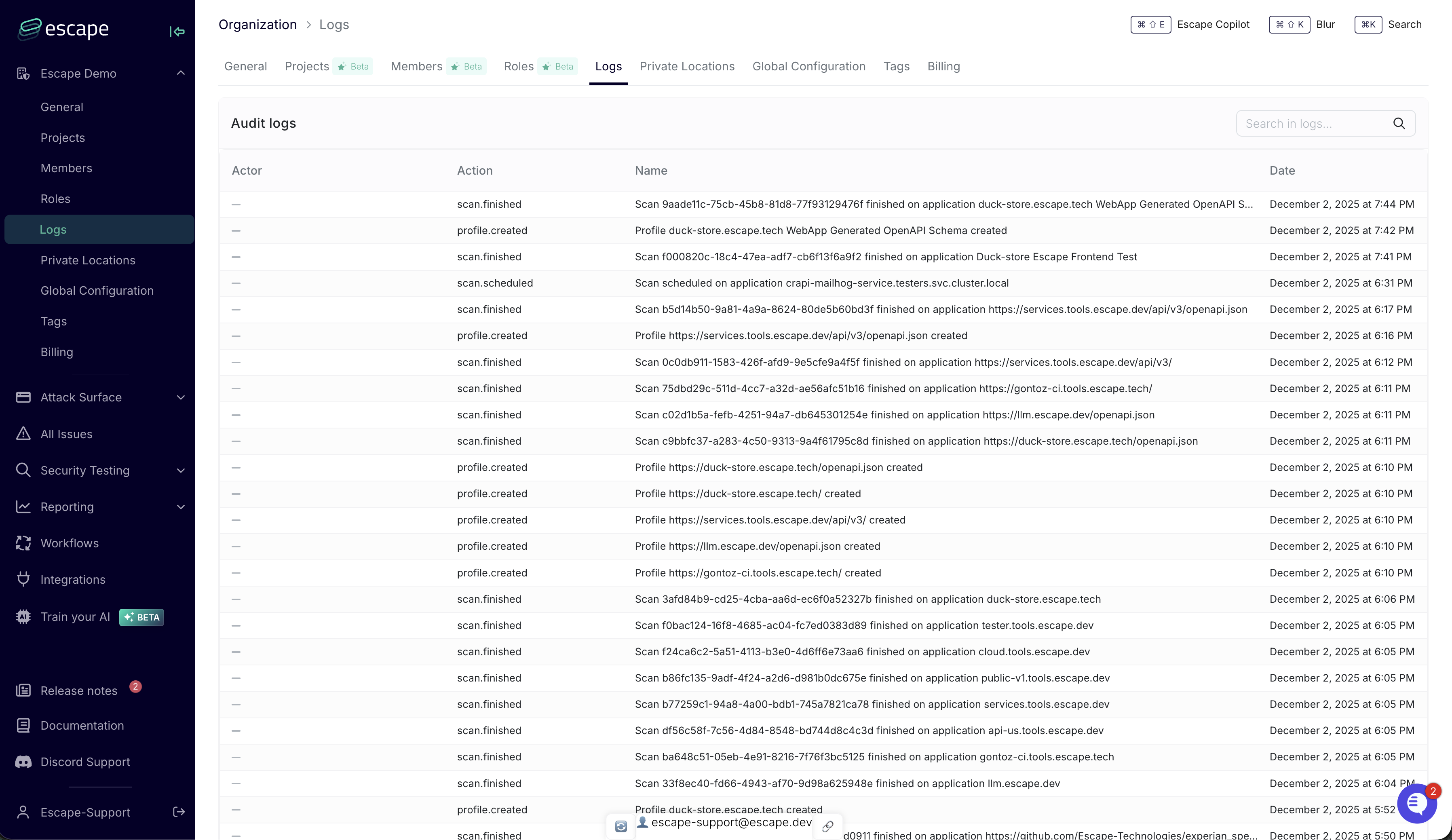
What is logged: Authentication events (login, logout), scan lifecycle, configuration changes, resource management (assets, profiles, issues, workflows, integrations, private locations), reporting actions, and access control events (role and permission changes, user invitations and deactivations). The catalog also includes organization settings and name changes, issue SLA changes, and saved views.
Log structure: Each entry contains a timestamp (date), the actor (name and email), the action type, a target identifier for the affected resource, and a human-readable title describing what happened.
Key capabilities:
- Filter by date range, actor, actor email, action type, target, or title, plus free-text search
- Group entries by action or actor
- Supports audit evidence for frameworks that require activity logging
Audit Logs are also available through the Escape CLI.
Activity Logs
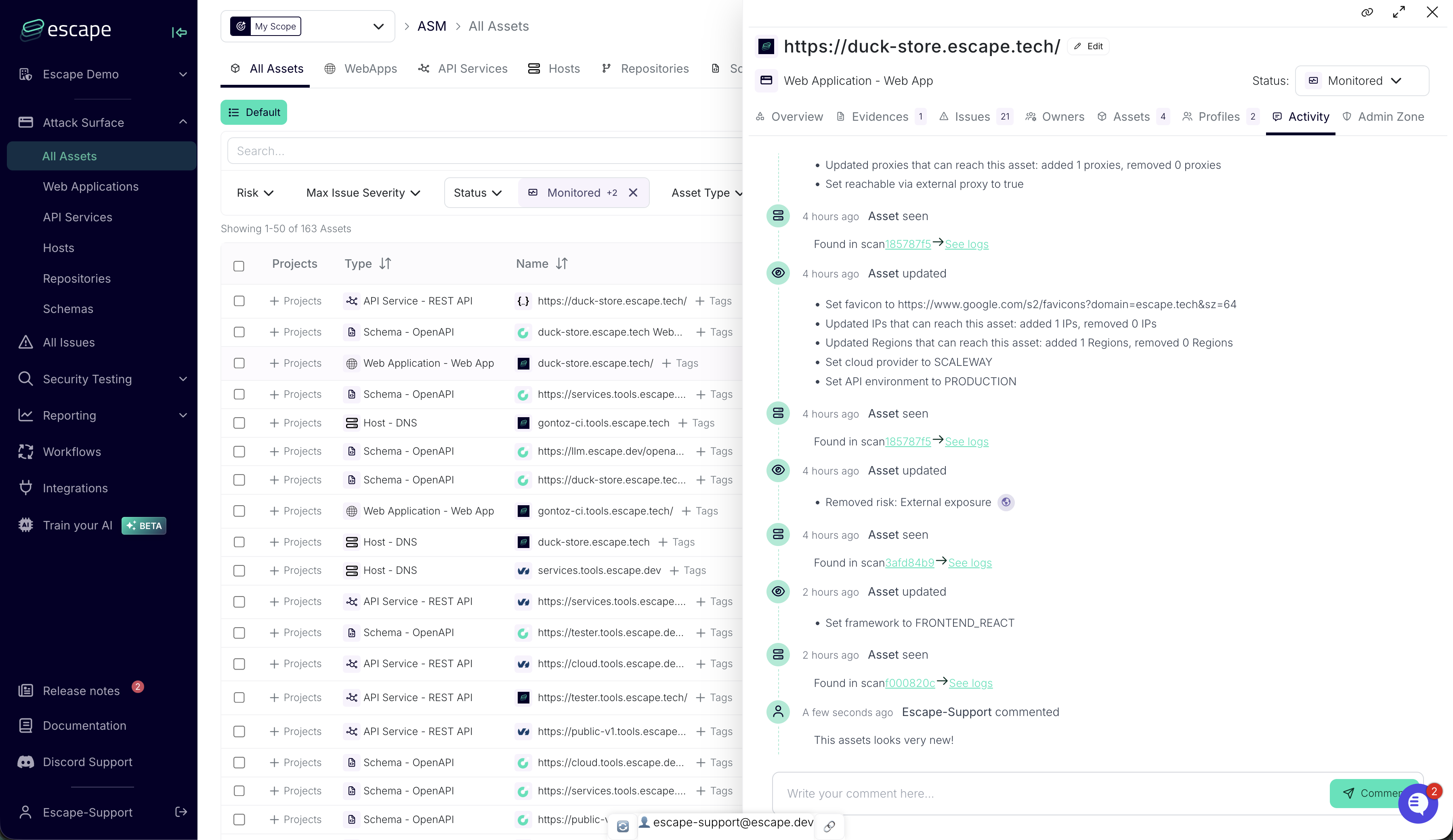
Activity Logs provide a chronological record of supported changes and interactions for individual Assets and Issues.
Access: Asset detail page and Issue detail page
For Assets: Discovery, updates (including status and risk changes), ignores, comments, and owner notifications
For Issues: Discovery, status changes, severity changes, comments, and owner notifications
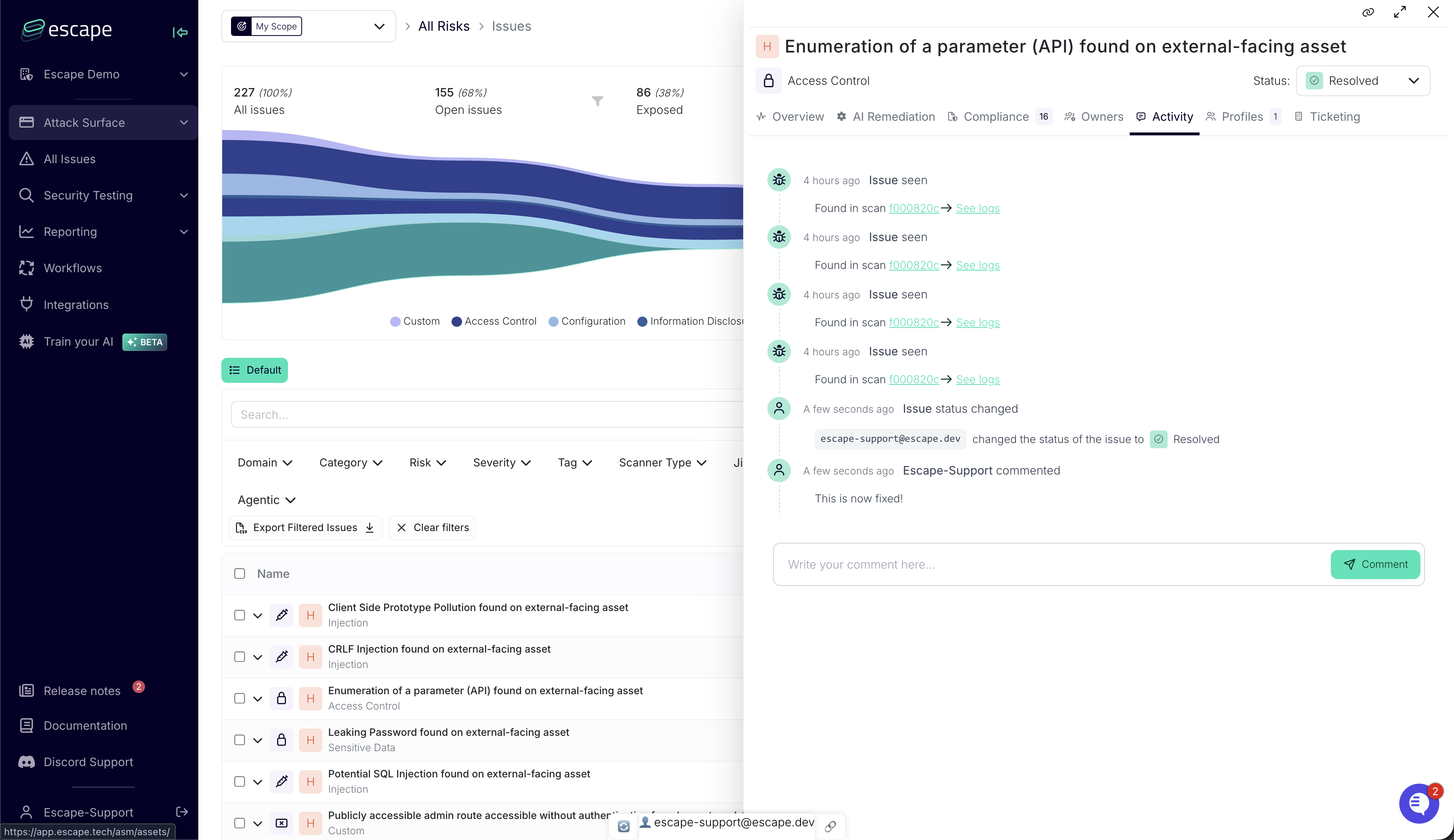
Key capabilities: Chronological display, comment threads, and a record of resource activity
Scan Logs
Scan Logs provide execution traces for security scans, including scan messages and agent actions.
Access: Scan detail page within each Application Profile
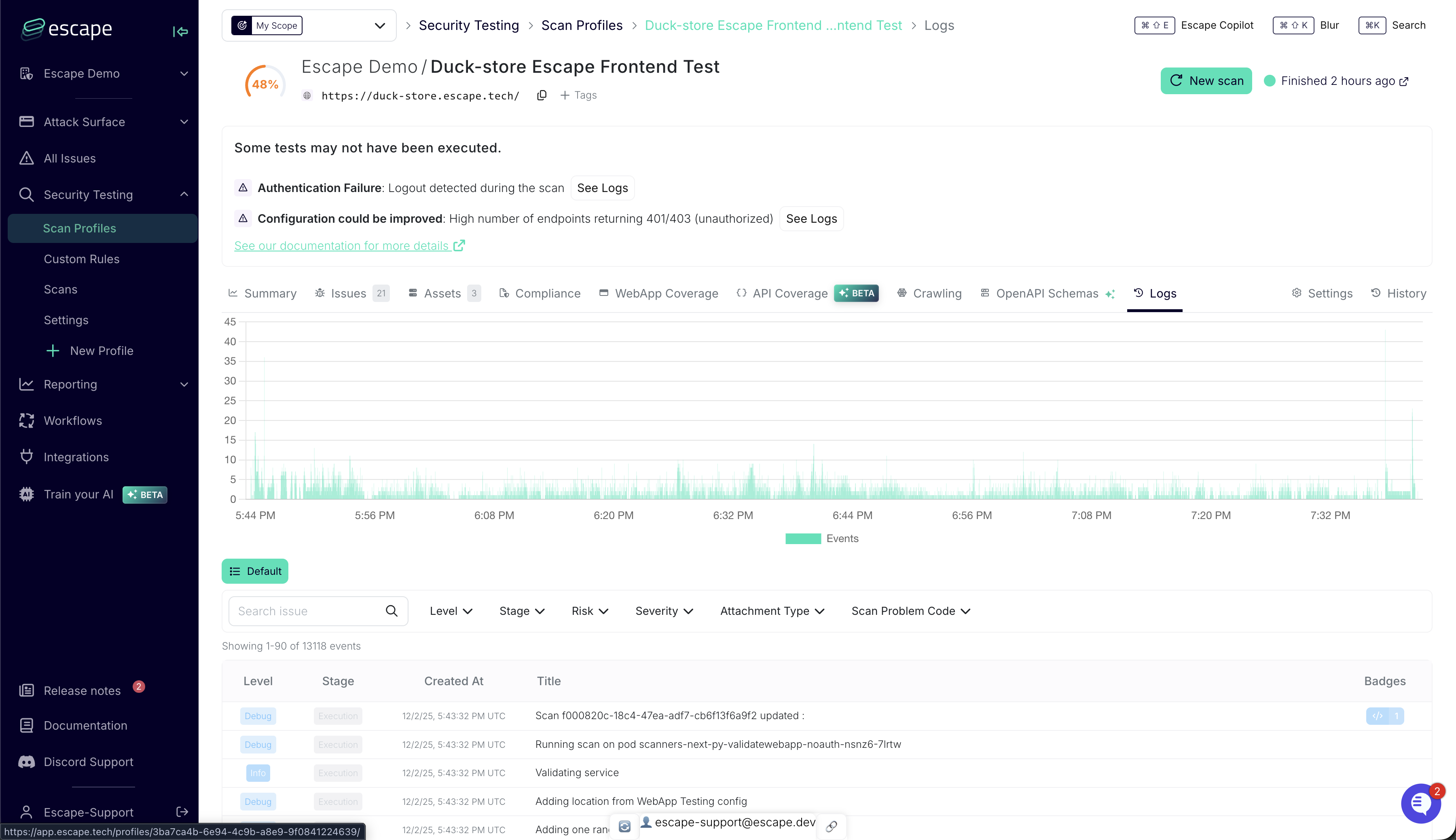
Log stages: Configuration, Execution, Agentic Actions, and Agentic Reasoning
Log levels: Debug, Info, Warning, Error
Log format: Standard software logging format with timestamp, level, stage, and message
Filtering options: By log level, stage, keyword, or timestamp
What is logged: HTTP traffic (headers, payloads, response codes), browser actions (navigation, interactions), security testing (vulnerability detection, payloads), agentic operations (LLM decisions, tool calls), and performance metrics
Main use cases:
- Troubleshooting authentication failures and scan issues
- Analyzing false positives
- Understanding agentic decision-making
- Performance optimization
- Support collaboration
Log Level Selection
Use Info level for routine monitoring. Enable Debug level when troubleshooting or working with Escape support.
Sensitive Data
Authentication credentials and API keys are automatically redacted, but response bodies may contain sensitive information.
Best Practices
Audit Logs: Review periodically for suspicious activities, restrict access to authorized personnel, align retention with your compliance requirements (via Escape support)
Activity Logs: Document actions in comments, keep statuses current, preserve historical context for knowledge transfer
Scan Logs: Enable Debug level for troubleshooting, review for performance optimization, analyze for false positives, export when working with Escape support
Enterprise Support
Contact Escape support for guidance on log configuration, retention policies, and compliance requirements.