Schedule Scans
Scheduling is available for DAST and AI Pentesting profiles. ASM automatically schedules eligible Monitored assets when ASM scanning is enabled and the profile has a valid schedule. Third-party assets aren’t scanned.
Default Schedule
- The DAST creation form starts with a weekly CRON schedule. API-created profiles only receive a schedule when one is supplied.
- For DAST, edit the schedule in Profile Settings → Triggers → Scheduling.
- AI Pentesting has separate timing controls: run now, schedule a one-shot scan for later, or save without scheduling.
- Recurring schedules support CRON expressions.
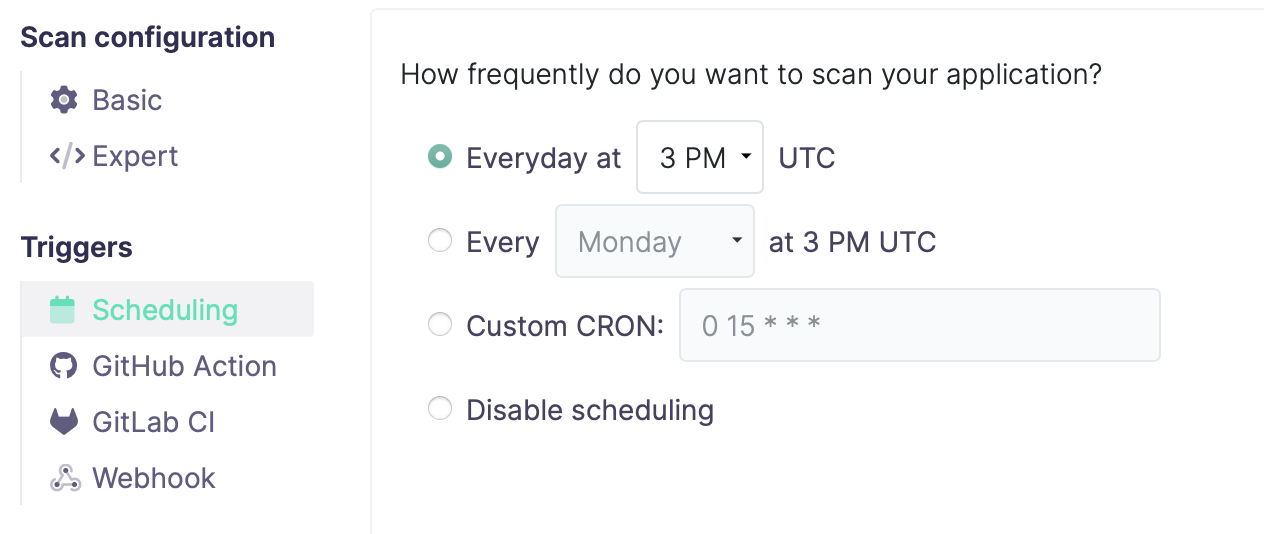
Scheduling Options
- Daily Scans: Recommended for actively developed applications
- Weekly Scans: Suitable for stable applications
- Custom Schedule: Use CRON expressions for specific requirements
- One-Shot Scan: Use a start time without a CRON expression to run once
CRON schedules are evaluated in UTC. Missed CRON occurrences aren’t replayed; the scheduler selects the next occurrence that hasn’t passed.
Best Practices
- Schedule scans during low-traffic periods
- Consider your application's deployment cycle
- Align scan frequency with your security requirements