Issue Retest
On the next DAST scan or AI Pentesting assessment, Escape replays eligible findings on the profile that this run didn't already re-detect. That includes findings last seen on an earlier run, not only the one just before. You don't start anything. To recheck specific issues without launching a full scan, use Issue Retest. The same flow works on a DAST profile and an AI Pentesting profile.
What the Next Scan Replays
During a normal scan or assessment, Escape re-checks eligible findings on the profile that the current run didn't already re-detect. That can make the run longer. There's no button and no verdict table: the scan or assessment updates the issue with new evidence when the finding is still reproducible.
DAST
Escape replays MEDIUM, HIGH, and CRITICAL findings with status Open, and only when the security test supports replay. INFO, LOW, other statuses, and findings this scan already detected are skipped. Supported on DAST profiles for frontend web applications, REST API services, and GraphQL API services. Execution uses the same authentication and scope as the profile, including allowlists and blocklists merged across frontend and API scopes.
AI Pentesting
Escape replays MEDIUM, HIGH, and CRITICAL findings with status Open or Manual review. Cascade plans, reproduces, and validates each one. INFO, LOW, other statuses, and findings this assessment already detected are skipped. Execution uses the same authentication and scope as the profile, including Standard or Strict exploration mode and path-level restrictions.
Start a Retest
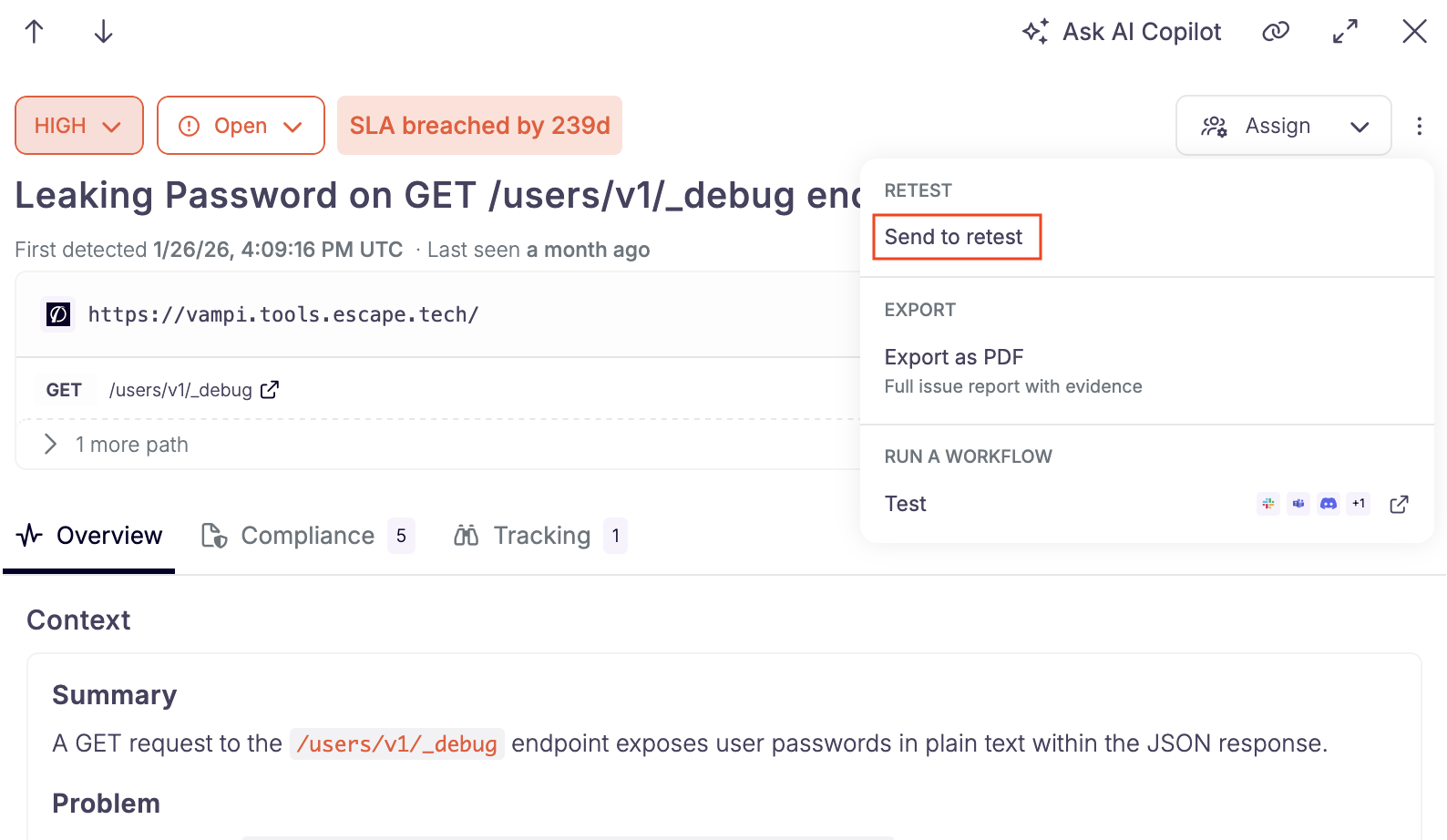 Open an issue and choose Retest issue.
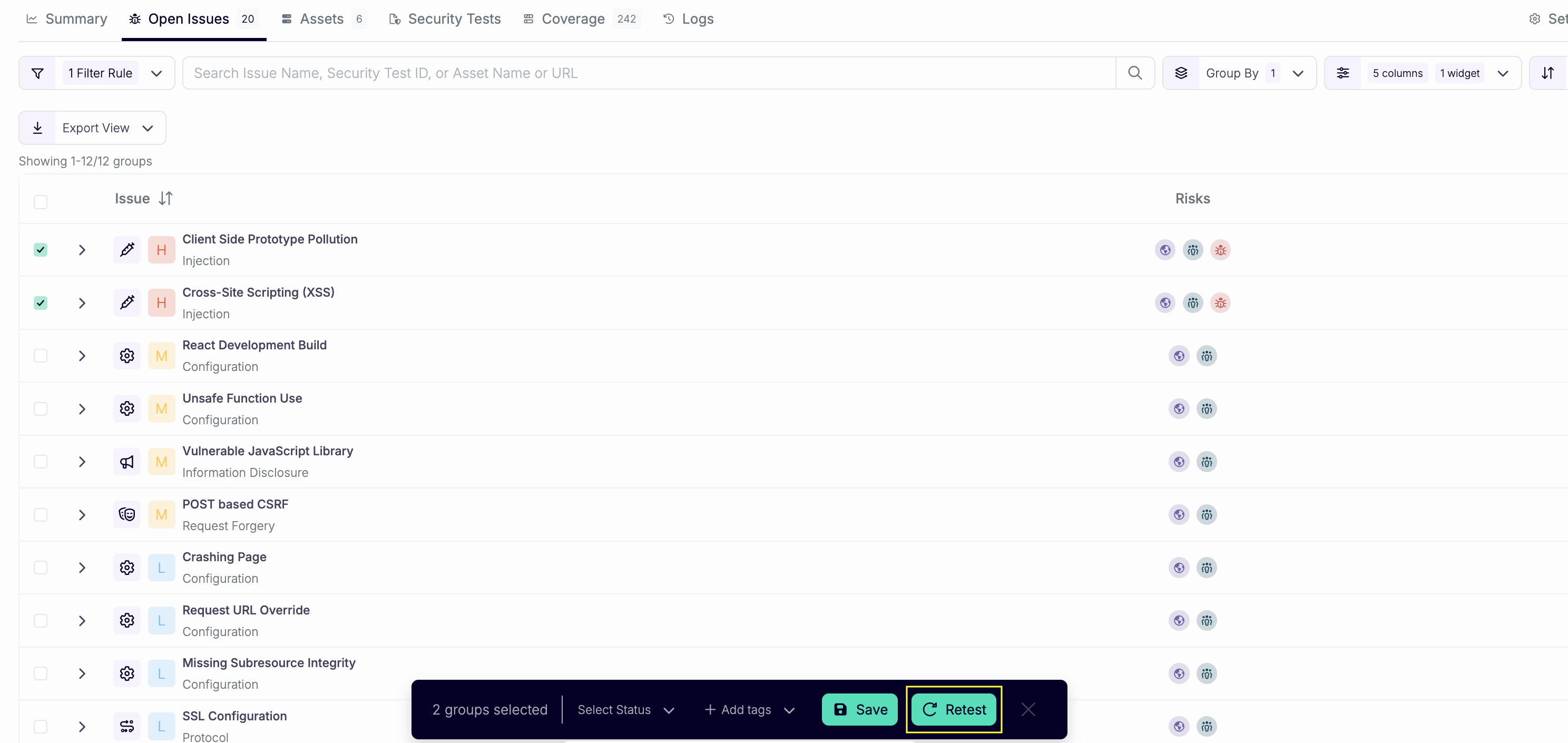 Select rows in the issue table and click Retest.
Issue Retest is off by default. Retest issue and Retest stay hidden until it's enabled for your organization.
- Open an issue on a DAST or AI Pentesting profile and choose Retest issue, or select rows in the issue table and click Retest.
- On Issues to replay, keep or change the selection. The picker starts on Open and Manual review. You can filter to other statuses. The selection is frozen when the run starts.
- Optionally add Context (4000 characters). The retest agents receive it. Use it for what changed since the finding: a deploy, a fix, an environment note.
- Click Launch retest.
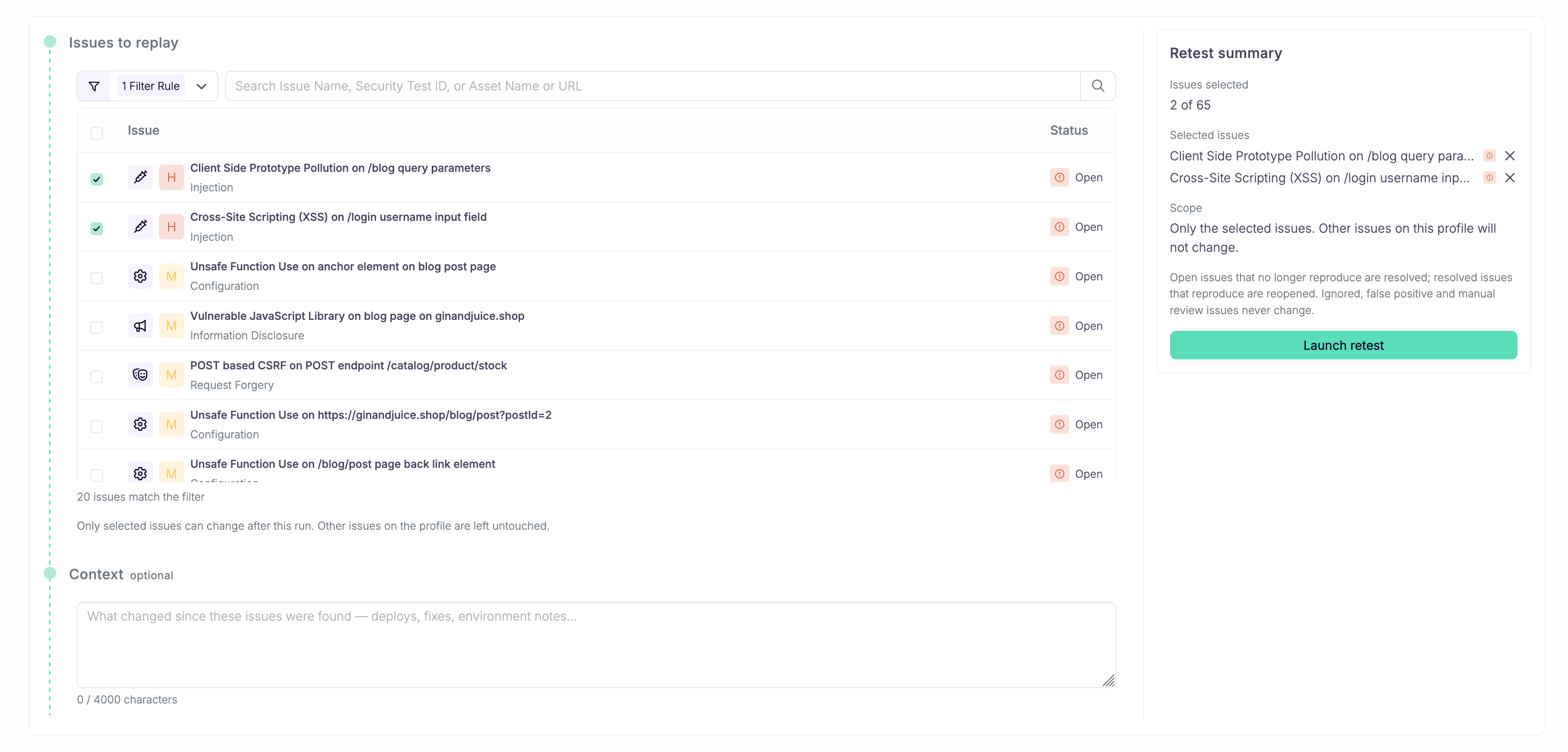 The summary lists the selection. Only those issues can change.
The summary states the scope: only the selected issues can change. Other issues on the profile stay untouched.
Escape opens the scan or assessment when it starts. The Summary tab lists each selected issue with a verdict, or Pending until the agent reports.
A retest doesn't start while another scan on the same profile is starting or running.
Outcomes
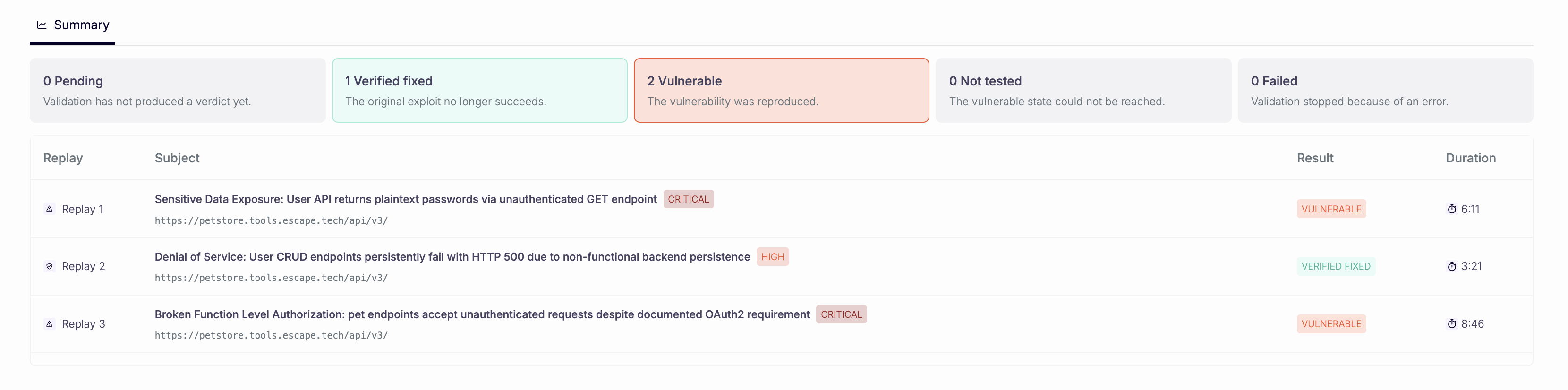 Each selected issue gets a verdict on the Summary tab.
| Verdict | Meaning | What happens to the issue |
|---|---|---|
| Verified fixed | The original exploit no longer succeeds. | An Open issue becomes Resolved. |
| Vulnerable | The original exploit still succeeds. | A Resolved issue becomes Open. |
| Not tested | The replay never reached the vulnerable state. | No status change. |
| Failed | The replay could not finish. | No status change. |
Ignored, False positive, and Manual review never change, whatever the verdict. A Pending row has no verdict yet and doesn't change the issue.
The issue activity log records Issue retested for every decided verdict, including the ones that don't move the status.
What a Retest Doesn't Do
- It doesn't create new issues.
- It doesn't update issues that weren't in the selection.
- It doesn't become the profile's latest scan or assessment. Scores, issue counts, and asset risk stay owned by full runs.
- It doesn't change authentication or scope. Those stay the profile's.
API
POST /v3/retests starts the same run. The retest id is the scan id. Request shape, filters, and how to poll verdicts are in Retesting issues.
Closing the linked Jira ticket resolves the issue on the next pull. It doesn't start a retest. To call this route from a Jira automation rule when the ticket moves to Done, see Retest After Closing in Jira.
Related
- Regression Testing Agent: replays findings from an uploaded pentest report, not issues already on the profile
- Authentication: login configuration used by scans, assessments, and retests
- AI Pentesting Scope: Standard vs Strict mode during assessments