Slack Integration
Slack notifications allow you to send vulnerability alerts directly to your Slack channels via webhooks.
Configuration
Slack notifications are configured as actions in workflows. When creating or editing a workflow:
- Go to Workflows → Create (or edit an existing workflow)
- In the Actions step, add a Notify action
- Select Slack as the integration type
- Enter your Slack webhook URL (see below)
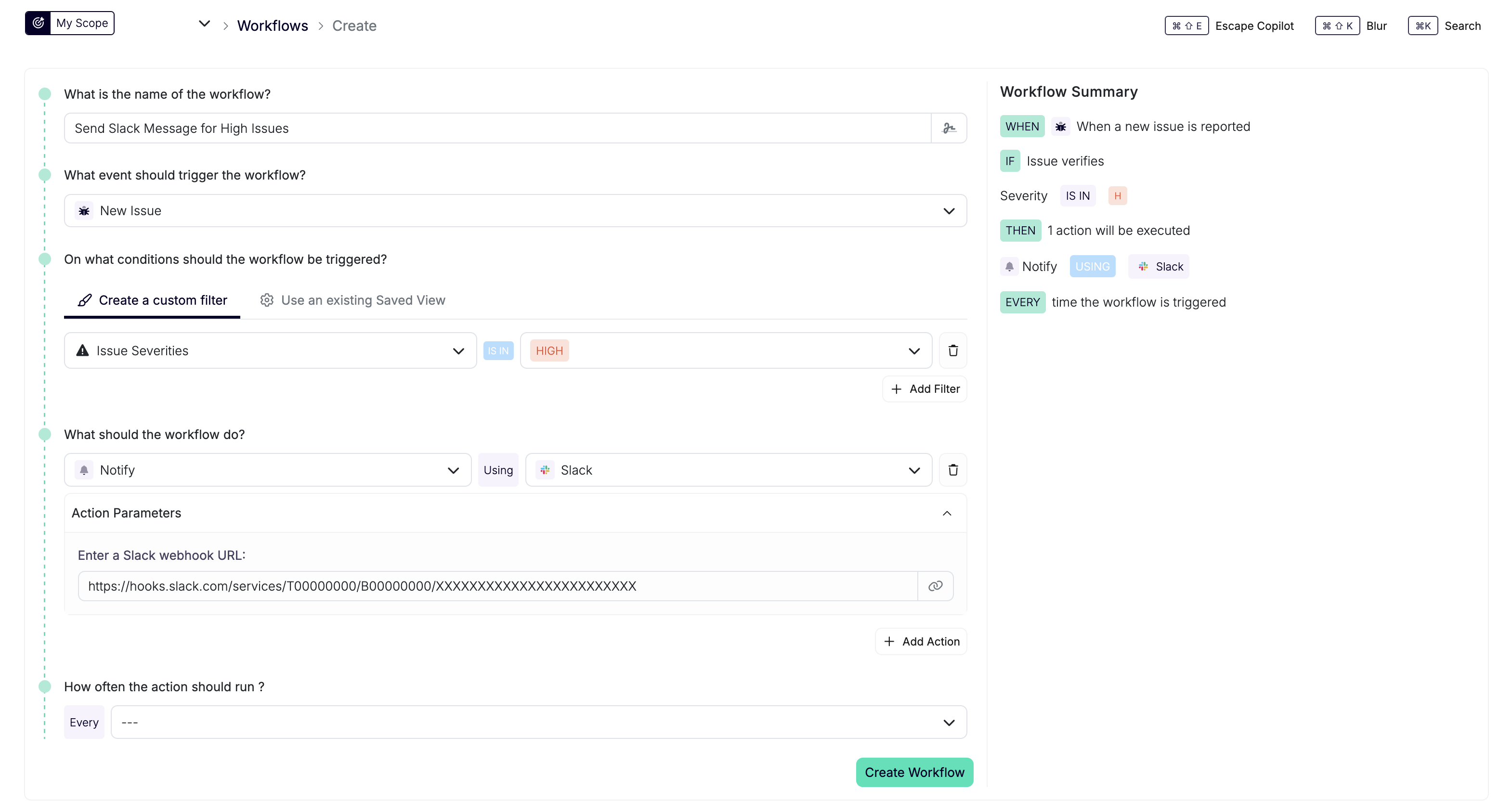
The webhook URL is configured per workflow action, allowing you to send different notifications to different Slack channels.
Get a Slack Webhook URL
- Create a new application on Slack API
- Under "Or start your own way", select Blank app, then click Continue
- App Name:
Escape Scan Report - Select your workspace
- Click Create App
- App Name:
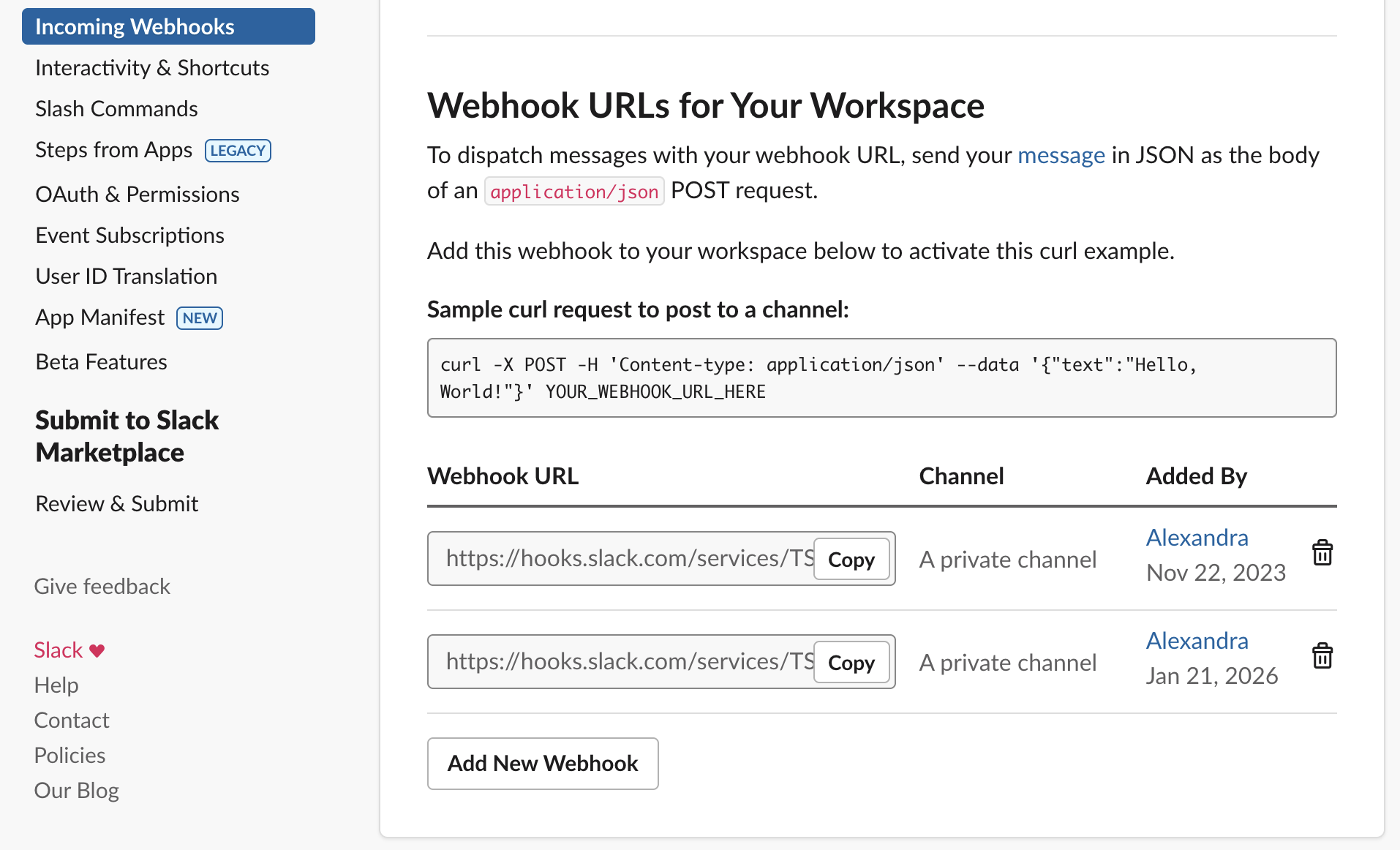
- In the sidebar, under Features, click Incoming Webhooks
- Enable Incoming Webhooks
- Click Add New Webhook to Workspace
- Select your target channel
- Copy the generated webhook URL and paste it into the Slack Notify action’s webhook URL field
Setup and Support
For Slack's current setup instructions, see Slack's documentation. For help connecting your webhook to Escape, contact us.