Microsoft Teams Integration
Microsoft Teams notifications allow you to send vulnerability alerts directly to your Teams channels via webhooks.
Configuration
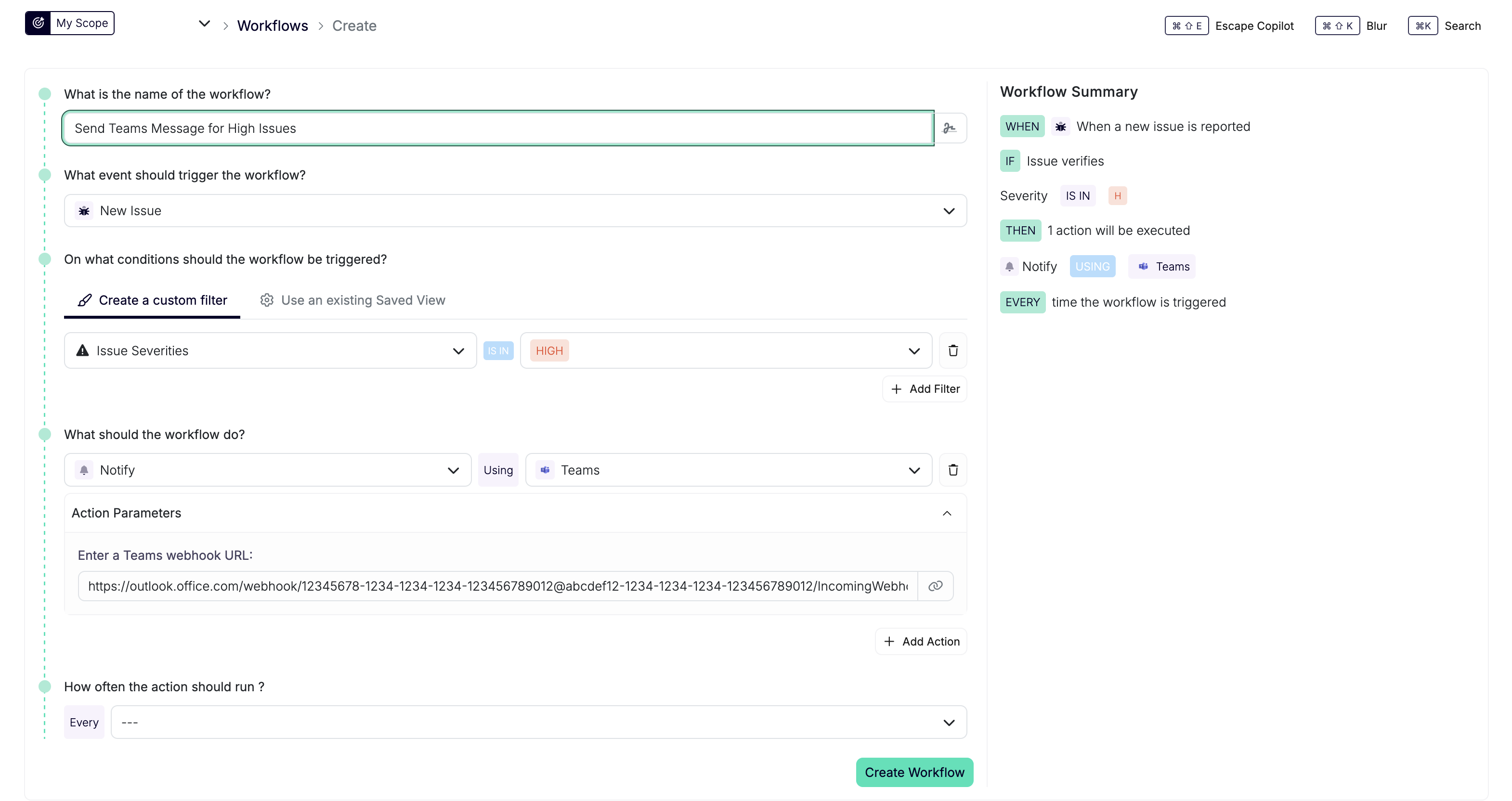
Teams notifications are configured as actions in workflows. When creating or editing a workflow:
- Go to Workflows → Create (or edit an existing workflow)
- In the Actions step, add a Notify action
- Select Teams as the integration type
- Enter your Teams webhook URL
Get a Teams Webhook URL
Use a Teams Workflows webhook. Microsoft retired Office 365 Connectors in May 2026; existing connector webhooks need migration. See Microsoft’s retirement notice.
- Open Workflows in Teams and choose a webhook template for posting to a channel.
- Choose the destination team and channel.
- Configure the webhook to accept requests without Microsoft user authentication. Escape sends a JSON POST without a Microsoft authorization token.
- Save the workflow and copy its webhook URL from the details page.
- Paste the URL into the Escape Teams Notify action.
See Microsoft’s setup guide for current template and authentication options. Escape sends Adaptive Cards inside a message envelope.
The webhook URL is configured per workflow action, allowing you to send different notifications to different Teams channels.