Workflow Triggers
Workflows start when specific events occur in your API landscape. Choose a trigger that matches when you want your workflow to run.
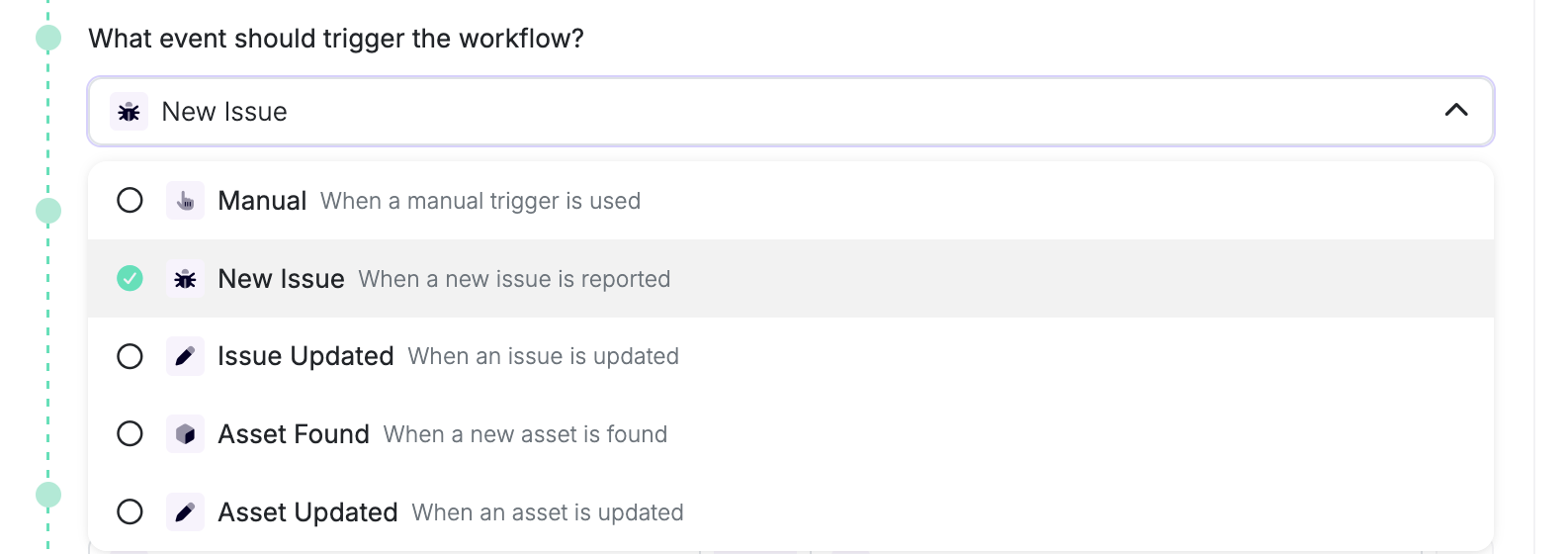
Issue Events
- New Issue: After a successful scan finishes, for active issues first seen in that profile’s reports
- Issue Updated: When an existing issue is modified, such as a status or severity change
Asset Events
- Asset Found: After a successful scan finishes, for assets first seen in that profile’s reports. This can include an asset already known to another profile
- Asset Updated: When an existing asset is modified
New Asset Found workflows default to an asset-status filter of Monitored. Change the condition if other statuses should match.
Scan Events
- Scan Started: When a scan begins execution
- Scan Completed: When a scan finishes successfully
- Scan Failed: When a scan encounters an error
Other Events
- Location Down: When a monitored location becomes unreachable
- Integration Failed: When an integration becomes invalid (for example, credentials stop working)
- Manual: Trigger workflows manually from the UI (no automatic triggers)