Workflow Actions
When conditions are met, workflows can perform these actions:
Notify Actions
Send notifications to:
- Email: Send email notifications to specified recipients
- Slack: Post messages to a Slack channel via webhook
- Discord: Post messages to a Discord channel via webhook
- Microsoft Teams: Post messages to a Teams channel via webhook
Update Actions
Update internal resources:
- Update Asset: Update status, tags, and projects of an asset
Export Actions
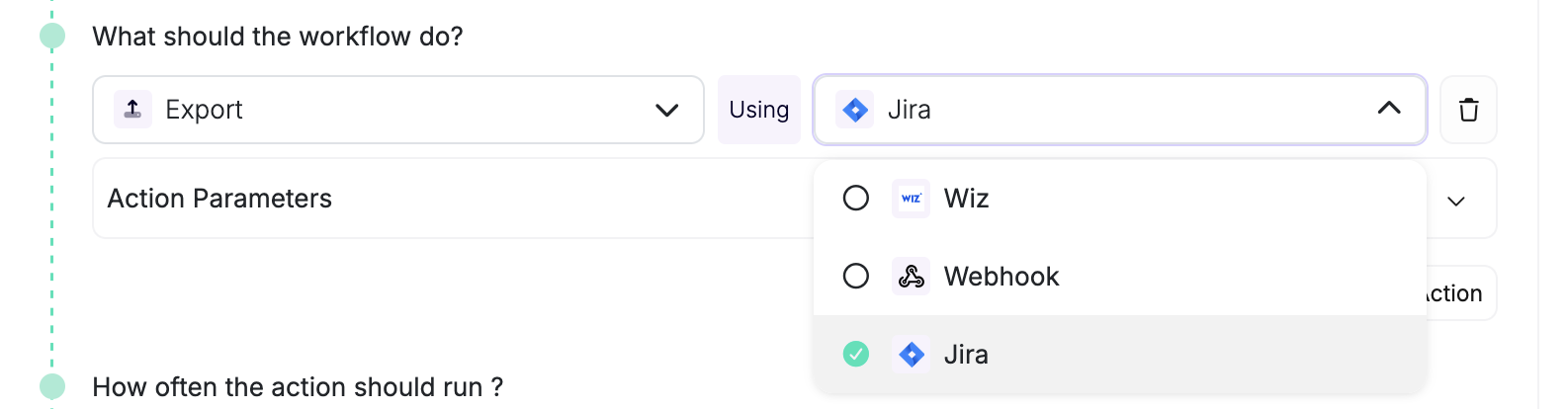
Export data to external systems:
- Webhook: Send data to a custom webhook endpoint (no integration setup required)
- Jira: Create tickets in Jira with customizable field mappings
- Azure Boards: Create Azure DevOps work items with field mappings and status sync
- Wiz: Export open issues to Wiz (assets aren't pushed on their own)
Trigger Compatibility
“All notifications” means email, Slack, Teams, and Discord.
| Trigger | Notifications | Exports | Update Asset |
|---|---|---|---|
| Manual | All notifications | Webhook, Jira, Azure Boards, Wiz | Yes |
| New Issue | All notifications | Webhook, Jira, Azure Boards, Wiz | No |
| Issue Updated | All notifications | Jira, Azure Boards | No |
| Asset Found | All notifications | Webhook | Yes |
| Scan Started, Scan Completed, Scan Failed | All notifications | Webhook | No |
| Location Down | All notifications | None | No |
| Asset Updated | Discord only | None | No |
| Integration Failed | All notifications | Webhook | No |
Wiz exports run on a recurring schedule. Individual workflow events don’t send an immediate Wiz export. Workflow throttling doesn’t change that schedule.
Discord Setup
Create a webhook for your Discord channel, then choose Discord in a workflow’s Notify action and enter the webhook URL. The table above lists compatible triggers.
Multiple Actions
You can add multiple actions to a single workflow. Configure each action to run independently: Actions have no defined execution order, so each must work without waiting for another to complete.