Escape + Wiz Integration
Import Wiz network exposures into ASM and export Escape findings to Wiz through Workflows.
Overview of the Integration
Escape imports Wiz network exposure data to discover application Assets. It exports findings from ASM, DAST, and AI Pentesting to Wiz with remediation guidance.
Discovered Resources
The Wiz integration automatically discovers the following resources from your Wiz account:
- Network Exposures: External attack surface resources identified by Wiz's cloud security platform
- Cloud Resources: Infrastructure resources (APIs, web applications, services) exposed to the internet
The integration imports network exposure data from Wiz, identifies exposed APIs and web applications, and automatically classifies them as Assets in Escape's ASM. This enables bi-directional enrichment: Escape findings from ASM, DAST, and AI Pentesting are fed back into Wiz with full context and remediation guidance.
Default Asset Status
Assets imported from Wiz are automatically set to out-of-scope status by default, preventing external assets discovered by Wiz from being unintentionally added to your active ASM scope. You can manually update the status of individual assets in Escape's ASM after import.
What Bidirectional Means
The integration is bidirectional: Escape pulls assets from Wiz, and pushes issues back to Wiz. Each side of that loop is one way.
| Wiz → Escape | Escape → Wiz | |
|---|---|---|
| Assets | Network exposures are imported as ASM assets. | Asset information is exported with open findings; there's no standalone asset export. |
| Issues | Escape retains ownership of issue status. | Open findings are pushed through a workflow. |
Issue Status Is Owned by Escape
If you close or change an issue in Wiz, it stays as it was in Escape. The next scheduled export sends a full snapshot of open Escape issues for that asset, so Wiz status is overwritten to match Escape.
Asset Creation Through Findings
Exporting an open finding creates the corresponding Wiz asset if it doesn't already exist. An Escape-discovered asset needs an exported open finding to be created in Wiz. Assets without open findings remain in your Escape inventory.
How It Works
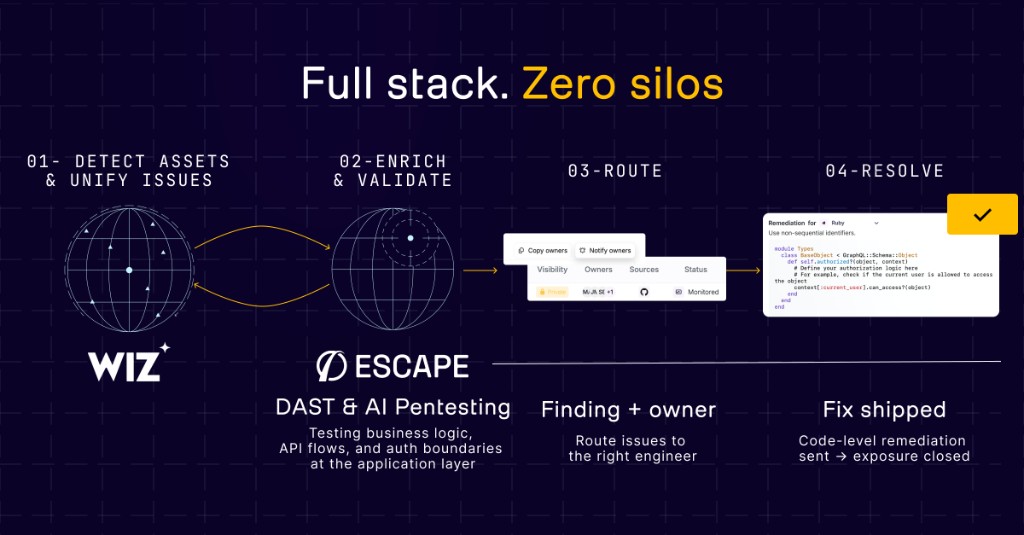 Escape's integration with Wiz, from EASM to ASM, DAST, and AI Pentesting vulnerability enrichment.
- Wiz External Attack Surface Management finds exposed cloud resources and hands them over to Escape.
- Escape ASM then identifies, fingerprints, and classifies these resources as specific Assets, such as APIs, Single-Page Applications (SPAs), and more.
- With this enriched information, Escape runs ASM, DAST, and AI Pentesting at scale on the Assets, including APIs, without needing any network interception or agent installation.
- Finally, all the vulnerabilities, exposed secrets, findings and remediations are fed back into the Wiz Security Graph, merging both infrastructure and application-level insights into a single, unified view.
Better Together
Use Wiz exposure data to identify applications to test with Escape, then export findings to Wiz for review.
Use Case Overview
Secure cloud-native APIs, SPAs, and microservices, even at the business logic level. Organizations with large or rapidly scaling technology stacks need a solution that not only identifies but also helps resolve threats without compromising development speed.
Challenge
Modern applications are becoming increasingly complex and are often prime targets for attackers. With hundreds (or even thousands) of APIs and SPAs, finding business logic vulnerabilities and mapping resources to the right stakeholders for remediation can be time-consuming. Security teams often struggle to connect application-level vulnerability findings with cloud infrastructure insights, spending valuable time figuring out ownership and how to prioritize API and web app risks.
Solution
Escape tests applications discovered from Wiz exposure data and exports findings and remediation guidance through Workflows.
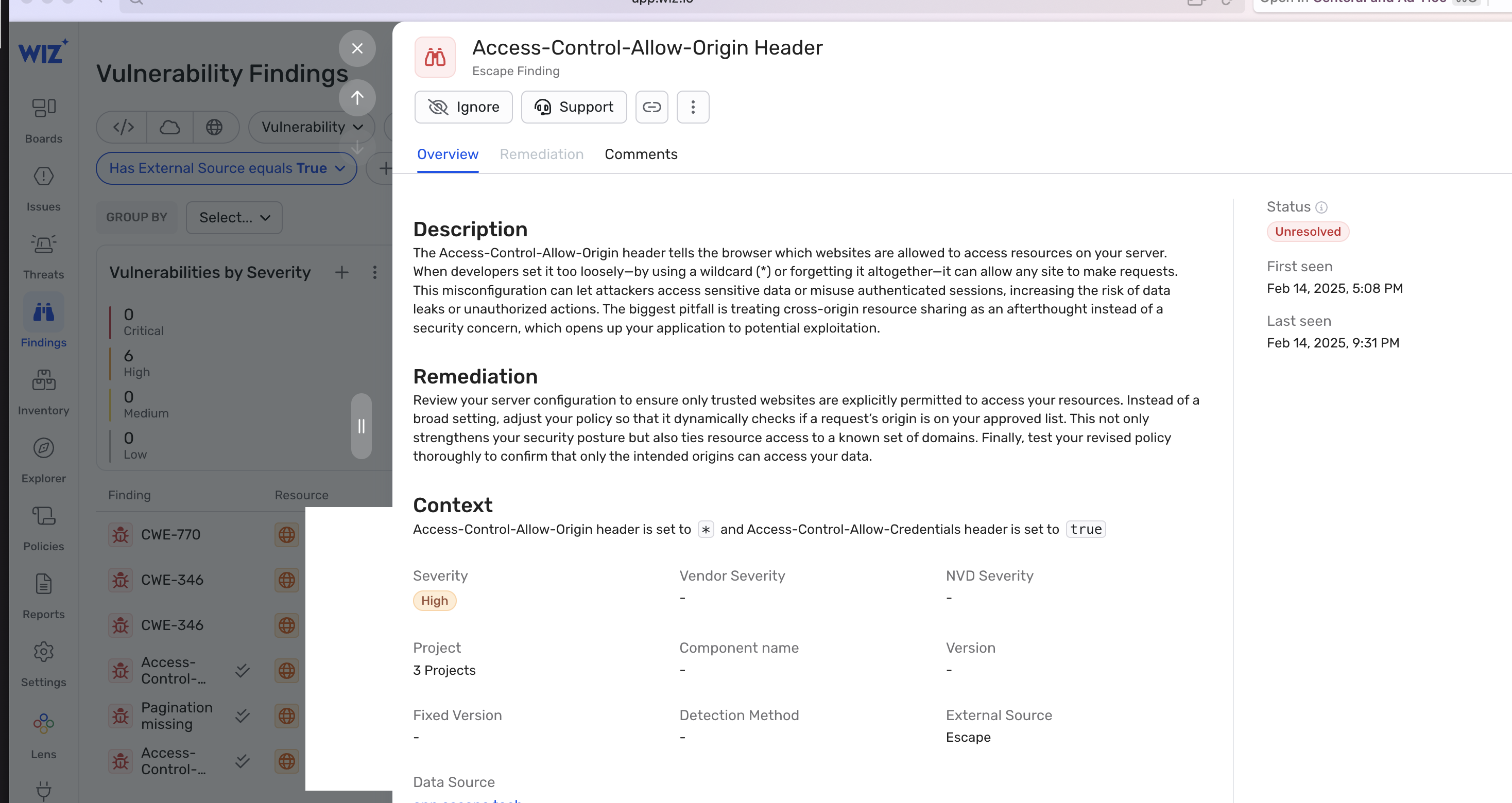 Escape Vulnerability Finding with Remediation imported into Wiz
Setup the Integration
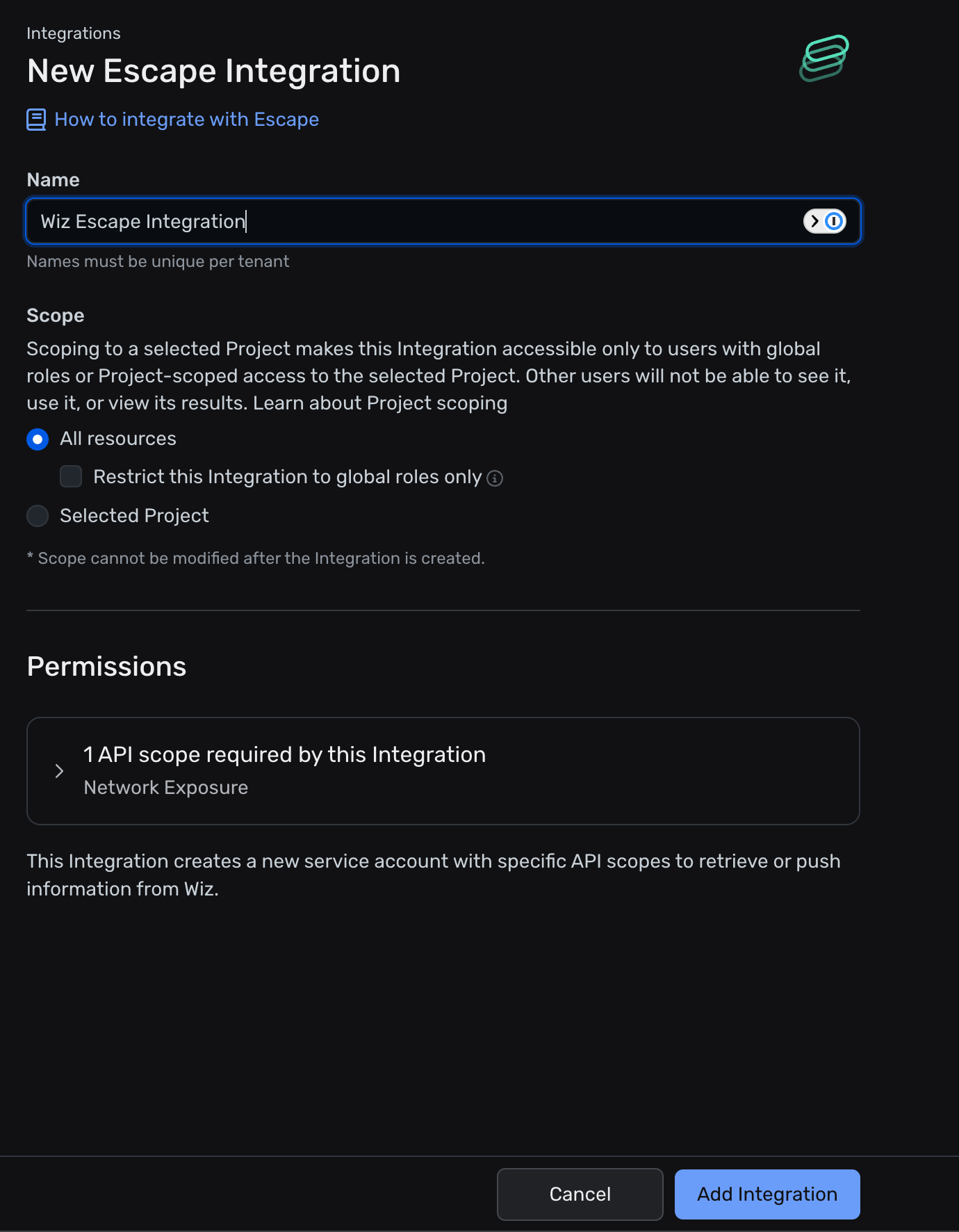
You can connect Escape directly from the Wiz dashboard. For setup instructions, follow Wiz's documentation on the Wiz-Escape integration.
After creating the integration on app.wiz.io, Wiz provides these credentials: Client ID, Client Secret, Token URI (the authentication endpoint), and API Endpoint. Copy them and paste them into Escape's Wiz integration creation form.
Issue Export Scope
The integration has a Push issues for all assets toggle, enabled by default:
- Enabled (default): open issues from all your Escape assets are pushed to Wiz.
- Disabled: only issues on assets directly found by this Wiz integration are pushed. Assets that were linked to the integration by propagation (for example, assets discovered under a domain imported from Wiz) are excluded.
Dual-Binding Integration with ASM, DAST, and AI Pentesting Vulnerability Findings External Enrichment
Pushing Escape's Results directly into Wiz is available using Escape's Workflows. To enable this integration, you need to create a new Workflow and choose your Wiz integration as the destination.
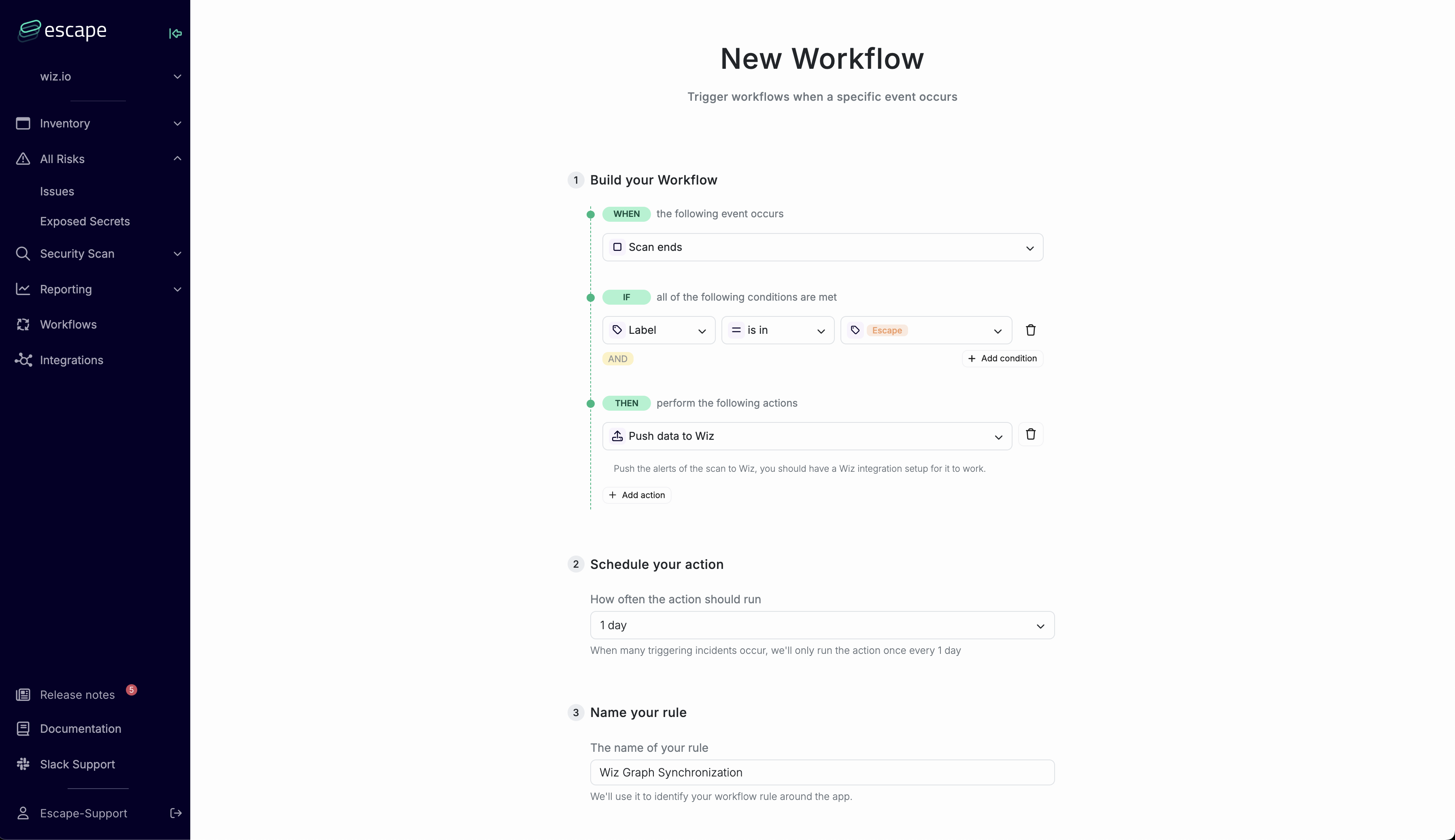 Example of an Escape Workflow to push findings into Wiz
Severity Mapping
The severity mapping between Escape and Wiz follows a 1-1 correspondence: Critical severity findings in Escape are marked as Critical in Wiz, High severity findings in Escape are marked as High in Wiz, Medium severity findings in Escape are marked as Medium in Wiz, Low severity findings in Escape are marked as Low in Wiz, and Info severity findings in Escape are marked as None in Wiz.
How the Linking Works
How do the linking between Escape findings and Wiz resources work?
- Extracting Data: Escape extracts external exposures that include application endpoints.
- Matching Subdomains: The subdomains found in these application endpoints are matched against the API services in Escape ASM.
- API Discovery: Escape also searches for any APIs that don't yet exist in Escape ASM.
- Linking to Wiz: Findings are matched to Wiz assets by endpoint (host, port, protocol) and pushed to Wiz through an Escape Workflow bound to your Wiz integration.
- Scheduled Exports: Each export sends a full snapshot of open issues per asset. That snapshot overwrites the previous Wiz state for those issues.
Using Wiz in Workflows
Wiz can be used as an export action in workflows to automatically export resources to Wiz when workflow conditions are met.
Configuration
When creating or editing a workflow:
- Go to Workflows → Create (or edit an existing workflow)
- In the Actions step, add an Export action
- Select Wiz as the integration type
- Select your Wiz integration from the dropdown
- Configure the following:
Severity Filters
Use workflow issue filters to select which severities to export to Wiz.
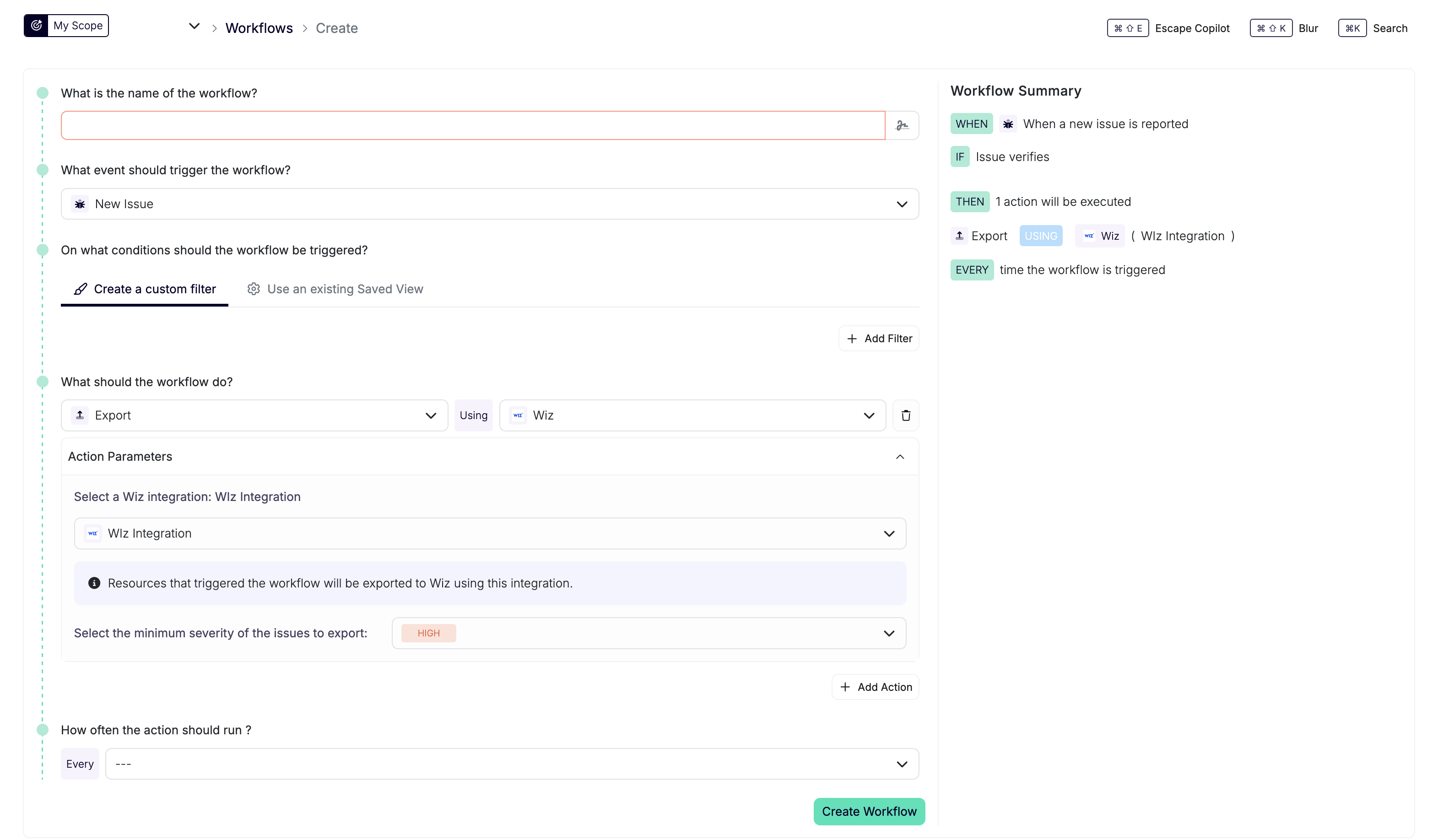
Issue Export
Open issues on matching assets are pushed to Wiz on the scheduled sync. Creating an asset in Wiz requires an exported open issue.
Usage
Exporting Issues to Wiz
Once a workflow with a Wiz export action is configured, Escape syncs open findings and their asset information to Wiz on a schedule. Workflow triggers don't send immediate exports, and assets without open issues stay outside the export scope.
The exported data includes:
- Issue details (severity, category, context)
- Asset information
- Scan metadata
- Remediation guidance
This integration allows you to centralize security findings from Escape in your Wiz Security Graph for comprehensive security visibility.
Scheduling, export processing, and Wiz ingestion can delay when updates appear in Wiz.