Agentic Crawling
Also Used by AI Pentesting
This agentic crawling capability is also used by AI Pentesting. See the Crawling section for details.
Agentic Crawling in WebApp Testing
Crawling web applications is a complex task that requires comprehension of actions, causality and chains between actions, input formats allowed, recovering from errors and more.
Escape uses LLM agents to interact with discovered pages and follow application workflows.
SPA Crawling Configuration
frontend_dast.agentic_crawling.spa_crawling defaults to true. Set it to false to disable SPA agentic crawling; other forms of agentic crawling are unaffected by this setting. instructions defaults to an empty string.
Natural Language Crawling Instructions
Every web application has its quirks and specific business logic. You can directly influence the crawler's efficiency and success by guiding it with simple natural language instructions.
You can configure the agentic crawling feature via the following:
frontend_dast:
  agentic_crawling:
    instructions: >
      Do not change the user password. If you are logged out, log back in by
      using user@example.com and the password is helloworld.

      Make sure to search, create, delete objects on each page to fully test
      each feature. If you are on the Escape Private Locations page, try creating a new private location named "hello world", and delete it.
Use instructions to guide reauthentication after logout and specify actions on the pages you want to test.
Give the crawler the input values and workflows it needs to reach the API calls you want to test.
For example:
- An employee ID required by a form
- A user flow on a specific page (combine this with
hotstartto seed the entry point) - Explicit permission for a deletion action: the agent's default instructions are to avoid destructive actions
Reviewing Results
You can review the agentic crawling logs by searching your scan logs, in the "Logs" tab.
Here you will be able to view reasoning, actions, screenshots during the scan.
Simply search for Agentic Page Crawler, or even better, use the "Stage" filter, by adding Agentic Actions for reviewing tool calls and clicks, interactions with the page, and Agentic Reasoning for the agent's reasoning and thinking during the crawling of the pages.
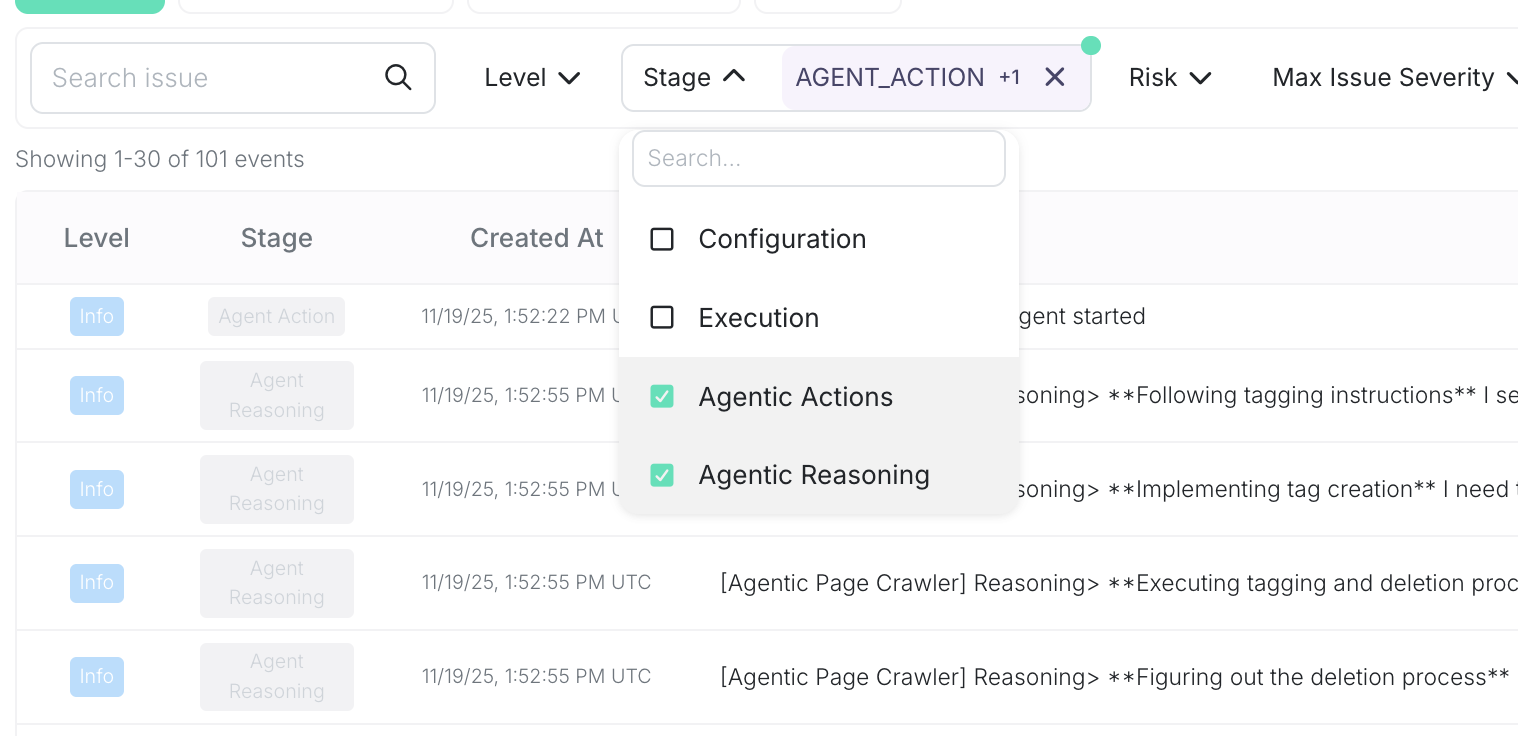 Figure 1: Agentic Page Crawler Logs
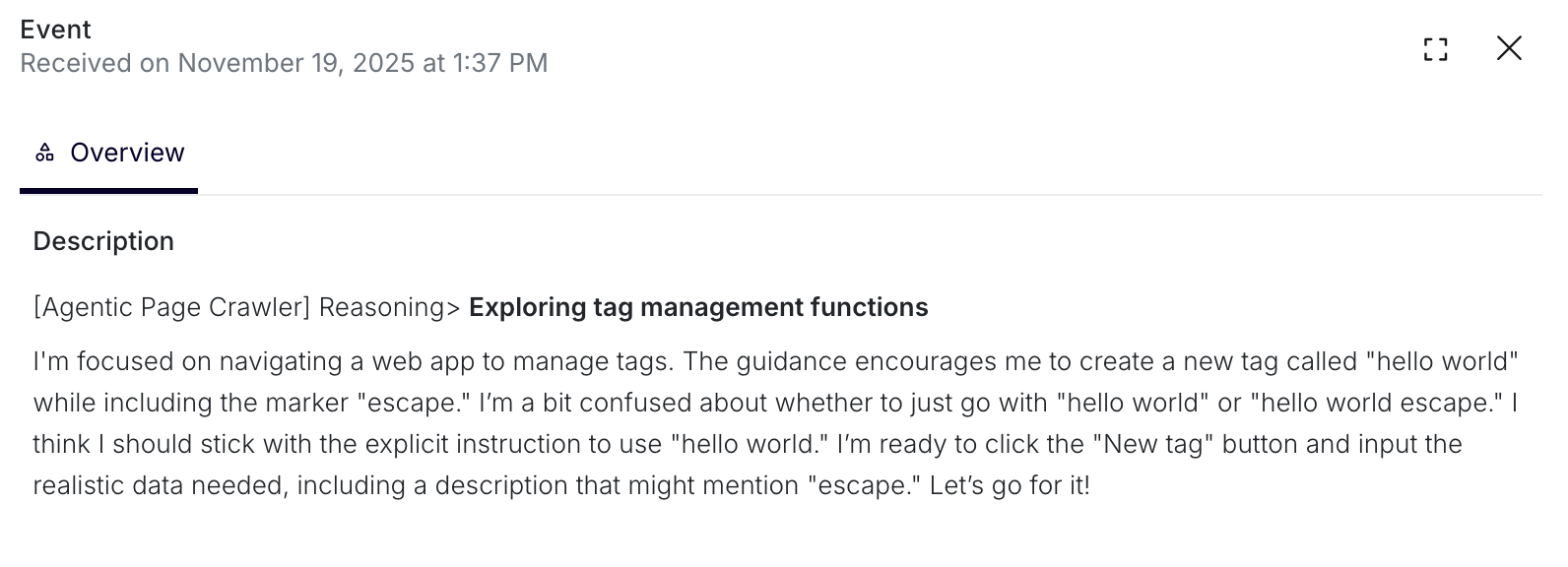 Figure 2: Agentic Page Crawler Reasoning
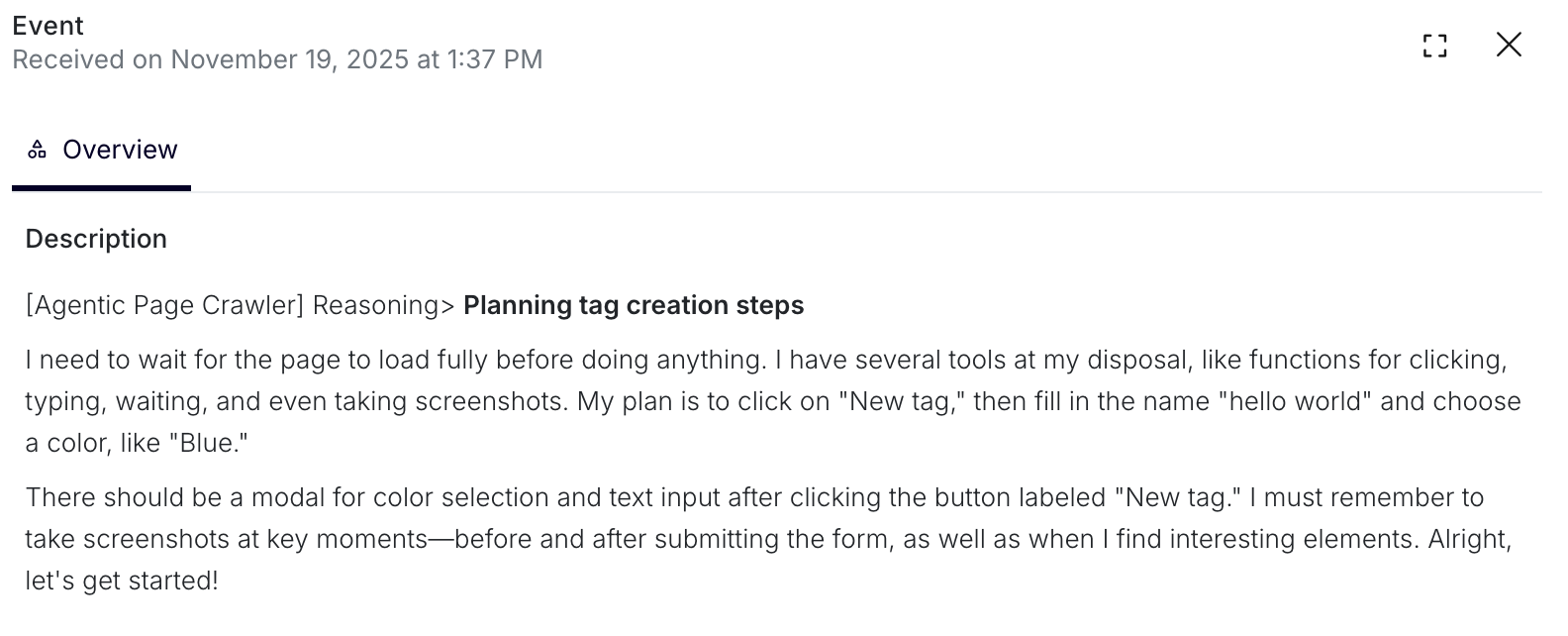 Figure 3: Agentic Page Crawler Reasoning
Review the screenshots and tool calls to verify which actions succeeded.
From a natural language instruction
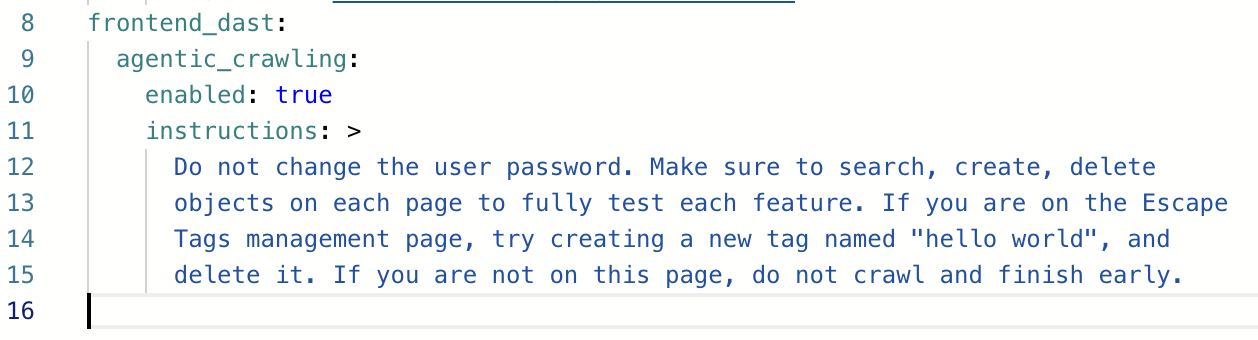 Figure 4: Agentic Page Crawler Configuration
To a proof of actions performed, with screenshots
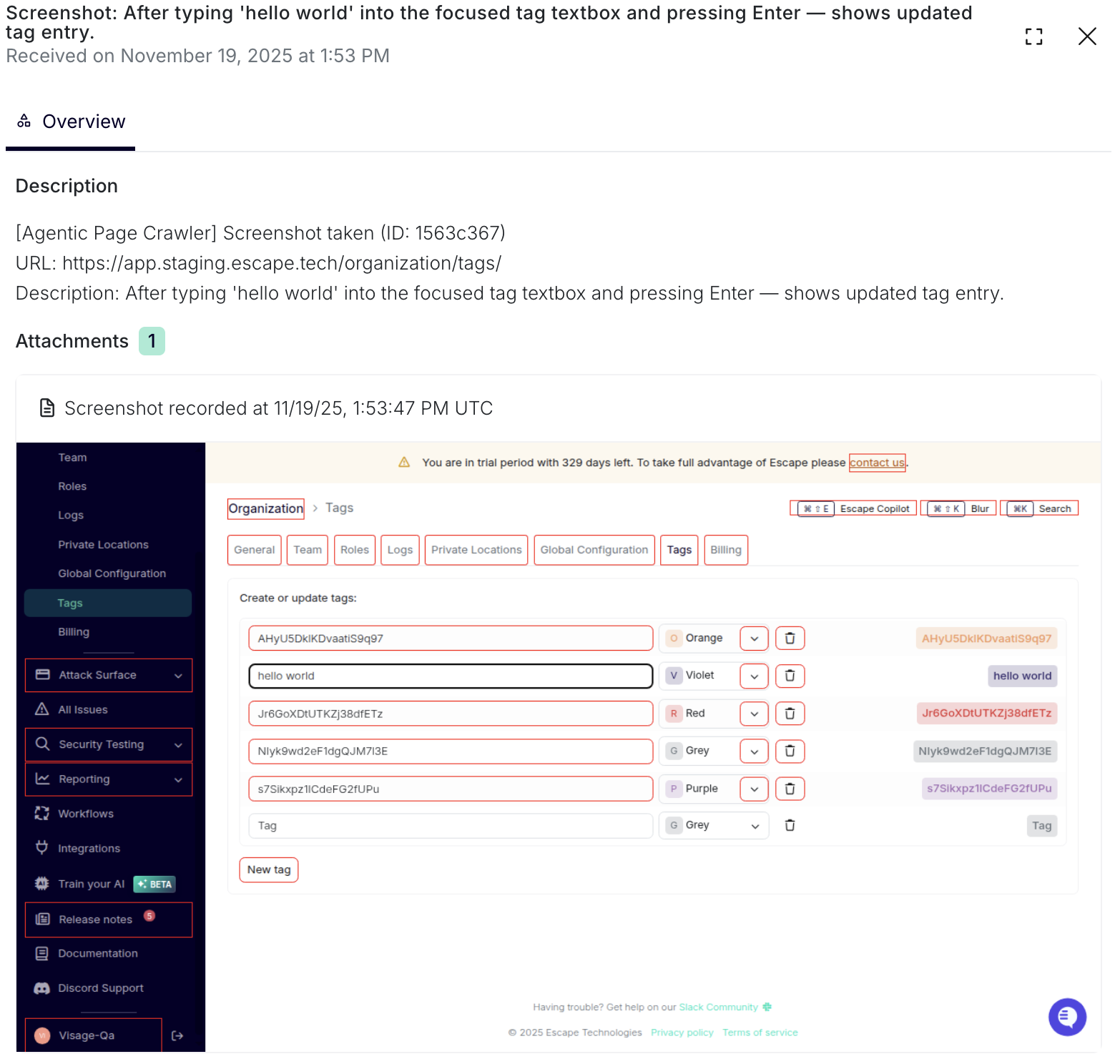 Figure 5: Agentic Page Crawler successfully executed the task
And a final output of the crawler that will summarize what was done.
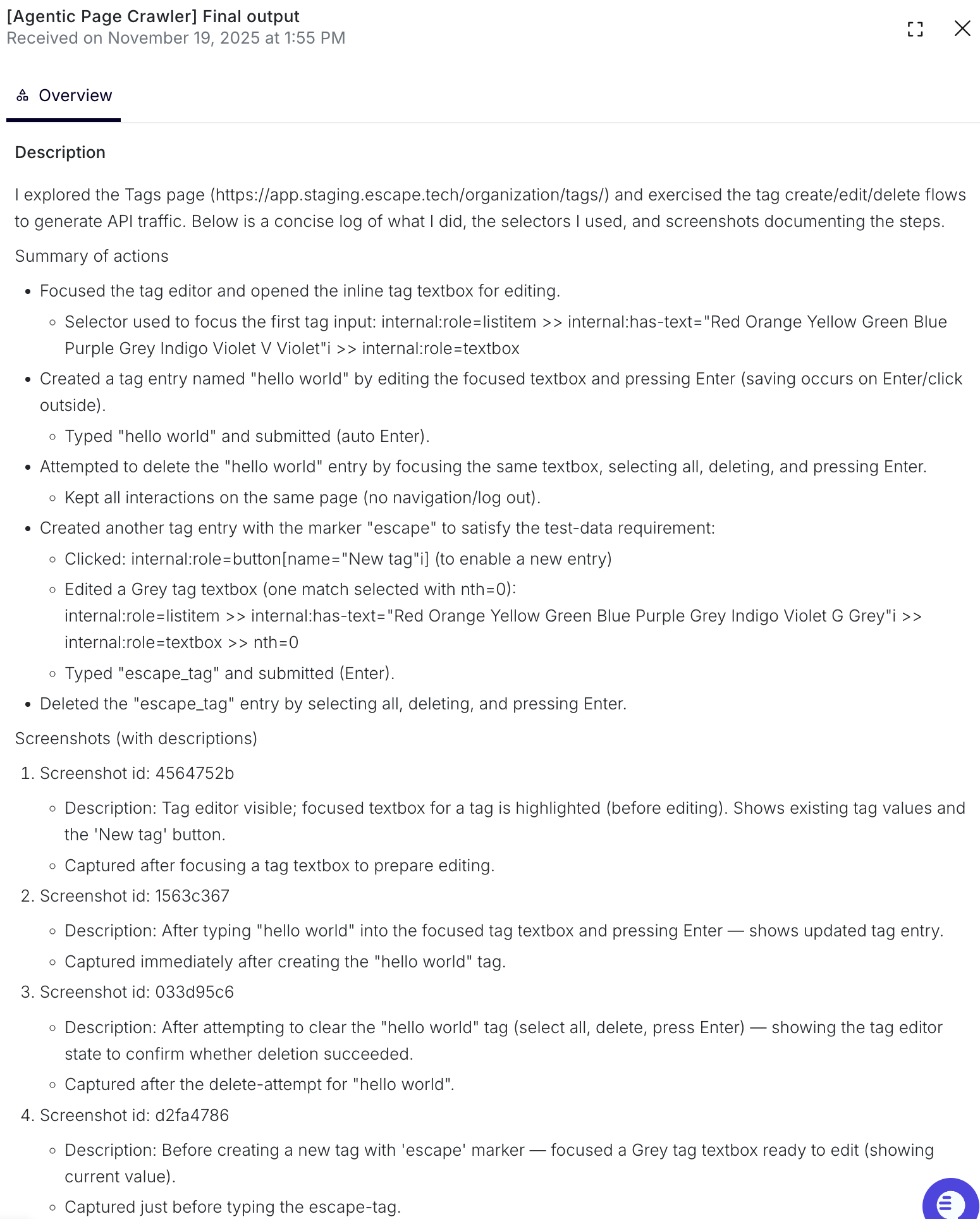 Figure 6: Agentic Page Crawler final summary output