#49 · Automated schema generation
We are excited to introduce our latest feature: automated schema generation for all your discovered APIs.
This feature allows you to generate your API schema and start scanning vulnerabilities immediately, reducing the time it takes to derive full value from Escape.
Why?
With this feature, we aim to solve this issue and provide you with the following benefits:
- Efficiency: Through the automated generation of API schemas, either directly or via Git integration, we streamline the setup process for scans. The process involves parsing the AST from the code to dynamically generate detailed and accurate API schemas. This is particularly useful for organizations that may not have formalized API documentation. This not only saves time and effort for both security and development teams but also enables development teams to redirect their focus towards higher-value tasks.
- Scalability: Automated schema generation allows you to effortlessly expand your scanning efforts across a large number of APIs. This is especially advantageous in environments with numerous microservices or APIs, where manual configuration would be impractical or time-consuming.
- Access to Business Context: Automatically generated schemas provide more context to the API service. API service properties are of better quality when API specifications are available, enabling developers and stakeholders to gain a deeper understanding of the API's purpose, functionality, and intended business use. This enriched context ensures more in-depth scanning and facilitates smoother collaboration between security, development, and business teams.
- Real-time Updates: With automated schema generation, scan configurations can be updated in real-time as your APIs evolve or new endpoints are added. This ensures that scans always reflect the current state of your APIs, eliminating the need for manual intervention to update configurations.
Getting started
Here's how you can quickly benefit from the automated specifications:
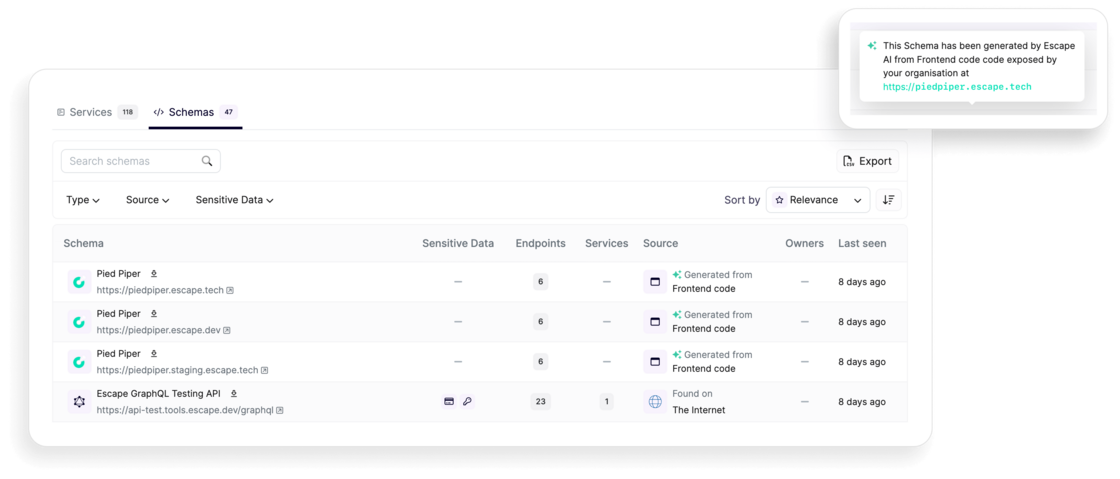
- If it's not yet done, add your new domain to your API inventory. For API services with a front-end, that's all there is to it! You'll see the following if your specification was generated automatically from the frontend code:
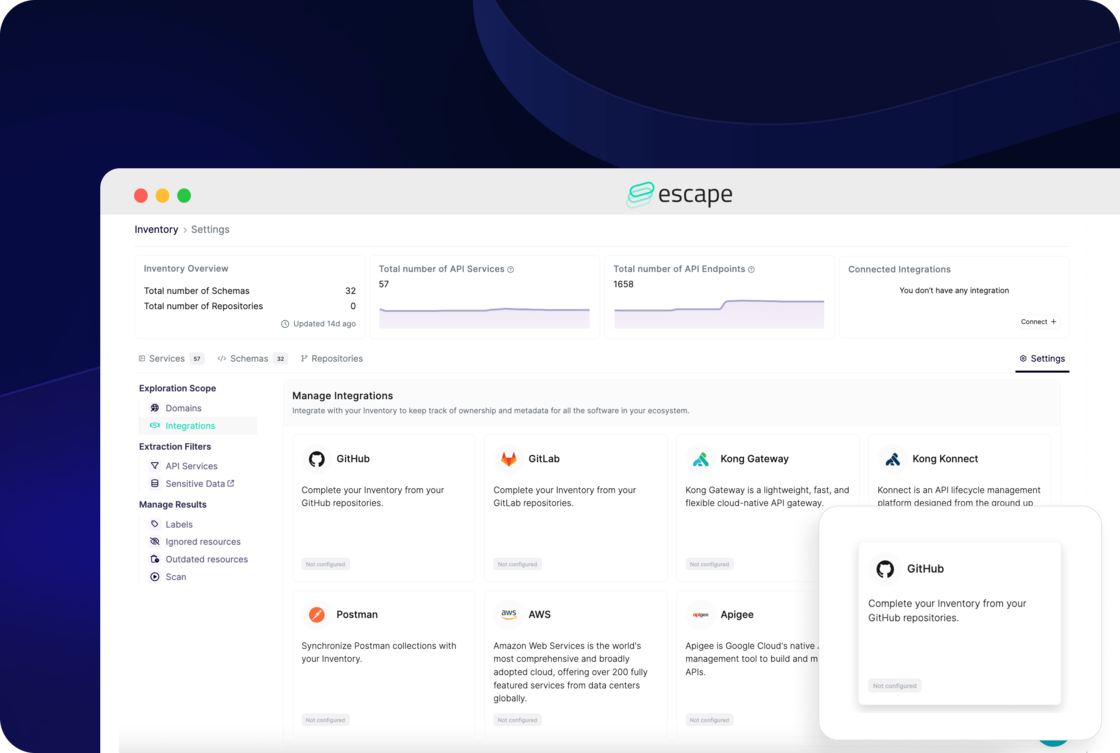
- For API services without a front-end, you need to set up integration with your GitHub, GitLab, or BitBucket. Navigate to your API inventory settings, then click on "Integrations" or simply select "Connect" from the "Connected Integrations" callout located in the top-right corner:
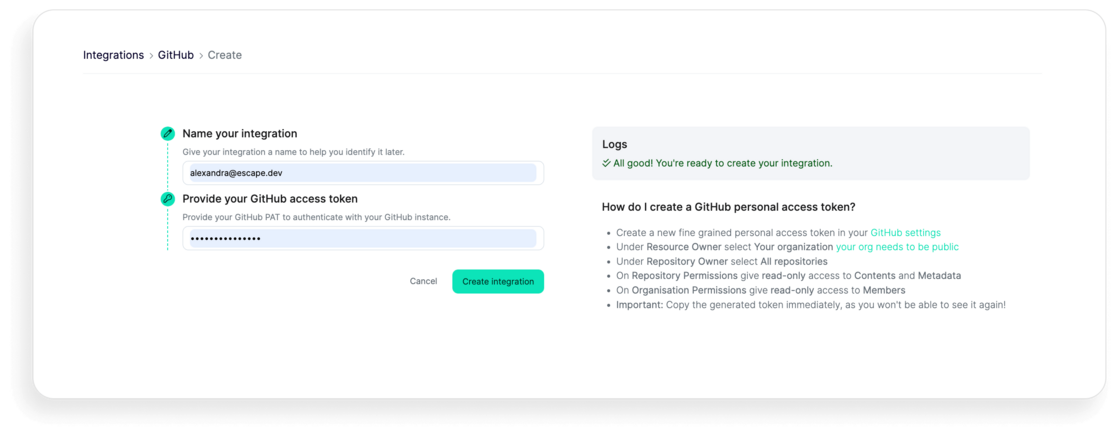
Then, enter the required information, like an access token for the integration of your choice. Below is example for GitHub:
With these new updates, you should be able to run your security scans automatically once API endpoints are discovered by Escape, without the need to upload your API specs. Try it out for yourself!