#107 · Improved RBAC with Role- and Label-Based Permissions
We’ve expanded Escape’s Role-Based Access Control to give teams more precise control over who can access which applications and findings.
What’s new:
- New “Permissions” sub-panel within each role groupe
A new Permissions sub-panel is now available for each custom role group you’ve created (Accessible via Organization - Roles):
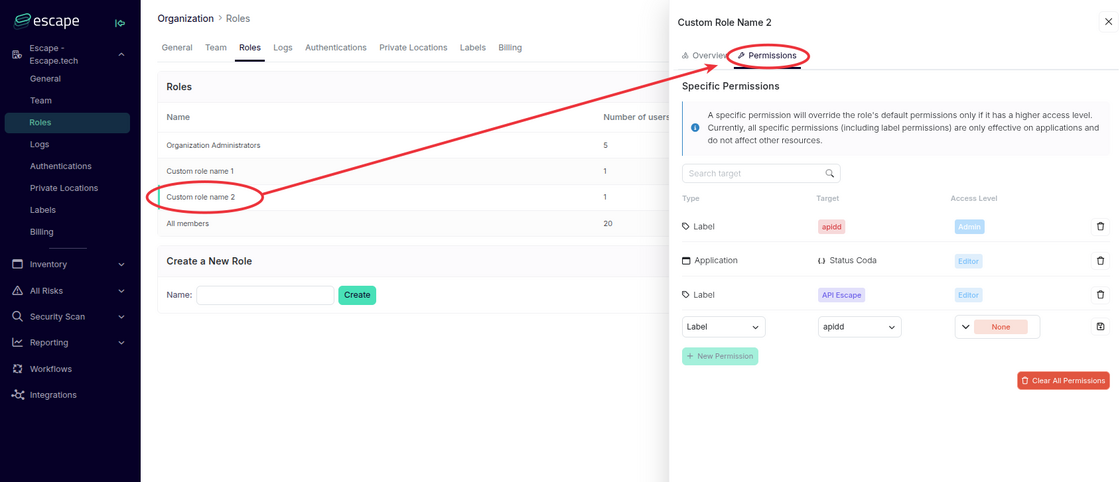
- Previously, managing permissions was only possible from the global Permissions settings.
- You can now define application-specific or label-specific permissions directly within each role type.
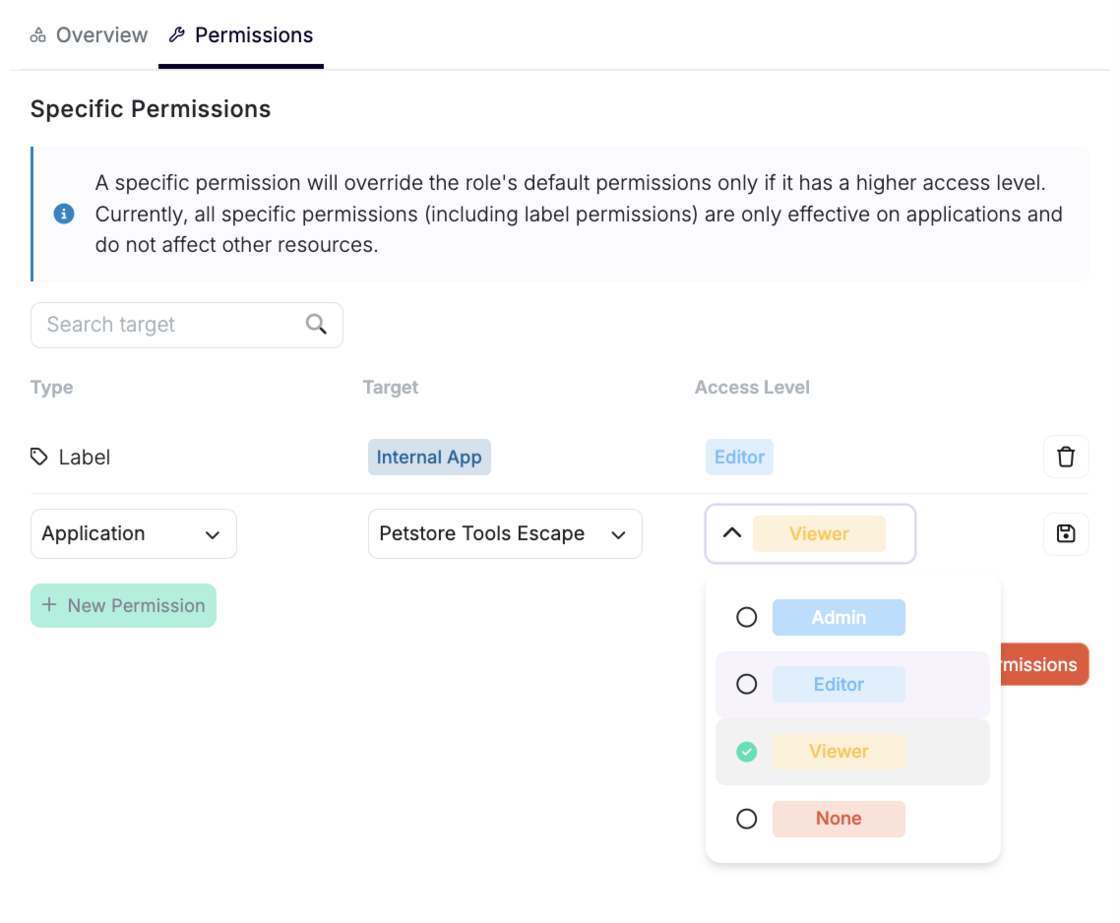
Note that a specific permission will override the role's default permissions only if it has a higher access level.
2. Label-Based Permissions
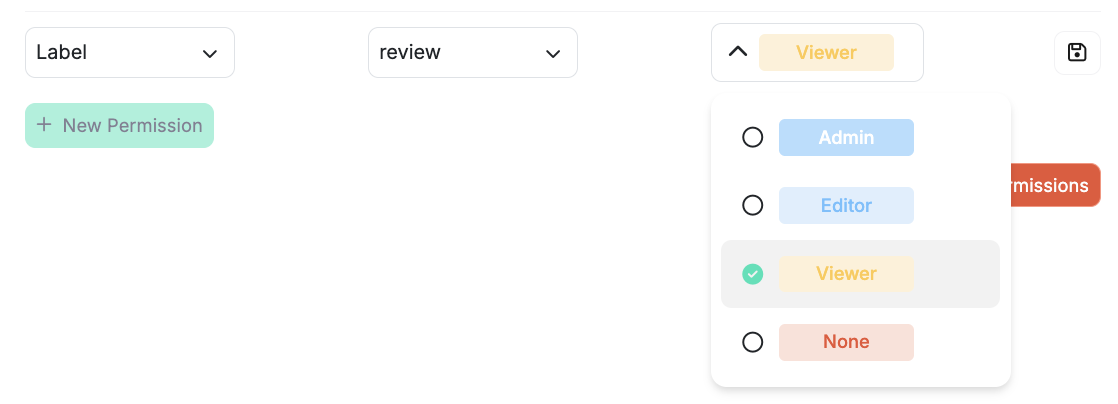
You can now assign access to groups of applications using shared labels - without giving full access to everything in those apps to the users of your choice.
- To create a label-based permission: click New Permission, select "label," choose a label name, and assign an access level (Admin, Editor, Viewer, None).
A new "labels" right has also been added to the existing Overview tab for each role type:
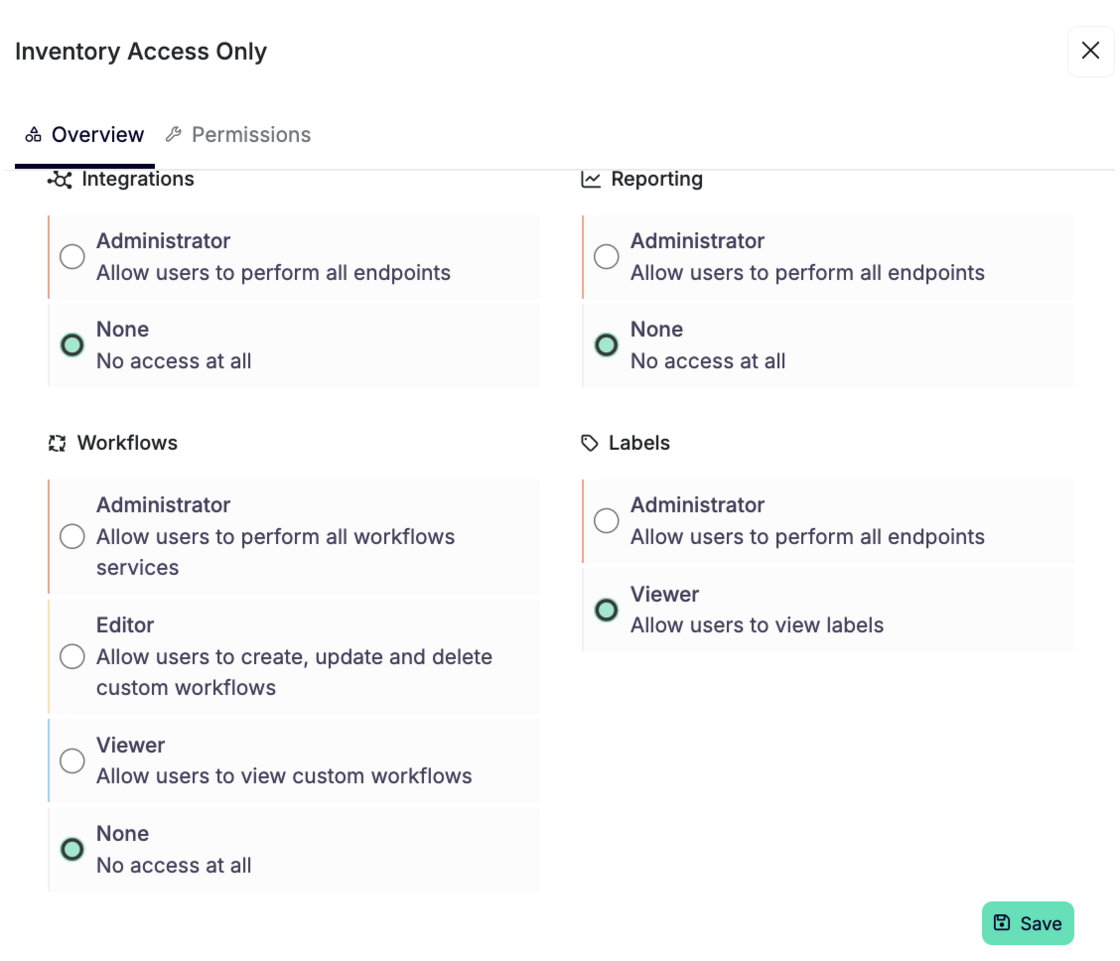
- It allows you to define whether users can view or manage labels.
- Set to Viewer by default.
How Permissions Work
- Start by defining a base role type, then configure global permissions (e.g. Inventory, Integrations, Workflows). You can optionally add specific permissions tied to individual applications or labels.
- Assign users to the appropriate role types based on their responsibilities.
Key Notes:
- A specific permission will override the default role permissions only if it grants a higher access level.
- Specific permissions, including label-based ones, only apply to applications—they do not affect unrelated resources.
Overall, these improvements let you:
- Confidently onboard more teams and apps without compromising data boundaries.
- Limit access to only what's necessary - reducing both risk and complexity.
- Keep permission management scalable across growing organizations.
Learn more about full Escape Role-Based Access Control (RBAC) capabilities in our documentation.