#114 · Meet Escape Copilot: Automate App and Scan Management via MCP
We’re introducing Escape Copilot (in Beta), a new AI-powered assistant designed to help your security team work more efficiently with the Escape platform.
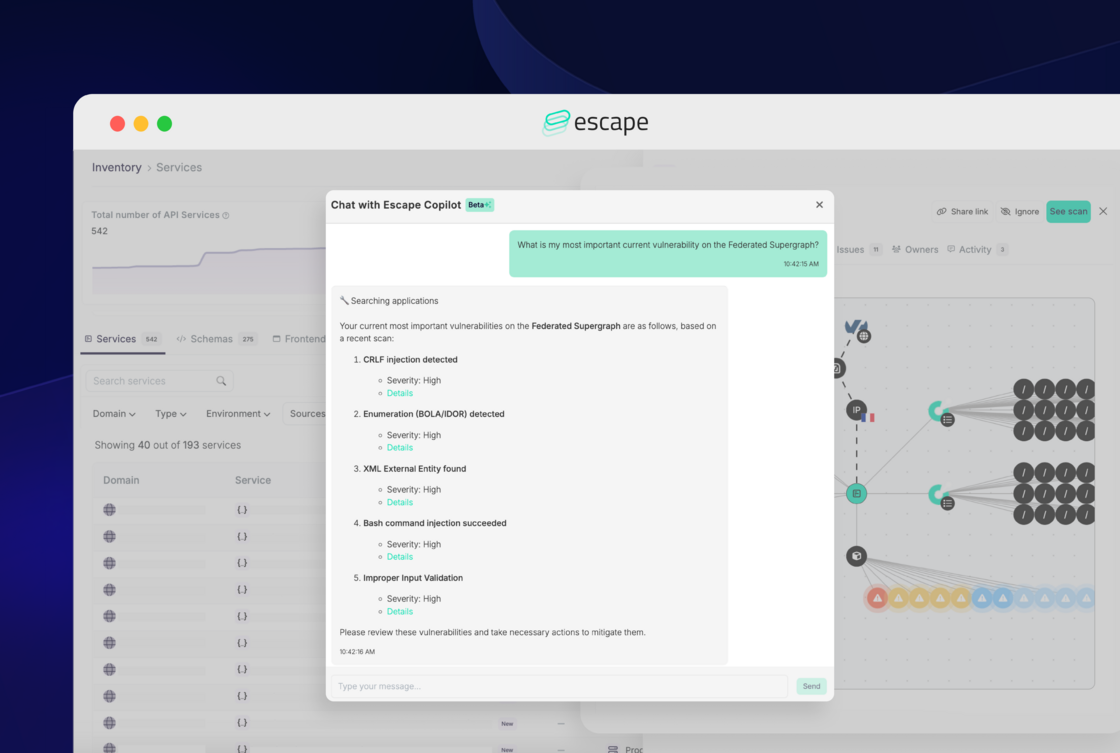
Powered by the Model Context Protocol (MCP) on the Escape Public API, Copilot understands your unique security setup and helps you get more done in less time by simplifying everyday workflows like managing scans and tracking assets.
It’s especially useful if you:
- Juggle many services or microservices
- Run regular scans across multiple apps and environments
- Need instant access to domain, issue, or posture information
What can Escape Copilot do today? (Beta)
Below are the core capabilities available in the beta release:
Application Management
- Create Applications: Define new applications by specifying essential details such as name, URL, type (e.g., GraphQL, REST, Frontend), location, and configuration.
- Update Applications: Easily update application details, including name, location, and scheduling options.
- List Applications: Retrieve a complete list of all applications managed within your platform.
- Get Application Details: Obtain specific details about any application using its unique ID or name.
Scan Management
- Start Scans: Trigger scans to identify vulnerabilities.
- Check Scan Status: Monitor ongoing or recent scans.
- List Scan Issues: Access detailed reports highlighting vulnerabilities and security issues detected during scans.
- List Scan Events:Review chronological events associated with scans, providing insights into the scanning processDomain Management
Domain Management
- Create Domains: Register new domains (FQDNs) to be monitored.
- Delete Domains: Remove unnecessary or outdated entries.
- List Domains: View all domains under management.
- Get Domain Details: Retrieve detailed information about specific domains using their IDs.
Access Scan Archives
- Get Exchange Archive URLs: Retrieve access to scan exchange archives for further investigation.
Powered by the Model Context Protocol (MCP)
Escape Copilot runs on the Model Context Protocol (MCP) using the Escape Public API. This means every interaction is tightly scoped to your organization’s actual configuration and security data — no pre-training, no external inference, no guesswork.
Copilot only responds based on what’s accessible through your scoped Escape Public API access, ensuring:
- No external data storage
- No training on your data
- Context-aware, action-ready results
It follows strict cybersecurity best practices and puts user privacy first. We recommend sharing only the data necessary for effective interaction.
Try Escape Copilot today
Escape Copilot is now available in beta to all customers!
Just press Cmd + Shift + E (or Ctrl + Shift + E on Windows) to activate Copilot in-app.
Feel free to play around, and we're looking forward to your feedback!