#138 · Verify and Filter API Scans for Method-Specific Coverage (GET, PUT, POST, DELETE)
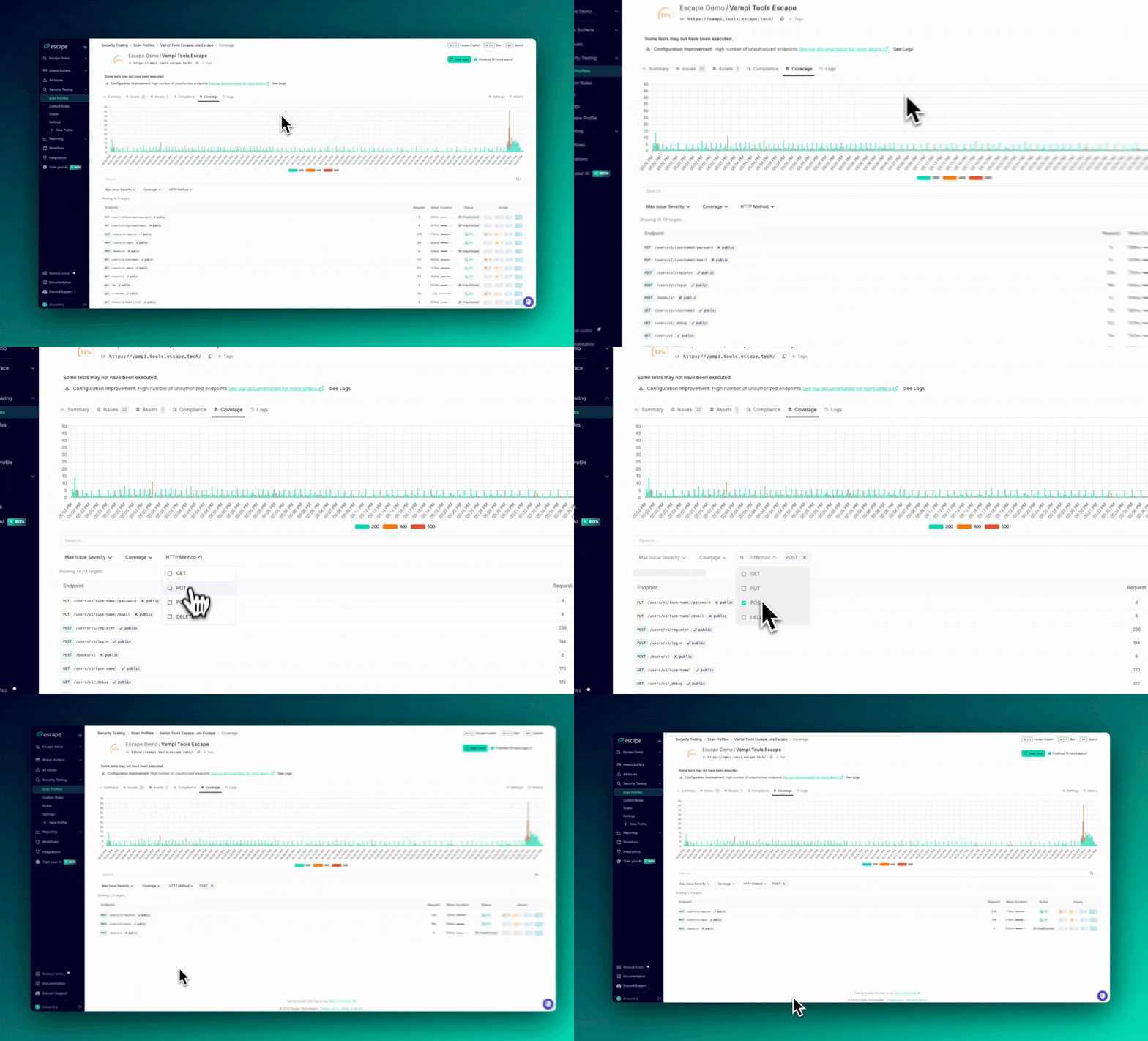
As a security engineer, you need to ensure thorough testing of all API request methods. With our new HTTP Method filter, you can now easily focus on verifying whether specific request methods (GET, PUT, POST, DELETE) were tested when reviewing your scan coverage.
Why This Matters :
Different HTTP methods can introduce different types of vulnerabilities. For example:
- PUT requests might enable file uploads or modifications, increasing the risk of improper access control.
- POST requests often involve sensitive data, making them prime targets for attacks.
- GET requests could expose information, putting data security at risk.
- DELETE requests introduce the potential for data loss or accidental deletions.
By filtering targets by HTTP method, you can ensure that each method was thoroughly tested for vulnerabilities. This also provides a clear view of your scan coverage, making it easier to demonstrate to leadership that all critical methods have been properly tested.
Key Benefits:
- Focused Vulnerability Testing: Easily check that the most sensitive request methods (PUT, POST, DELETE) have been adequately tested.
- Improved Efficiency: Filter out unnecessary data and concentrate on the most relevant request methods to save time.
- Comprehensive Coverage: Make sure no high-risk request methods are overlooked in your security reviews.
How to Use:
- Go to your Scan Profiles.
- Navigate to the Coverage tab for a specific scan.
- Apply the HTTP Method filter and choose GET, PUT, POST, or DELETE to refine your targets.
This update helps you stay focused and ensures that your API security testing is comprehensive and efficient.