#155 · Multi-Schema Support for Scan Profiles
APIs built on microservices often have one schema per service. Scanning them together meant merging files manually or accepting gaps in your security coverage.
Now you can attach multiple schemas to a single scan profile. Your full API surface gets tested, without the prep work.
What's new
- Manage schemas from two places. Use the profile's Schemas section in Settings, or the service's side panel in the ASM.
- Attach schemas during profile creation. Pick from existing assets, or create new ones on the fly via upload, fetch, or directly from the ASM.
- Scan APIs using multiple schemas. All attached schemas are used during the scan.
How to use it in the UI:
- During profile creation:
- Go to the "Create a new scan profile" step and select your API type.
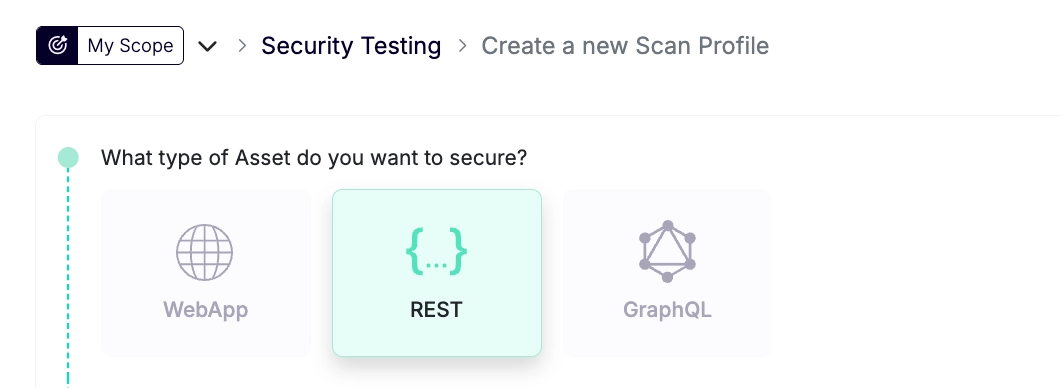
- If a schema doesn't appear in the list, it may not be linked to the target asset yet.
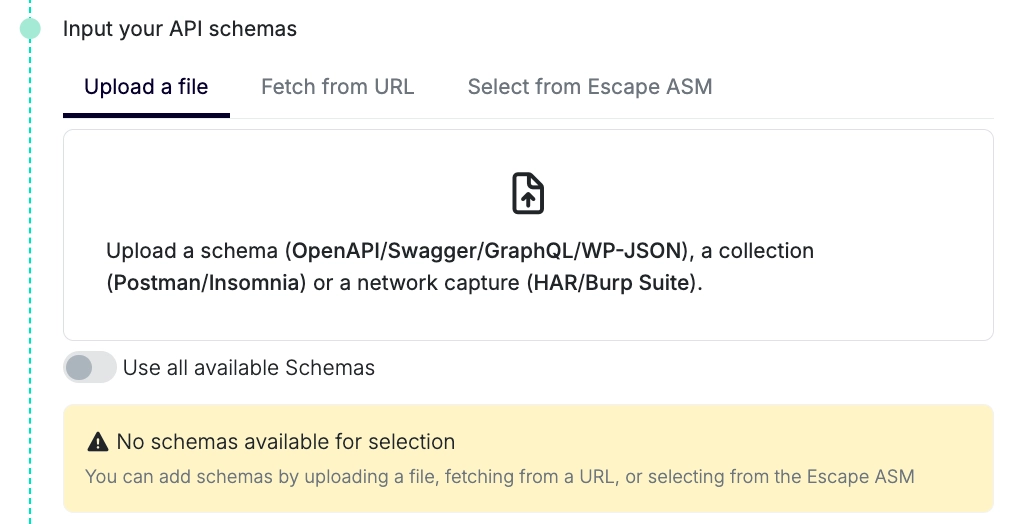
- Create it on the fly:
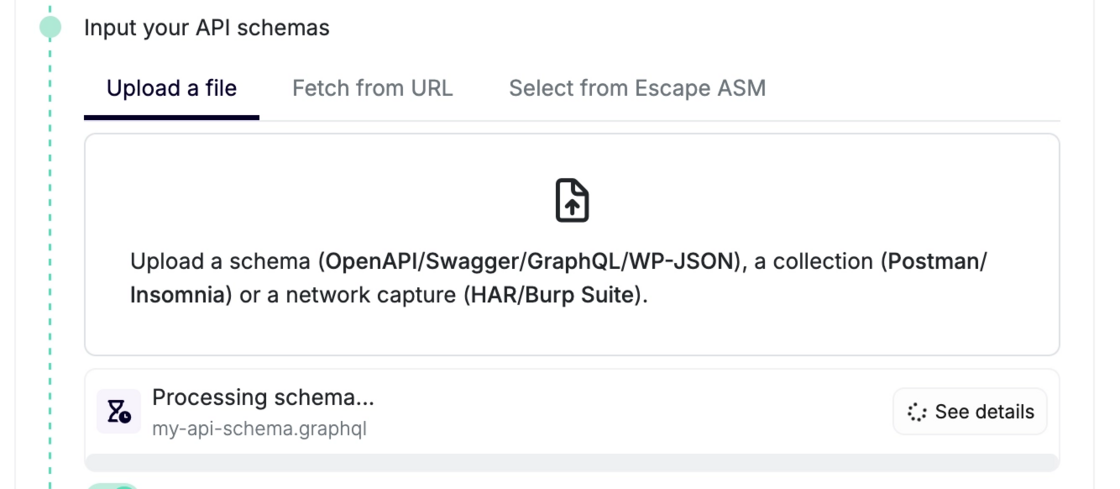
- or link it first from the ASM:
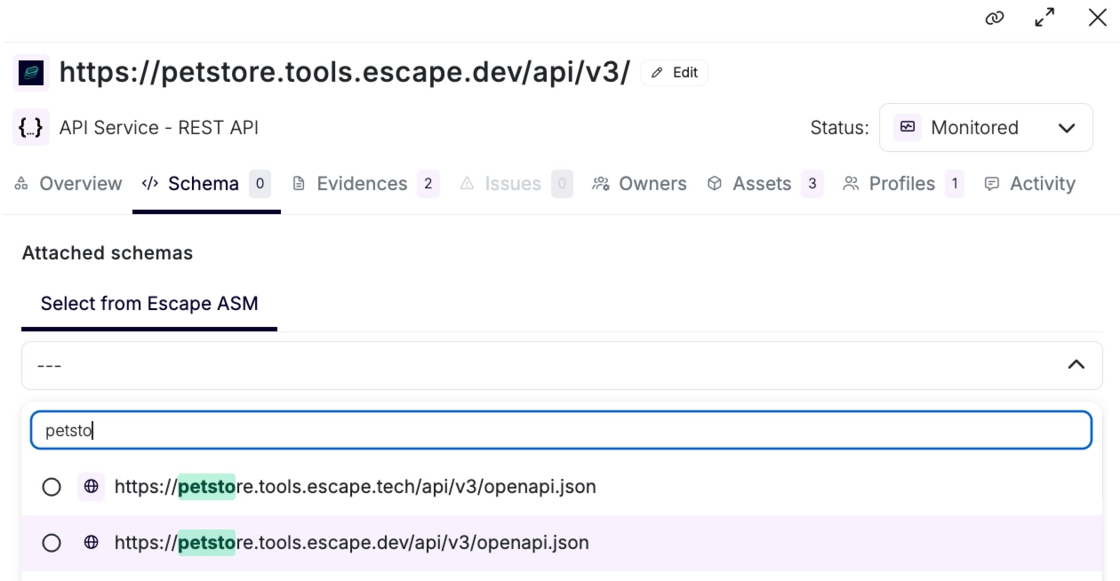
If schema(s) are available, toggle on the schemas you want to include. Check "Use all available extra assets" to always include every linked schema automatically.
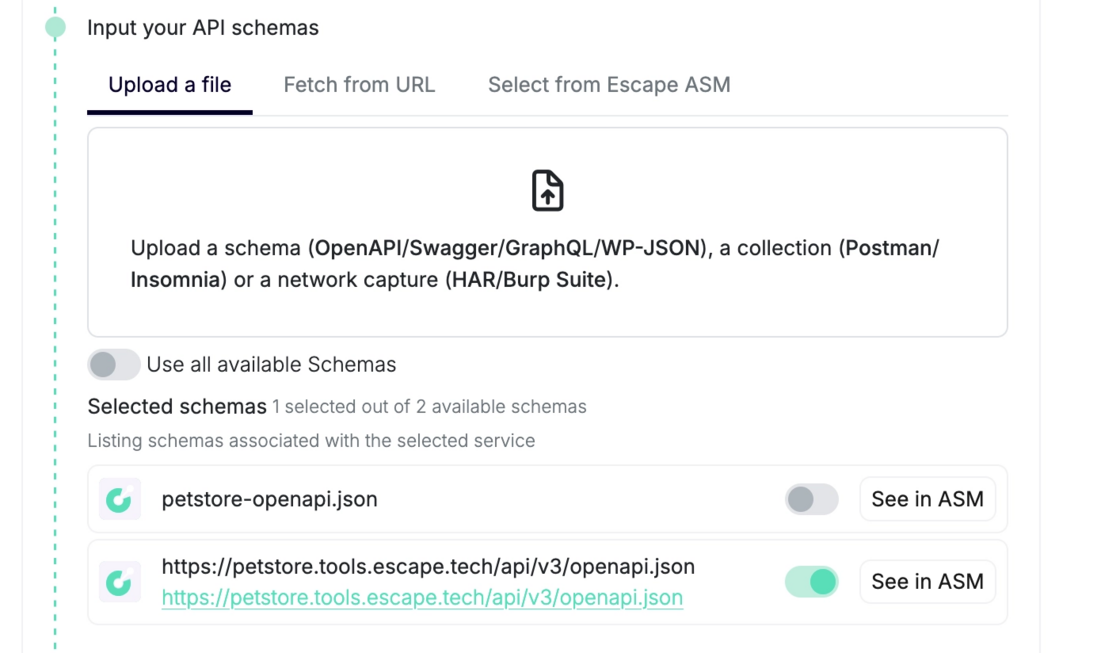
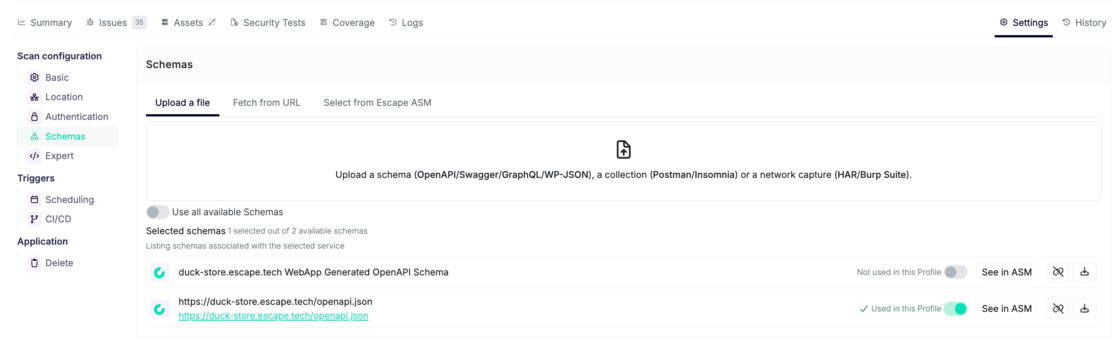
- For existing profiles: Go to Settings → Schemas. Add, remove, or unlink schemas anytime. Unlinking removes the schema from all profiles scanning that target.
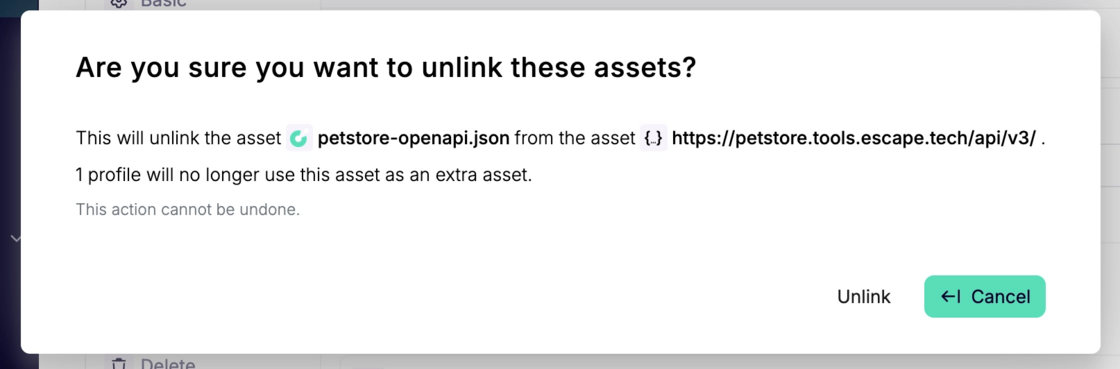
Unlinking extra schemas from a target asset will require a confirmation and it will remove the asset from the extra assets of all the profiles scanning the target asset.
The more schemas your scan profile includes, the closer your security coverage gets to your real attack surface.
For extra setup guidance and troubleshooting, learn more in the docs.