#187 · AI Pentest coverage now shows which persona sent each request
Escape's AI Pentesting scans log in as personas. Until now, every request they made after logging in showed up in the Coverage tab under a single authenticated label, and only when we spotted auth-like headers. You could see that the agents were logged in. You could not see who they were logged in as.
Now, when a Cascade agent authenticates as a persona, the traffic captured through the companion is attributed to that persona in Coverage. Same Bearer token, same cookies, but the User column reads admin or buyer instead of authenticated.
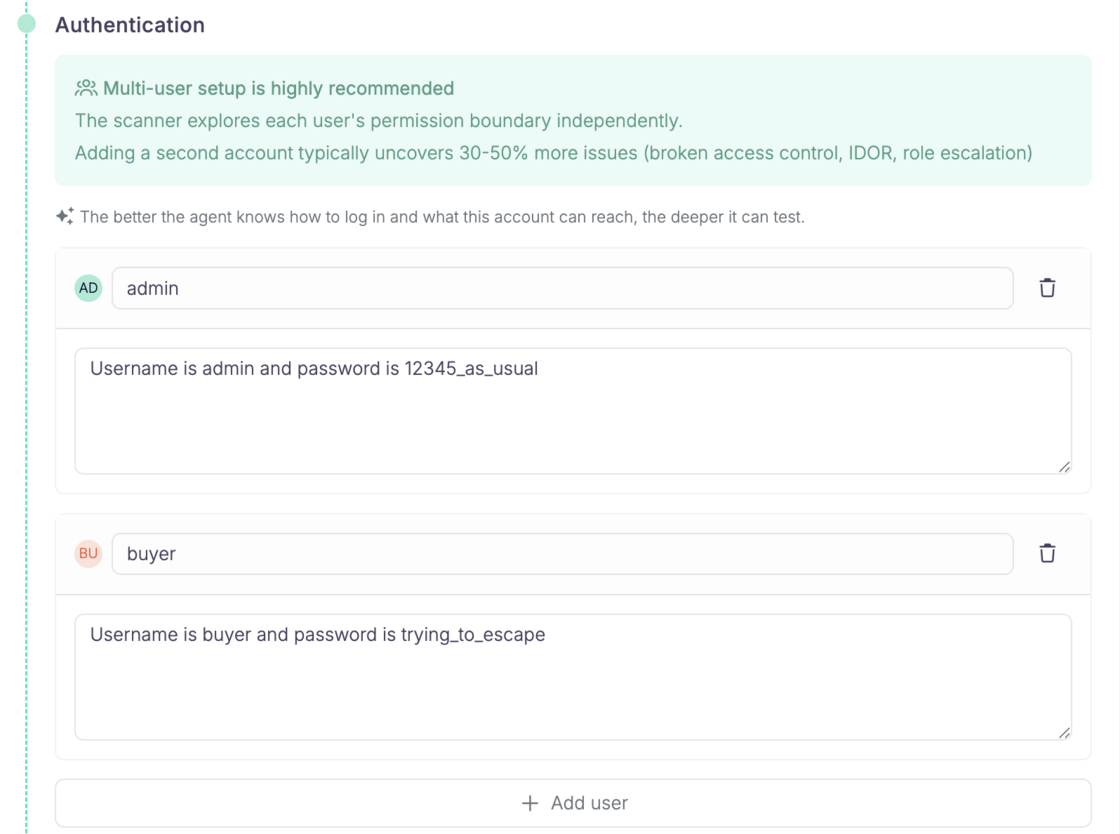
Define your personas separately during scan setup:
What you'll see in the Coverage tab:

What this gives you
- Proof of per-role work. You can confirm the agent actually tested the app as admin, not just as buyer. Role coverage stops being something you take on faith.
- A lead worth pulling. If buyer has an OK (✔️❌) exchange on a route meant for admins, that is a good reason to look closer. It is a signal, not a finding. HTTP alone cannot tell you whether the 200 returned privileged data or an empty shell.
- Testing gaps you can trust. If an endpoint has no successful exchange under any user, something is missing: credentials, a login step that broke, a flow the agents never reached.
Known limits
Some exchanges still fall back to authenticatedwhen we cannot match a persona uniquely: shared credentials across personas, anonymous sessions that carry auth-like cookies, and long runs where an agent goes a while without re-authenticating.
Questions?
Have a question? Reach out on your dedicated support channel, or email us at support@escape.tech