#148 · New: Network Monitoring via IPv4 Ranges in Escape Attack Surface Management
Escape ASM now supports Network Monitoring through IPv4 (CIDR) ranges. This allows you to continuously scan an entire network range and automatically detect exposed assets based on their corresponding IP ranges - something that wasn’t possible before.
Modern infrastructure doesn’t always expose services via domains. Developers may deploy services directly over IPs—intentionally or accidentally—creating blind spots in asset discovery and security monitoring. With this capability, if a developer deploys a service directly over an IP address, Escape ASM will now detect it and alert you, even if it’s not tied to a known domain or hostname.
This feature will be in general availability for current ASM users and is included in your current ASM pricing plan. If you wish to learn more, feel free to reach out to your dedicated Escape contact.
How it works
- Go to ASM → Scope Management → Configure scope

- Select IPv4 Range to set IPV4 range up
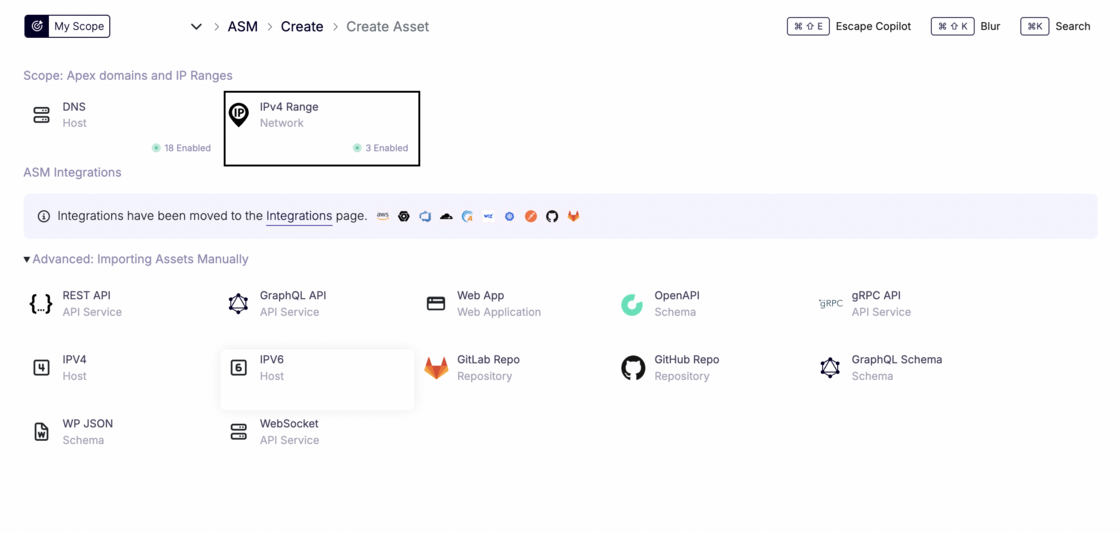
- Create a Network asset: Add an IPv4 CIDR range (e.g.,
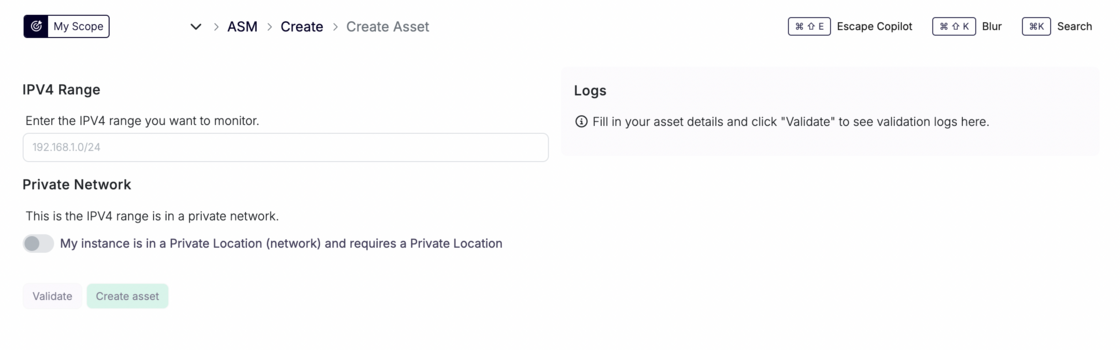
192.168.1.0/24) as a new asset in Escape ASM.
-
Private network support (optional)
- If the IPV4 belongs to a private network, enable the Private Network option.
- Select a Private Location so the scan is executed from within your infrastructure.
-
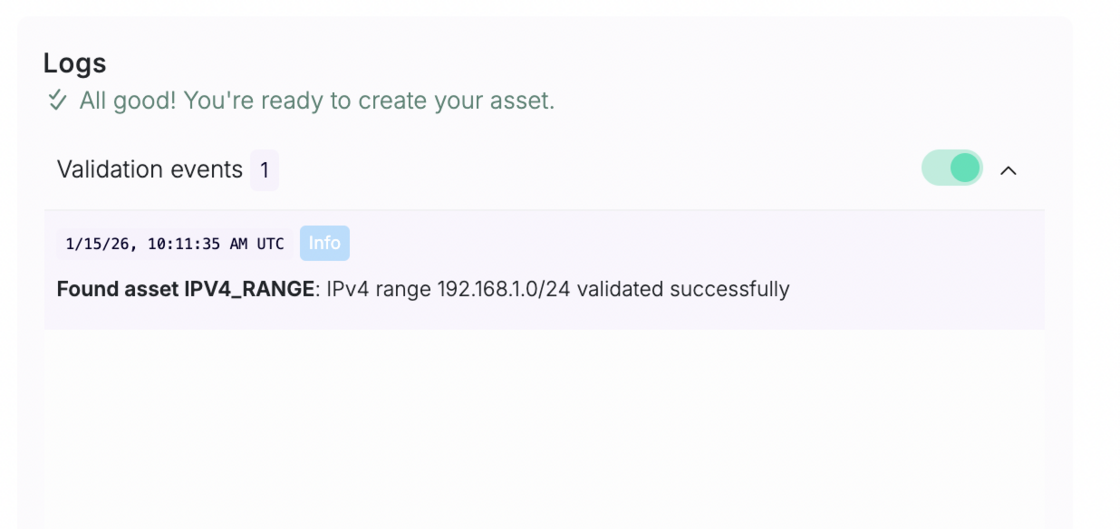
Click on Validate to view whether the corresponding asset can be found
- Network scanning & asset discovery
- Escape scans all IPs in the range.
- For each IP with at least one open port (based on your configuration), a new asset is automatically created.
- Full ASM coverage
- Discovered IP assets are added to your ASM inventory.
- They are scanned like any other asset, allowing ASM to:
- Discover web applications, APIs, and services
- Perform vulnerability scanning
- Run security and exposure checks and set up alerting workflows based on a specific asset, a tag or a project they’re associated with
Important notes & limitations
- ⚠️ CIDR size limit
- Currently, Escape ASM supports network ranges up to /24 (256 IPs).
- Larger networks can be scanned by splitting them into multiple
/24ranges.
- If scanning larger ranges becomes a recurring need, reach out, this is something we can discuss.
- Looking ahead: Scanning entire Autonomous Systems (AS) will be supported easily in the future.
Why this matters
With Network Monitoring, Escape ASM now covers one of the most common blind spots in asset discovery: IP-based deployments. This ensures that anything exposed on your network—whether intentional or accidental—is detected, inventoried, and continuously secured.