#149 · Redesigned Web Application Coverage with Screenshots and Pentesting Summaries (Beta)
We reworked how Escape represents dynamic security testing coverage across web applications, with one goal:
Make every executed action observable, verifiable, and explainable. We strongly believe every app is different, and just showing visited URLs is not enough.
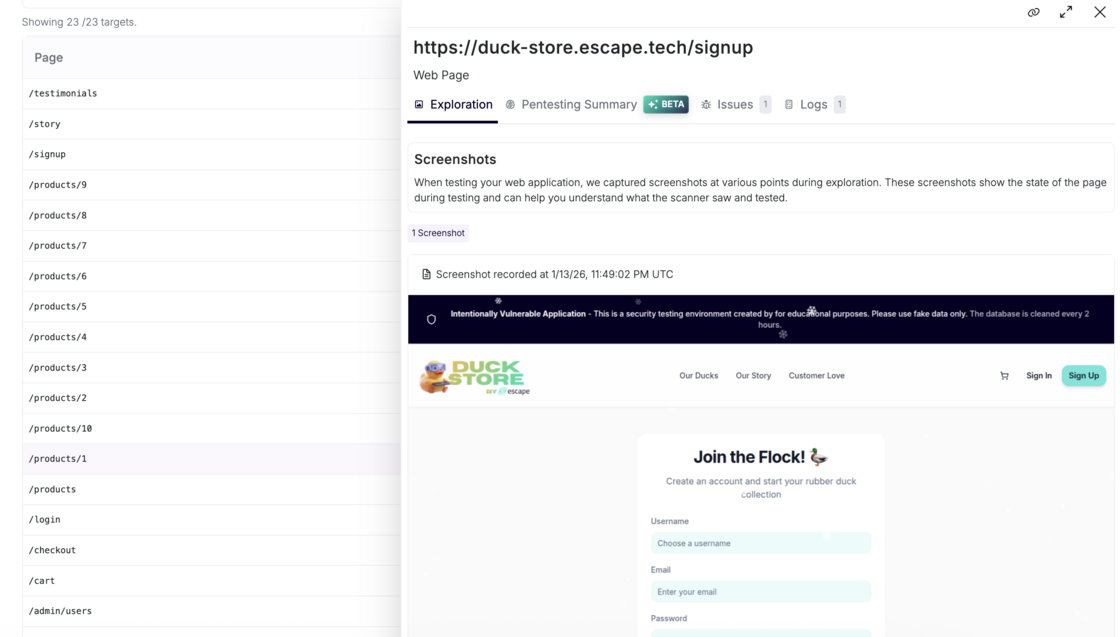
What’s New for Web Applications (At Glance)
- Web Application Coverage showing all tested pages and states
- Screenshots captured during exploration, including dynamic SPA states
- Search and filtering to validate that specific routes were tested
- Dedicated Crawling view listing all discovered pages in a folder-based structure
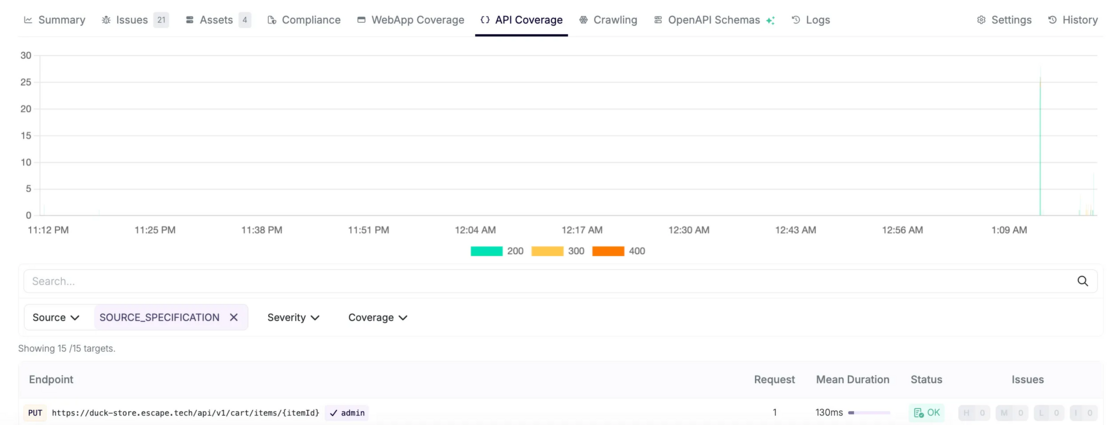
- API Coverage for web-triggered API calls, with the same attack path exploration graphs and visibility as API-first scans
- Unified Logs page shared across web and API testing for full end-to-end traceability
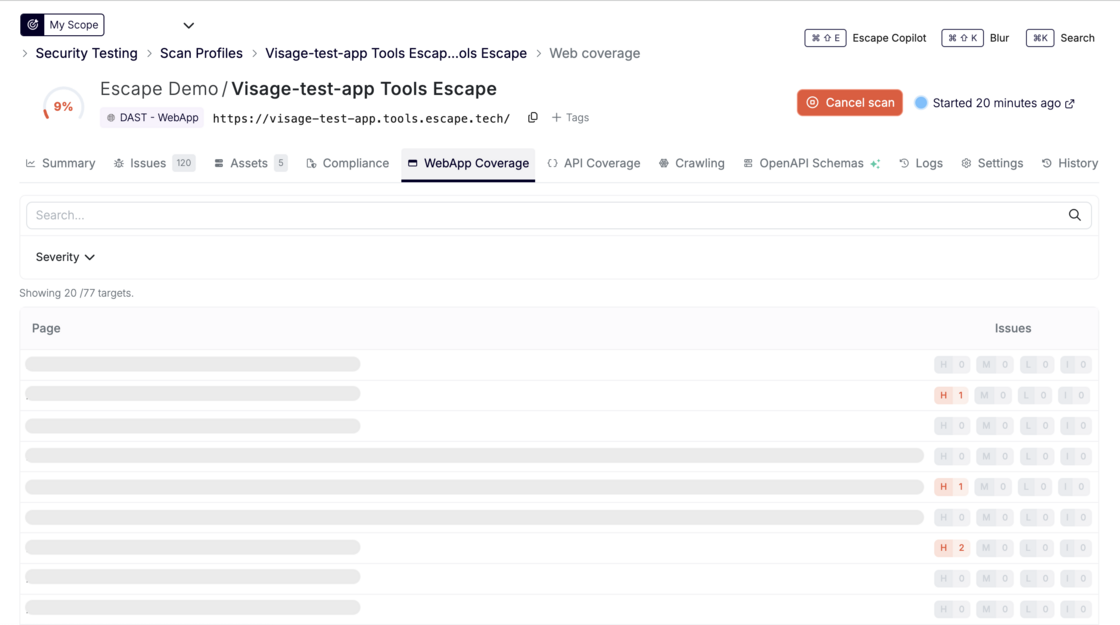
Now, we help your team to answer the following questions:
- Is the scanner getting good broad coverage?
- Did authentication succeed, and where did it fail?
- Which attack paths succeeded or weren’t tested?
This update makes Escape’s exploration and testing fully transparent, end-to-end. You can prove what was tested, troubleshoot gaps instantly, and stop defending your security tooling.
Web Application Coverage Page
Escape now shows:
1. Coverage with Screenshots
Every unique application state reached during the crawl is:
- Captured as a screenshot
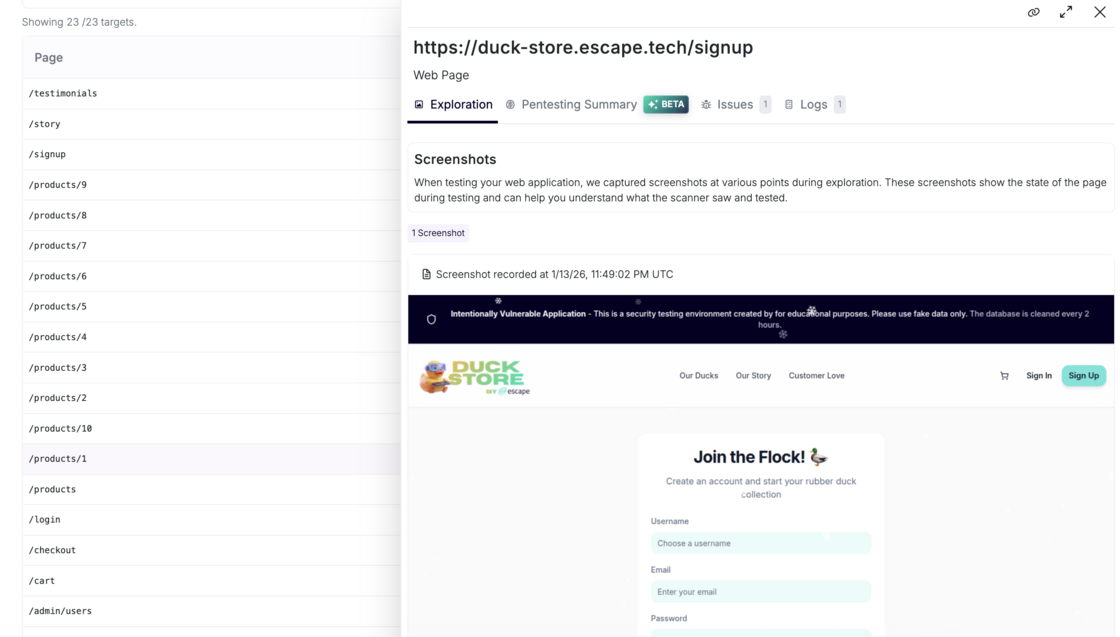
- Associated with a logical route
- Searchable and filterable by severity
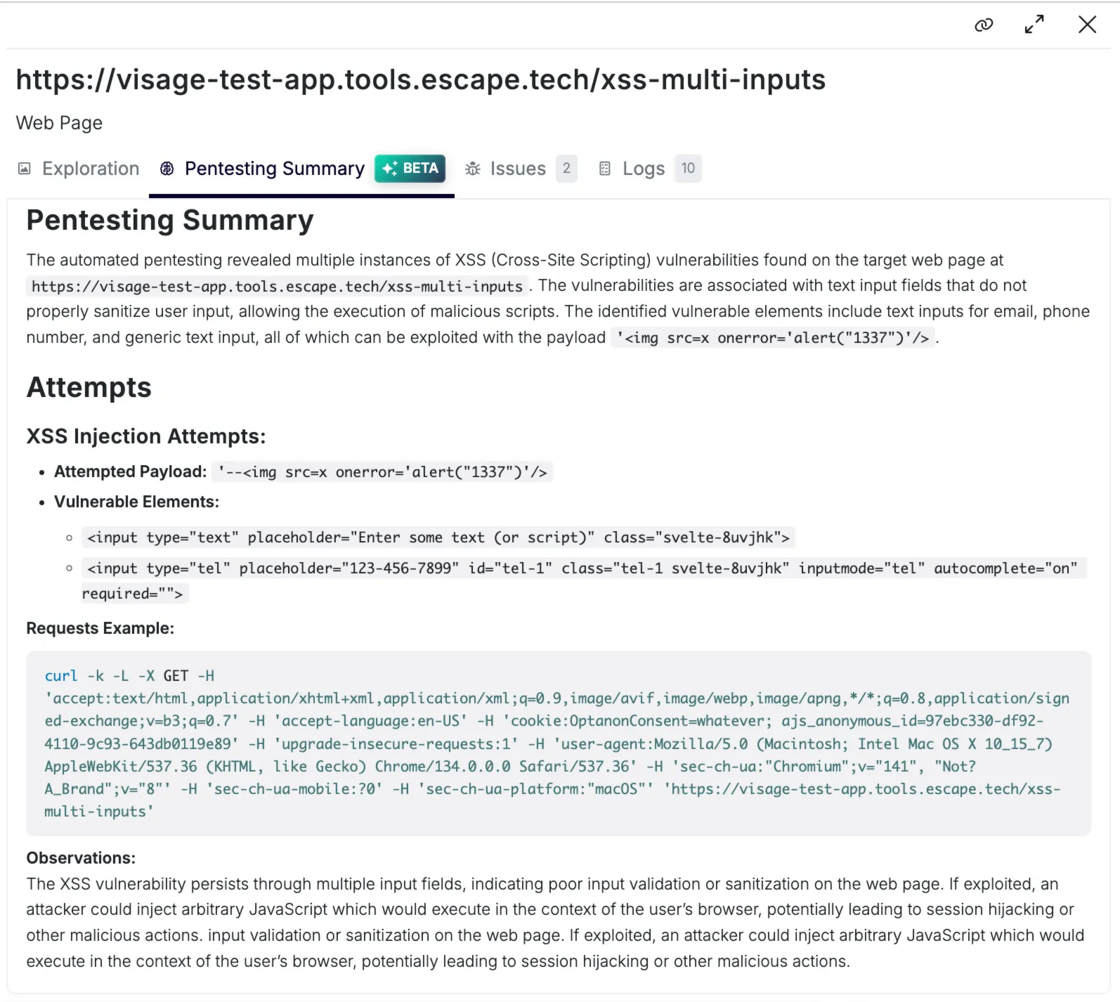
2. Pentesting summary (Beta)
Beyond screenshot validation, Escape delivers AI-generated summaries that break down how vulnerabilities associated with a specific page were uncovered and precisely which attack attempts led to its discovery:
3. Associated Issues
In a dedicated tab, you can view all issues linked to this specific web page, giving you immediate visibility into what was found and where.
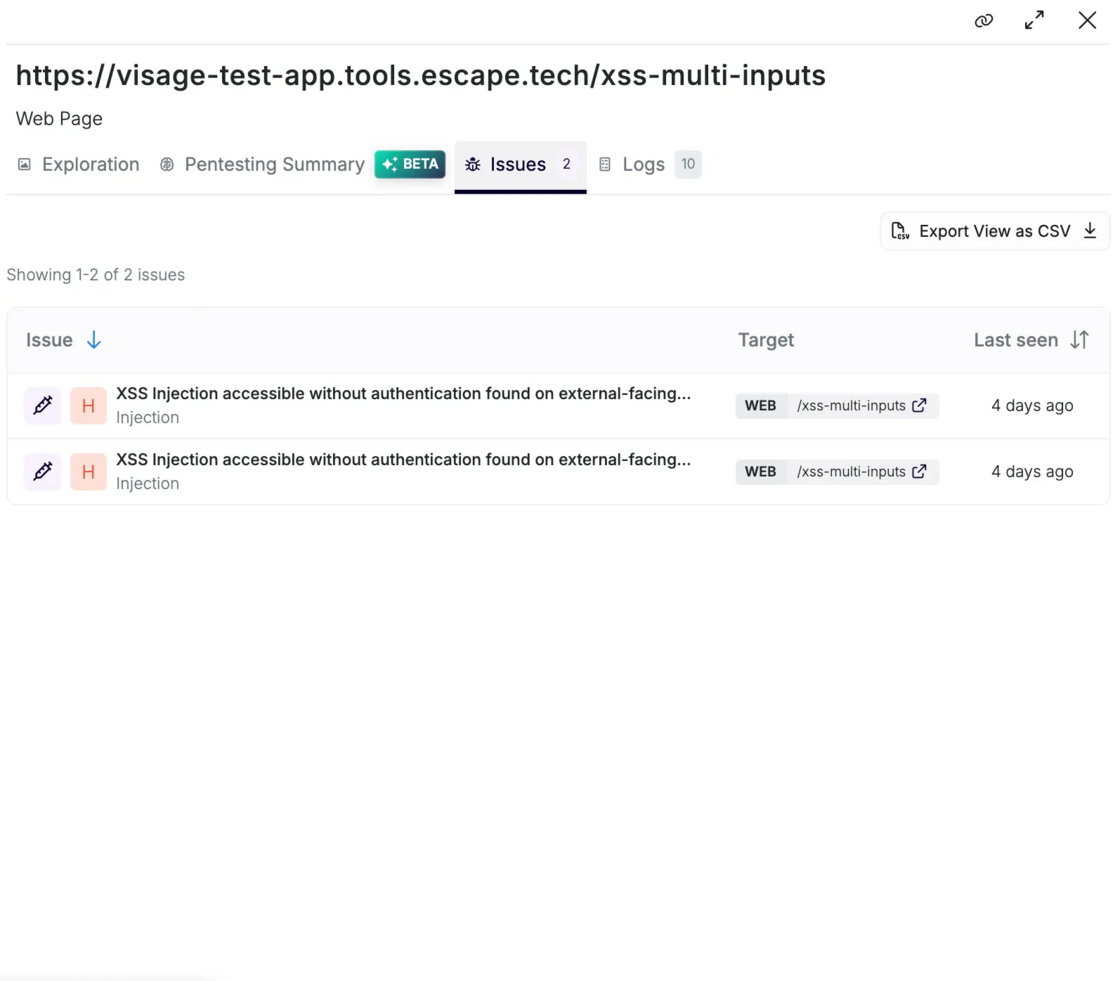
No more guessing whether a given page was touched during scanning.
Behind the scenes: Escape’s RL-driven web crawler identifies similar page states and avoids redundant visits — now you can see exactly which unique states were tested and why.
Crawling View
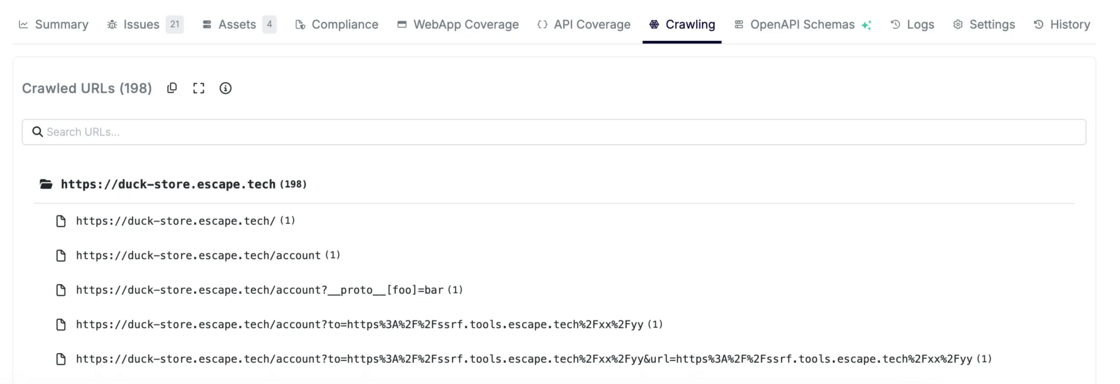
A structured list of all discovered pages organized by folder and hierarchy. This makes it easy to:
- Validate that important areas of the site were exercised
- Cross-reference against your sitemap
- Spot blind spots in discovery
API Coverage Within Web Testing
When web crawling triggers API calls (XHR/Fetch), those same coverage and attack path visualisation capabilities apply — giving you:
- Unified API visibility
- Integration into Attack Path Validation graphs
- Proven evidence of how frontend and backend interactions were exercised
This gives you end-to-end visibility, from UI action → API call → vulnerability.
With this release, Escape shifts dynamic testing from a black box to a glass box.
You don’t just see results of the scan, you see:
- How coverage was achieved
- Why authentication might have failed
- And where your real attack surface lies
Whether you’re validating that a critical part of a web app was tested, debugging a failed scan, preparing for an audit, or reviewing a production incident, Escape gives you the right evidence.