#192 · Issue Retest: Prove a Fix Without a Full Pentest
Availability: General Availability
A developer tells you "we followed the remediation, is this fixed?" You now answer in one run. Issue Retest replays only the findings you pick, on the DAST or AI Pentesting profile that found them, and gives each one a verdict. Nothing else on the profile moves.
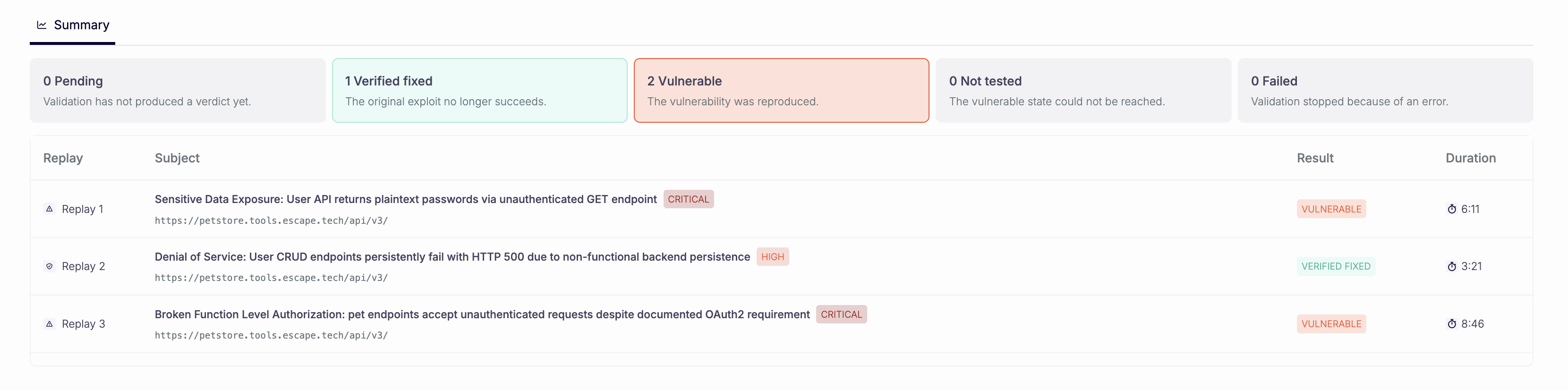 Each selected issue gets its own verdict on the Summary tab.
What's New
- Retest from the issue: open an issue and choose Send to retest, or select rows in the issue table and click Retest. One run covers every issue you select on the same profile.
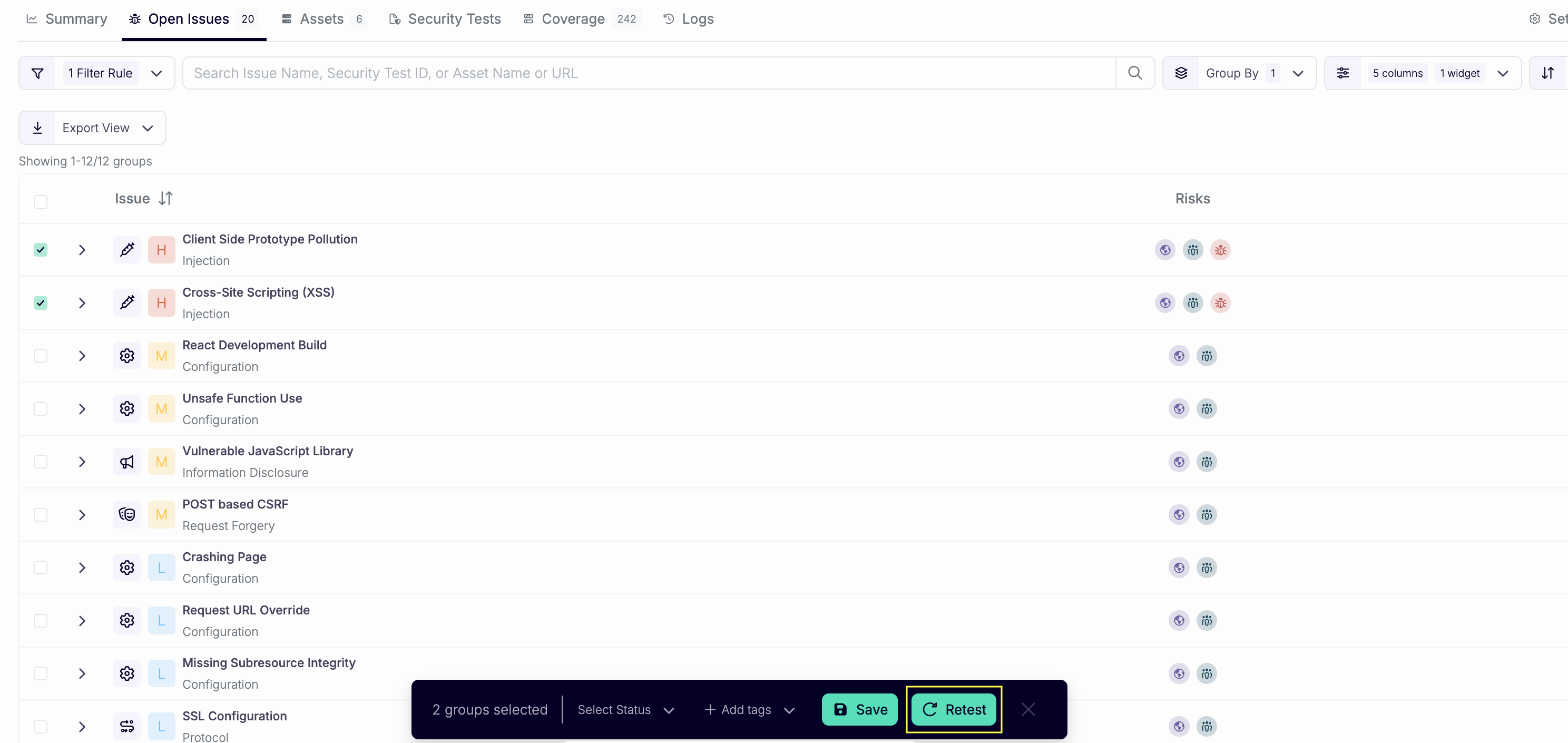 Batch several fixes into a single retest.
- Four verdicts: each issue comes back Verified fixed, Vulnerable, Not tested, or Failed. Only Verified fixed resolves an Open issue.
- Context for the agents: add up to 4000 characters on what changed (a deploy, a fix, an environment note) before you click Launch retest.
- API and CLI:
POST /v3/reteststakes aprofileIdand eitherissueIdsor afilter.escape-cli retests start,list, andgetdo the same from your pipeline.
How It Works
- You pick the issues and launch. Escape starts a dedicated scan that uses the profile's own configuration.
- One agent takes each selected issue and reports its outcome. When the replay never reaches the vulnerable state, the outcome is Not tested.
- The retest id is the scan id. Poll
GET /v3/retests/{id}and readoutcomeper issue:VERIFIED_FIXED,VULNERABLE,NOT_TESTED, orFAILED.
escape-cli retests start --profile-id <profile-id> --issue-id <issue-id>
escape-cli retests get <retest-id>
To retest by filter instead of by id, swap --issue-id for filter flags such as --severity HIGH --status OPEN.
Requirements and Limits
- Issue Retest runs on DAST and AI Pentesting profiles.
- A retest covers issues from one profile at a time.
- Only the selected issues change. A retest doesn't create new issues.
- Not tested and Failed leave the issue status unchanged.
- In the CLI,
--issue-idand the filter flags are mutually exclusive.
Issue Retest Docs → Read the Announcement →
Questions?
Have a question? Reach out on your dedicated support channel, or email us at support@escape.tech.